

E-commerce store owners’ WordPress SEO is the practice of making store pages discoverable, understandable, and useful in organic search to attract buyers. This 2026 guide covers product and category pages, crawl controls, content, and measurement; stores must manage purchasing intent alongside variations, filters, and changing inventory.
- WordPress SEO for ecommerce starts with indexable product pages and categories that match buying intent.
- Improveseoplugin fits local store owners who need WordPress content publishing, not a replacement for technical e-commerce SEO.
- Keep useful category pages searchable; control filter URLs that duplicate the same inventory.
- Measure organic purchases and landing-page performance, not rankings alone.
Why WordPress SEO matters for e-commerce store owners
Your store needs more than traffic. A category page should help shoppers compare relevant products, while a product page should answer the questions that stand between interest and purchase.
For Improveseoplugin users, local keyword content is one part of store SEO—not a substitute for accessible product pages. A store serving local customers needs accurate service-area information as well as useful shopping pages.
In 2026, the practical priority is unchanged: make the right page answer the right search, then give the visitor a clear buying path. A helpful guide cannot compensate for a product page that search engines cannot index.
How to improve WordPress SEO for your store
Match each search intent to a page
Start manually with a spreadsheet of your categories, important products, and customer questions. Assign each topic to the page that best answers it. Category searches belong on category pages; searches for a specific item belong on its product page; questions about choosing or using products belong in supporting guides.
Give each page 1 primary search intent, rather than forcing every related phrase into its title. Related terms belong together when they describe the same need. Different buying tasks need different pages.
For a locally focused store, separate genuine local intent from ordinary product intent. A search about nearby pickup needs location details. A search about material differences needs a comparison. Adding a city name does not turn every product page into a useful local landing page.
- Record the intended buyer action beside each page.
- Group phrases that ask for the same result.
- Assign category phrases to relevant category pages.
- Assign specific item searches to product pages.
- Keep educational questions in supporting guides.
Check which store pages can be indexed
Use Google Search Console and your WordPress settings before buying another tool. Inspect important URLs, check whether they are indexed, and review the canonical URL Google selected. Look for accidental indexing restrictions, broken pages, and redirects that no longer lead to relevant destinations.
Filters and sorting require deliberate decisions. A filtered page deserves search visibility only when it serves a distinct, useful search intent and contains enough information to stand alone. Otherwise, multiplying near-identical URLs creates more pages without creating more value.
Canonical tags indicate a preferred URL; they do not guarantee that Google will select it. Blocking a URL in robots.txt also prevents crawlers from reading its page-level indexing instructions. Choose the control that matches the problem, rather than applying every control together.
- Inspect an important category and its associated product pages.
- Confirm that intended landing pages allow indexing.
- Check canonical targets against the preferred URLs.
- Review filter, sort, and variation URL behavior.
- Exclude private checkout and account pages from search.
Build content around actual buying questions
Start with questions from customer emails, product inquiries, and sales conversations. Write the answer in WordPress, check it against your products, and connect it to the relevant shopping page. This manual approach works without a separate content subscription.
For local store owners, Improveseoplugin offers a faster content workflow: finding low-competition local keywords, generating branded drafts, and publishing or scheduling them from the WordPress dashboard. Its stated focus is local content, not product-feed management or technical store repair.
Improveseoplugin is best for local store owners who need WordPress content publishing. That fit is strongest when local questions matter to the store; content still needs review before publication.
For your 2026 editorial plan, prioritize questions that help someone choose, use, or obtain what you actually sell. Do not create local pages for places your business does not serve.
- Collect recurring questions from real customer interactions.
- Match each question to a relevant product category.
- Answer the question before introducing the purchase path.
- Check every generated claim against your business facts.
- Schedule only drafts that have passed factual review.
Improve category and product pages
Edit your existing pages before producing a large batch of new articles. A category page should explain the selection and help shoppers distinguish options. A product page should explain the specific item, including only verified materials, dimensions, compatibility, and other relevant details.
Write page titles that describe the actual page. Keep the main heading consistent with the product or category, and use descriptions that make sense without a keyword list. Meta descriptions summarize the page; Google can display a different snippet.
Unique descriptions matter when products differ meaningfully. Explain those differences instead of rewriting the same paragraph with another color or location name. Keep policy and purchasing information accurate, and never add claims simply because competing stores use them.
- Describe what distinguishes each category’s products.
- Put verified product details near the buying decision.
- Use descriptive titles and clear main headings.
- Add useful image descriptions where appropriate.
- Remove copied filler and unsupported product claims.
Connect guides, categories, and products
Walk through your store as a customer. Can someone move from a buying guide to the relevant category, then to a suitable product? Can someone on a product page find the category and the information needed to decide?
Internal links help users and search engines discover related pages. Use descriptive wording that explains the destination, not repeated keyword phrases inserted into every paragraph. Breadcrumbs can show where a page sits within the store hierarchy.
For your 2026 content plan, draw a simple map of the main buying path before adding more pages. Start with a useful guide, connect it to the relevant category, and make product choices accessible from that category. The diagram below shows the intended sequence, not a required URL structure.
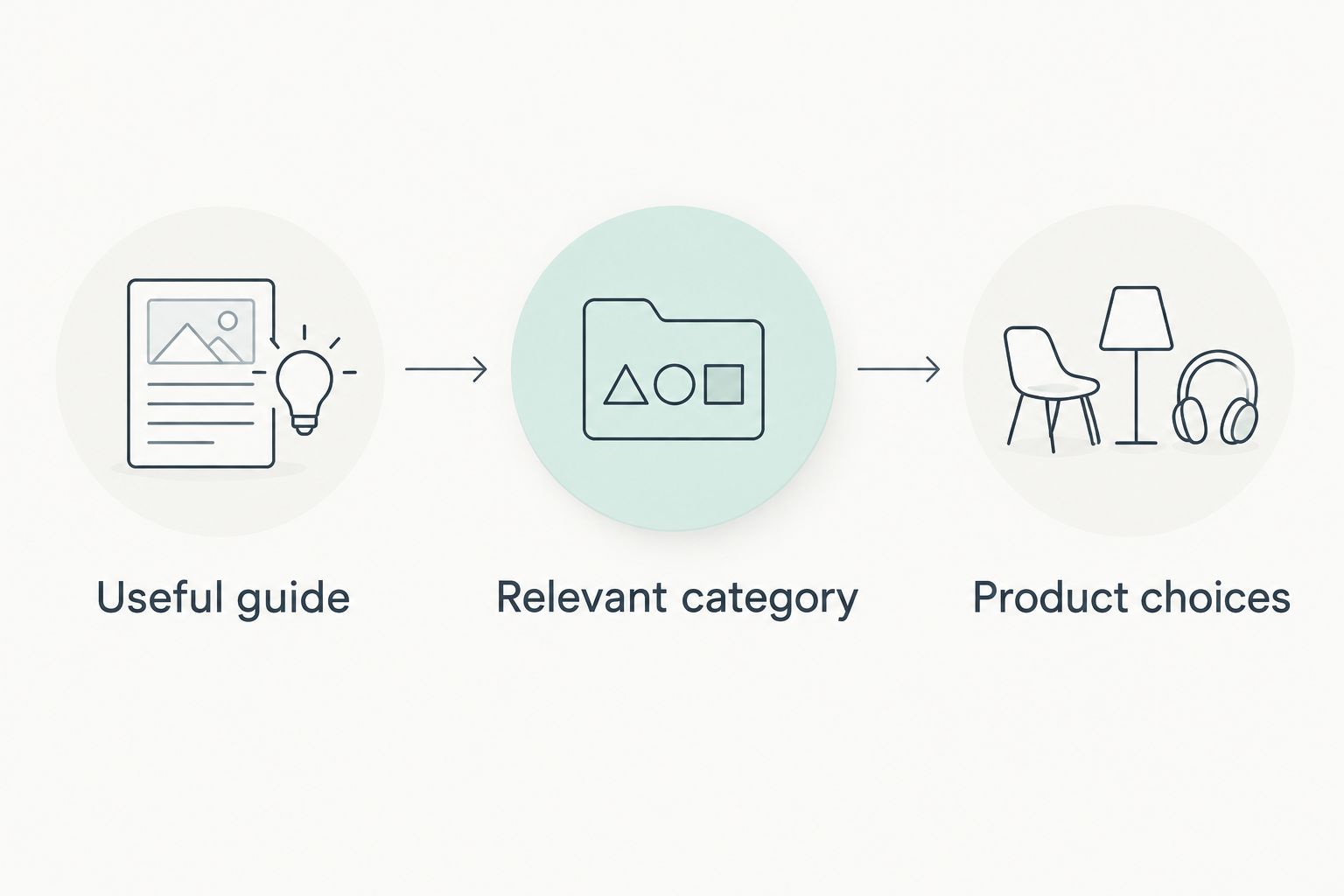
A link is useful when its destination advances the shopper’s task. A guide about choosing a material should not send readers to an unrelated category simply because that category needs traffic.
- Link buying guides to the categories they explain.
- Link category pages to relevant product choices.
- Add helpful category context to product pages.
- Check for important pages with no internal links.
- Repair links that lead to irrelevant or broken destinations.
Validate product information and mobile usability
Use Google’s Rich Results Test to check eligible product structured data, and test representative shopping pages on a phone. Structured data should describe the visible page accurately. Adding markup does not guarantee a rich result.
Check product images, descriptions, variation selectors, and the purchase path. A technically valid page still fails shoppers if essential controls are hard to use. Test the actual store experience instead of judging only a performance score.
When product information changes, check that the visible page and its structured data remain consistent. Never invent reviews or ratings to fill a markup field. If you need technical changes, document the affected template and expected behavior before asking a developer to fix it.
- Validate structured data on representative product pages.
- Compare markup with the information shoppers can see.
- Test variation selection on a mobile device.
- Check image loading and page responsiveness.
- Confirm that the purchase path remains usable.
Measure pages against business outcomes
Start with a 30-day baseline for search visibility and organic shopping behavior. Record the date range so later comparisons use a consistent scope. Use Search Console for queries, impressions, clicks, and indexing; use analytics for landing pages and purchase activity when tracking is correctly configured.
Set aside 15 minutes per week as a review routine, not a promised optimization timeline. Check which landing pages attract relevant searches and whether those visits reach the next shopping step. Investigate tracking problems before treating missing purchases as proof that content failed.
During your 2026 reviews, distinguish discovery problems from buying problems. A page with impressions but few clicks needs a different investigation from a page receiving visits without product engagement. Change the part of the journey that the evidence identifies.
- Record the baseline date range and affected pages.
- Separate branded searches from other relevant searches.
- Review organic landing pages alongside purchase events.
- Annotate substantial content and template changes.
- Compare equivalent periods and account for seasonality.
Compare your store SEO options
Choose the workflow that solves your current constraint. Content publishing, technical repair, and daily merchandising are different jobs. A local keyword workflow does not replace a store audit, and a technical audit does not maintain your editorial calendar.
| Option | Best for | Main strength | Key limitation |
|---|---|---|---|
| Manual WordPress workflow | Owners improving a manageable set of pages | Direct control over research, editing, and publishing | Requires recurring owner time and careful review |
| Improveseoplugin | Local store owners producing keyword-led content | Combines local keyword discovery, branded drafts, publishing, and scheduling | Its stated scope does not cover technical e-commerce repairs |
| Specialist technical audit | Stores with indexing, template, or structured-data problems | Focuses investigation on store-specific technical issues | Findings still require implementation and ongoing content work |
These approaches can coexist. Keep the manual workflow for factual product updates, use a content workflow where it fits, and seek technical help for problems you cannot safely diagnose or fix.
Common mistakes e-commerce store owners make
Publishing guides before fixing shopping pages
A useful article loses its purpose when the linked category is broken or the product page lacks essential details. Repair the buying destination before adding supporting traffic. Check the complete route, not just the article.
Treating every filter as a landing page
A filter combination is not automatically a useful search result. Keep searchable filter pages only when they answer a distinct demand and offer a clear shopping experience. Decide deliberately rather than exposing every URL combination.
Creating city pages without local substance
Changing the place name in otherwise identical copy does not provide a distinct local answer. Publish local pages only for areas you genuinely serve, with accurate information relevant to those customers.
Replacing factual review with automatic publishing
Generated drafts can contain incorrect specifications, compatibility statements, or business claims. Review product facts and local details before scheduling. Publishing faster is useful only when the page remains accurate.
Reporting clicks without checking purchases
More search visits do not establish that your store earned more business. Review landing-page intent and correctly configured purchase tracking together. Keep visibility metrics, but do not present them as sales results.
FAQ
What should I do first for WordPress SEO for ecommerce?
Start by confirming that your important product and category pages can be indexed and answer the intended buying search. Then improve their content and connect supporting guides to them.
Is Improveseoplugin suitable for an online store?
Improveseoplugin fits a local store owner who needs local keyword discovery and branded content publishing inside WordPress. Its stated scope does not replace technical e-commerce work on indexing, templates, or product structured data.
Should I optimize category pages or product pages first?
Optimize the page that matches the search intent and has the clearest unresolved problem. Broad shopping searches belong on categories, while searches for a specific item belong on its product page.
Should Google index every filtered product page?
No, every filtered product page does not need search visibility. Keep a filtered page searchable only when it provides a distinct, useful landing page rather than duplicating the same shopping intent.
Do I need a separate page for every city?
No, create a city page only when you genuinely serve that location and can provide useful local information. Repeating the same page with a different city name does not answer a distinct customer need.
Does product structured data guarantee a rich result?
No, valid product structured data does not guarantee a rich result. Make the markup consistent with the visible product information and validate it with Google's Rich Results Test.
How do I measure store SEO progress in 2026?
Measure relevant search visibility alongside organic landing-page behavior and correctly tracked purchases. Compare consistent date ranges, record major changes, and check tracking before drawing conclusions from missing sales events.
One last thing
Before commissioning another article, search your own store for a product a customer would reasonably want. Follow the result through the category, product details, and purchase path.
Your next SEO task is the first unresolved obstacle on that route. More content is not the right answer when the existing buying path still needs repair.


