

Instead of manually moving keyword ideas, draft copy, and publishing dates between tools, build a keyword research to published post workflow around a WordPress draft that you review before release. Use the sequence below to choose a local query, create a factual article, and publish or schedule it from your dashboard.
- Improveseoplugin supports a keyword research to published post workflow for small local business owners using WordPress.
- Choose one local search intent before generating content; low competition alone does not establish business relevance.
- Review generated content for factual accuracy, useful answers, and internal links before publishing.
- Use WordPress scheduling for a reviewed draft; update an existing article when the search intent stays the same.
Why this matters
A publishing workflow needs a decision at every handoff: which query deserves a page, what that page must answer, and whether the draft is ready for customers. Moving directly from a keyword suggestion to publication skips those decisions. A complete workflow keeps them visible without turning every article into a separate project.
Improveseoplugin is best for small local business owners who want a WordPress keyword-to-publication workflow without needing SEO expertise. The WordPress plugin helps you find low-competition local keywords, generate branded content, and publish or schedule it from the dashboard. Start with Improveseoplugin if that matches your publishing needs.
The benefit is a connected process. The limitation is that generated copy still needs your review: a draft cannot serve as evidence for your service area, business policies, qualifications, or customer results. In your 2026 publishing plan, treat generation as a drafting step, not a factual approval step.
Before you start
- WordPress access: Use an account with permission to create and publish posts. Confirm that Improveseoplugin is installed and accessible in your dashboard before building the workflow around it.
- Business facts and a destination: Prepare your actual services, service area, intended customer, and an existing relevant service page. Gather approved facts before drafting rather than reconstructing them from generated text.
- The scheduling gotcha: Check the site's timezone and understand that WordPress scheduled publishing depends on its scheduled-task system. A site with little traffic needs particular attention to scheduled-task execution; choosing a future date does not itself verify that publication will happen on time.
Keep the first run small: use 1 primary keyword for 1 post. This is a workflow constraint, not a ranking formula. It makes the draft easier to review and prevents unrelated services or locations from getting mixed into one article.
Keyword selection
Choose the query and its destination
- Identify the service and location you actually serve. Start from a customer question, such as what a service includes, how to prepare, or when to book it. Do not add nearby towns simply because they produce more keyword ideas.
- Use Improveseoplugin's local keyword research capability to find relevant low-competition terms. Treat competition as a selection input, not proof that a keyword will produce customers or rank quickly.
- Search the candidate phrase and examine the results. Determine whether searchers expect an explanation, a service page, a directory, or a location-specific answer. A blog post should not replace a service page when the query is mainly about hiring a provider.
- Check your existing content for the same question. If a current article already answers it, improve that article rather than creating another page with substantially the same purpose.
- Record the primary phrase, the reader's question, the intended page type, and the next action. Use a short brief that another person could understand without seeing your keyword list.
For example, a preparation question calls for instructions and an explanation of what happens next. A provider-selection question calls for decision criteria. Those are different article briefs even when they concern the same service.
Expected result: You have one relevant query, a clear reader need, and a decision to create or update a page. You can explain why the page belongs on your site without referring only to keyword competition.
Do not turn your 2026 keyword list into a publishing queue automatically. A phrase earns a place in the queue when you can answer it accurately and connect it to a service you actually provide.
Content brief
Define the answer before generating the draft
- Write the answer the reader should get in the opening paragraph. State the purpose directly: preparation instructions, service-selection criteria, or an explanation of a process. Avoid an opening that merely repeats the question.
- Add the approved business facts the article needs. Separate facts from instructions: your service area is a fact; asking the draft to explain preparation is an instruction. Exclude information you have not confirmed.
- Build an outline with at least 3 useful sections: the direct answer, the practical steps or decision criteria, and exceptions or common problems. Add sections only when they answer a distinct reader question.
- Specify the article's next action. Choose an existing relevant service page or another useful destination on your site. Do not ask the draft to invent a contact path, promotion, guarantee, or offer.
- Generate the branded draft through the plugin's content-generation workflow. Review whether the output follows the brief before spending time polishing individual sentences.
A useful brief also says what to leave out. For local business content, exclude unsupported claims about response times, credentials, coverage areas, or results. Do not let a general explanation become a promise about how your own business operates.
Expected result: The draft answers the chosen question and follows a structure you approved. Its business-specific statements can be checked against your notes rather than accepted because they sound plausible.
Keep your 2026 brief attached to the editorial task. It provides a stable reference when the draft changes, especially if another person handles the final review.
Draft review
Check facts, structure, and reader action
- Read the opening without looking at the title. Confirm that it answers the intended question and identifies any conditions that materially change the answer. Replace vague introductory sentences with useful information.
- Check every business-specific claim against your approved facts. Remove unsupported statements about service coverage, guarantees, certifications, or customer outcomes. Correct invented details instead of making them sound less definite.
- Inspect the headings. Each heading should name a question, decision, or step; the text beneath it should fulfill that promise. Merge sections that repeat the same advice.
- Add internal links deliberately. Link to a real, relevant destination using descriptive text, and test the destination. Do not add links solely to repeat the primary keyword.
- Review the title, excerpt, and URL slug. Keep them aligned with the actual article. If another installed feature exposes a search-title or description field, write those fields without promising a guaranteed search-results display.
- Preview the draft and complete 2 preview checks: one in a desktop layout and one in a mobile layout. Inspect headings, lists, tables, images, and links before release.
Expected result: The draft is accurate, readable, and connected to a useful next action. No sentence depends on an invented business detail, and no link depends on a guessed URL.
Use plain language for the final pass. If a customer needs specialist knowledge to understand the answer, define the term where it appears. A polished paragraph that does not help the reader decide or act still needs revision.
Publication settings
Publish now or schedule a reviewed draft
- Open the finished draft in WordPress and confirm its title, content, category, and author. Avoid selecting categories simply because they contain the keyword; choose the category that genuinely describes the post.
- Use Preview for a final presentation check. Test the article's destination links and confirm that the opening answer remains easy to find on a small screen.
- Choose immediate publication or a future publication date. For scheduling, check the site's timezone before setting the date and time. Review the calendar entry against your editorial plan.
- Select Publish for immediate release or Schedule after setting a future date. Complete any confirmation shown by the editor. Do not treat a saved draft as a published article.
- Open the public article after release. Confirm that the correct version is visible and that its links work. For a scheduled post, perform this check after the intended publication time.
Expected result: The article is either publicly accessible or saved as a scheduled post with the intended date and time. You have verified the publishing state rather than assuming the action succeeded.
For a 2026 editorial calendar, keep keyword approval, draft approval, and publication as separate checkpoints. Scheduling organizes release; it does not replace the content review.
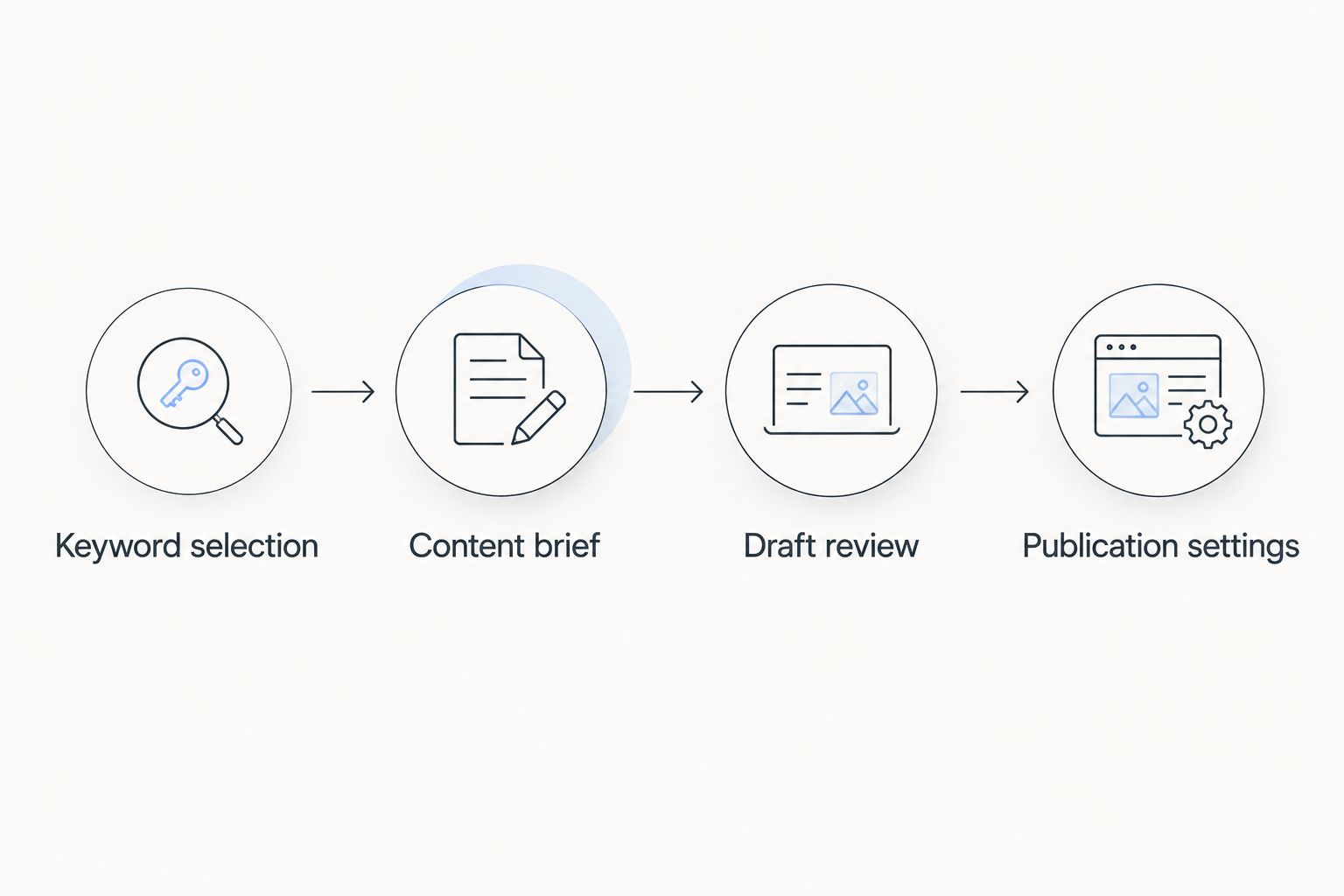
The sequence has four handoffs: keyword selection, content brief, draft review, and publication settings. Each handoff has an observable result, so you can identify where a stalled article needs attention.
Update an existing post when the question stays the same
A new keyword idea does not always need a new URL. When an existing post serves the same reader question, use an update workflow: inspect the current article, revise its brief, edit the content, and verify the published result.
| Workflow | Best for | Advantage | Limitation |
|---|---|---|---|
| New post | A distinct question your site does not answer | Gives the topic its own focused page | Requires a new draft, review, and publication decision |
| Existing-post update | The same question with an incomplete or outdated answer | Keeps the useful work in one destination | Requires checking existing content and links before changing them |
For the update variant, retain useful material rather than replacing the entire article automatically. Add missing explanations, remove incorrect claims, and check whether the opening still answers the query. Preserve the existing URL unless there is a clear reason to change it and a redirect plan.
Publish a new post for a distinct intent; update an existing post for the same intent. Do not create near-identical location articles that merely swap place names. Each local article needs genuinely relevant information for the audience it names.
Troubleshooting
The keyword is relevant, but the draft answers the wrong question
Return to the brief and state the intended answer explicitly. Compare the draft with the search results' page types, then remove sections that serve another intent. Changing keyword repetition does not fix a mismatch in purpose.
The generated draft includes unsupported business claims
Remove the claims and supply approved facts before revising. Check the entire draft for similar assumptions, especially claims about coverage, qualifications, policies, and results. A disclaimer does not make an invented fact acceptable.
You cannot publish the finished post
Check the account's WordPress permissions and the post's status. Ask the site administrator to confirm publishing access or complete the publishing action. Do not share an administrator password to bypass the issue.
A scheduled post misses its publication time
Confirm the publication date, timezone, and post status first. Then have the site administrator inspect WordPress scheduled-task execution and the hosting setup. Correct the scheduling issue before adding more posts to the queue.
The article is live but absent from Google results
Publication and indexing are separate events. Check that the public URL works, that the site is not discouraging search-engine indexing, and that the page has no unintended indexing restriction. If Search Console is configured, use URL Inspection to investigate the specific page; publication alone does not guarantee indexing or rankings.
Customize your workflow
Use Improveseoplugin's WordPress publishing workflow to reduce handoffs, then customize the review around your business. A sole owner can handle every checkpoint; a team can assign keyword approval, factual review, and publication to different people.
Keep the brief format consistent while varying the article shape. Preparation guides need ordered instructions. Selection guides need clear criteria. Service explanations need scope and exceptions. The same workflow supports these formats without forcing every post into the same outline.
For your 2026 content plan, record the query, page destination, reviewer, and release decision together. After publication, review whether the article still answers the question accurately before adding another closely related post. Expand topic coverage when the reader's need changes, not merely when another wording appears in a keyword list.
FAQ
What's the simplest keyword research to published post workflow?
Choose one relevant query, create a factual brief, generate and review the draft, then publish or schedule it in WordPress. Verify the public page after release rather than stopping at the publishing button.
Who is Improveseoplugin best for?
Improveseoplugin is best for small local business owners who want keyword research, branded content generation, and publishing inside WordPress without needing SEO expertise. Business-specific facts still require review before publication.
Should I choose a keyword only because it has low competition?
No; the keyword must also match your actual service, audience, and intended page type. Low competition does not establish business relevance or guarantee rankings.
Can I publish generated content without editing it?
Review generated content before publishing it. Verify business claims, remove unsupported details, and check that the article directly answers the chosen question.
Is updating an existing article better than creating a new post?
Update an existing article when it already serves the same search intent. Create a new post when the reader needs a distinct answer that your current pages do not provide.
Why didn't my WordPress scheduled post publish on time?
Check the scheduled date, site timezone, and WordPress scheduled-task execution. WordPress scheduling relies on scheduled tasks, so the site administrator should inspect that system if the post misses its release time.
Does publishing a WordPress post mean Google will index it?
No; publishing makes the page accessible, while indexing is a separate search-engine process. Check public access and indexing settings, then investigate the URL in Search Console if it is configured.
One last thing
The final workflow step is opening the public article, not pressing Publish. A draft preview shows what you intend to release; the public page shows what a customer actually receives.
Make that check part of every release. Read the opening, test the next-action link, and confirm the correct content is visible. A workflow that ends with verification gives you a clearer completion standard than a calendar full of scheduled drafts.


