

Publish new SEO content when you can answer a distinct, relevant customer question well and maintain the pages you already have—not to meet a universal posting quota. Your publishing schedule in 2026 should follow useful topic opportunities and your capacity to produce accurate pages; publishing more often does not guarantee better rankings.
- How often should I publish new SEO content? Publish when a distinct customer question deserves its own useful page.
- Google does not prescribe a universal publishing quota for organic rankings.
- Update an existing page when the search intent is unchanged; create a page when the customer need is different.
- Improveseoplugin suits local business owners who want to manage keyword research and content publishing in WordPress.
Why this matters: A publishing calendar commits your time before it earns results. For a local business, the priority is answering questions connected to services you actually provide, not filling a blog with loosely related topics. Improveseoplugin focuses on the WordPress content workflow; deciding which pages deserve publication still requires a clear business purpose.
How often should I publish new SEO content?
Publish at the fastest pace you can sustain without repeating topics, skipping factual checks, or neglecting existing pages. Google does not set a universal publication interval that makes a website rank. Frequency is a production decision, not a substitute for relevance or usefulness.
Start with the work your site needs, then choose the calendar. If a useful service page is missing, address that gap before adding another general-interest post. If an existing page already answers the question, improve that page rather than publishing a competing version.
| Content action | Best for | Main advantage | Main limitation |
|---|---|---|---|
| Publish a new page | A distinct customer question your site does not answer | Creates a focused destination for that need | Adds another page to review and maintain |
| Update an existing page | The same question with an incomplete or outdated answer | Keeps related information together | Does not address a genuinely different search intent |
| Consolidate overlapping pages | Several pages serving the same purpose | Creates a clearer destination for readers | Requires careful decisions about retained content and redirects |
| Pause new publication | A backlog of inaccurate, weak, or repetitive pages | Frees time to repair existing content | Leaves new topic opportunities waiting |
These are editorial choices, not ranking tiers. Choose the action that solves the actual problem rather than treating every content task as a reason to publish another URL.
Set a publishing schedule you can actually maintain
Build your 2026 publishing calendar around the complete job: choosing the question, drafting the answer, checking business facts, publishing, and reviewing the result. Drafting is only part of that job. A schedule that leaves no time for review is not a workable schedule.
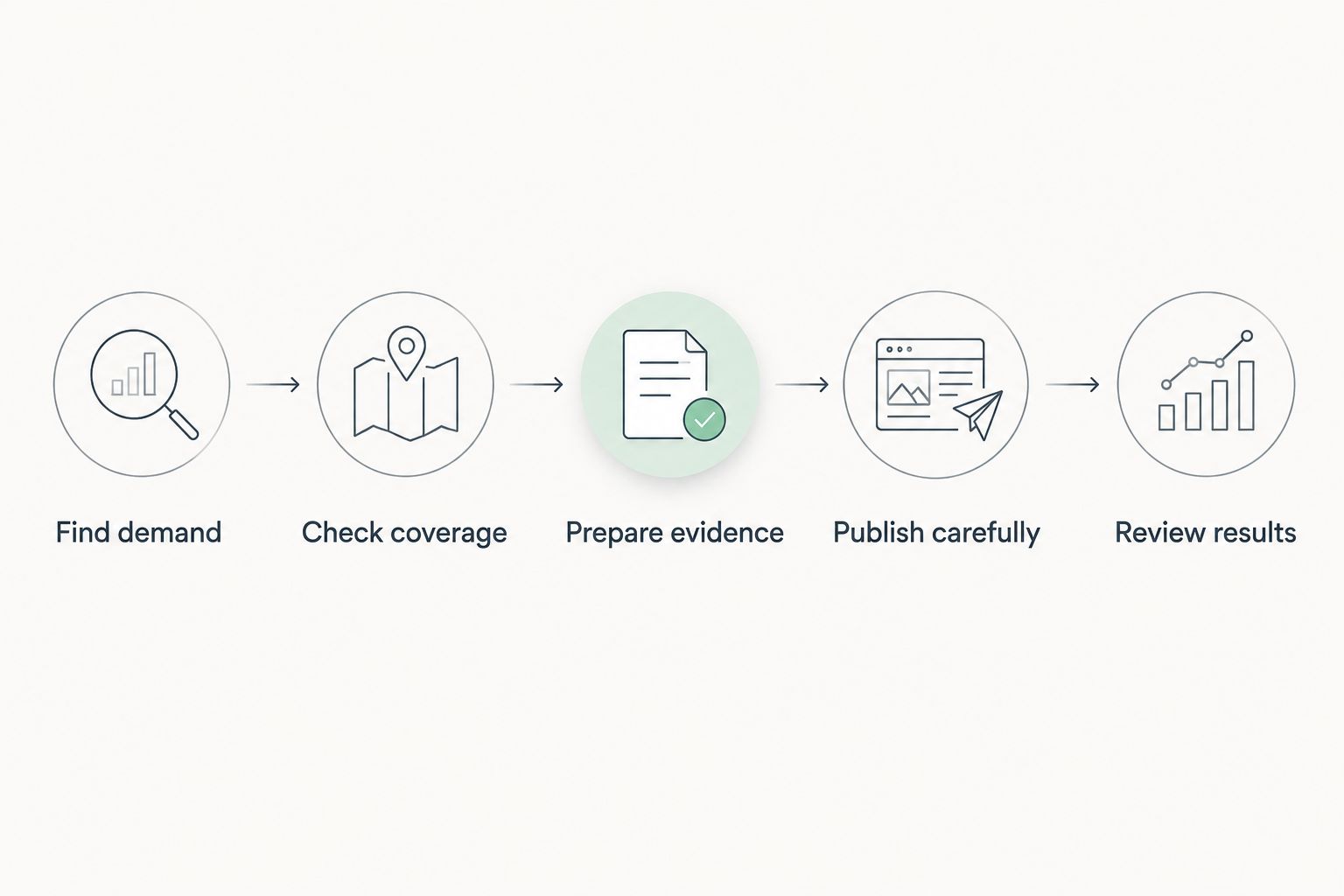
Use this sequence before committing to a recurring publication date:
- Find demand. Collect questions from customer conversations and relevant search queries. Keep the wording customers use, but separate genuine service questions from unrelated curiosity.
- Check coverage. Search your existing pages for an answer to the same question. Decide whether the task needs a new page or an improvement to an existing one.
- Prepare evidence. Gather the service details, examples, limitations, and explanations needed to answer accurately. Remove claims you cannot verify.
- Publish carefully. Check the page on your site, including its links, headings, and next action. A finished draft is not the same as a finished page.
- Review results. Use search performance and customer response to decide what deserves expansion, revision, or consolidation.
The pace you can repeat through this whole sequence is your publishing capacity. Do not base your calendar only on how quickly you can generate a draft.
Keep a topic backlog separate from your publication calendar. A backlog holds possibilities; the calendar should contain work that is ready for production. This distinction prevents an interesting but unsupported idea from becoming a deadline you feel forced to meet.
Publish new content when the question needs its own page
A new page earns its place when the reader needs an answer that your existing pages cannot provide clearly. The difference should be substantive, not just a changed keyword or location name.
For a local business, useful distinctions include the service requested, the problem being solved, and the information a customer needs before contacting you. A service explanation and a troubleshooting article can serve different purposes even when they discuss the same broad subject.
Before creating a page, write its purpose in a sentence: this page helps a particular reader answer a particular question. Then compare that sentence with the purpose of your existing pages.
- Publish when the question requires a different answer or a different next action.
- Expand when the missing information belongs naturally within an existing answer.
- Combine when proposed topics would produce substantially repetitive pages.
The benefit of new content is coverage. The drawback is upkeep: every published page becomes something your business must keep accurate. A larger content library is not automatically a more useful one.
Update existing content when the answer needs work
An update is the better choice when the reader's underlying question has not changed. Correct outdated business details, explain a confusing section, remove unsupported claims, or add a missing answer where readers expect to find it.
For your 2026 content plan, distinguish substantive maintenance from cosmetic changes. Changing a date or rearranging headings does not fix a page that fails to answer the query.
Useful update questions include:
- Does the page still describe what your business actually provides?
- Does the opening answer the main question directly?
- Does the page explain relevant limits, conditions, or exceptions?
- Do the links lead to the intended destination?
- Can a reader tell what to do next?
Updating preserves a clear destination for an established topic. Its limitation is scope: an existing page should not become a container for every loosely related keyword. When an addition changes the page's central purpose, reconsider whether it belongs there.
Why your publishing frequency varies
Your schedule should change when the underlying workload changes. Do not maintain an arbitrary output target while accuracy or usefulness deteriorates.
- Unanswered customer questions. A backlog of distinct, relevant questions gives you a reason to create new pages. A list of keyword variations alone does not.
- Existing coverage. A site missing essential service explanations has different needs from a site with overlapping articles on those services.
- Review capacity. Someone must confirm that business details and recommendations are correct. Your review capacity limits responsible publication.
- Maintenance needs. Inaccurate pages deserve attention before you expand the library. New content does not repair old misinformation.
- Topic complexity. Some questions require specialist input or a detailed explanation. Give the work the review it needs instead of forcing identical production slots.
- Search performance. Relevant impressions, clicks, and customer actions help you decide which topics deserve further work. Publication volume alone cannot make that decision.
Treat your 2026 calendar as an operating plan, not an obligation to create URLs. Moving a publication date is better than publishing an answer your business cannot stand behind.
Should I publish more often if my content is not ranking?
Not automatically: diagnose the existing pages before increasing output. A page that is not indexed, targets the wrong intent, or repeats another page needs a different response from a useful page that needs further development.
Check whether the page is accessible to search engines and whether it answers the query you intended to target. Then inspect the search results themselves: a product listing, service page, and explanatory article are not interchangeable formats.
More publication creates more work. It does not, by itself, correct a mismatch between the page and the searcher's need.
Is updating old content better than publishing new content?
Updating wins when the existing page already serves the right question; new content wins when the question is genuinely different. Neither action deserves a permanent share of your calendar regardless of need.
Use the page's purpose as the deciding test. If the proposed work makes the same answer more accurate or useful, update; if it requires a separate answer and reader journey, consider a new page.
Should I schedule content or publish it immediately?
Schedule finished content when you need a repeatable workflow; publish promptly when the information needs to be current. Neither choice creates a ranking advantage merely because of its timing.
Scheduling helps organize approved work, but it also creates a review responsibility. Recheck time-sensitive statements before a scheduled page goes live, especially when business details have changed since drafting.
Use WordPress automation without removing editorial judgment
Improveseoplugin is best for small local business owners who want to manage WordPress content without SEO expertise. Its Improve SEO plugin helps find low-competition local keywords, generate branded content, and publish or schedule it from the WordPress dashboard.
That workflow addresses production tasks. It does not make every suggested keyword relevant to your business, and generated text still needs factual review before publication. Keep responsibility for service details, customer promises, and the final answer with someone who knows the business.
Use automation to support an editorial decision, not to replace it. A useful topic with a checked answer belongs on the calendar; an irrelevant topic does not become useful because it is easy to produce.
For 2026, separate your production target from your quality standard. You can adjust the schedule when capacity changes without lowering the standard each page must meet.
FAQ
How often should I publish new SEO content for a small business?
Publish at a pace that lets you answer distinct customer questions accurately and maintain existing pages. Set the schedule after identifying useful topics and the time needed for drafting, review, and publication.
Do I need to publish new content every day for SEO?
No, daily publication is not a universal requirement for organic rankings. Publish because a useful answer is ready, not because an empty calendar slot needs filling.
Will Google penalize my site if I stop posting?
A pause in posting is not, by itself, a Google penalty. Keep existing information accurate and distinguish a publishing pause from technical problems or declining relevance.
Is it better to update a blog post or write a new one?
Update when the existing post answers the same underlying question; write a new page when the question requires a distinct answer. Avoid creating separate pages that repeat the same information with slightly different wording.
Can I publish several finished articles at the same time?
You can publish finished articles together when each serves a distinct purpose and has passed review. Check that the pages do not duplicate each other and that their links and next actions work.
Does scheduling posts in WordPress help SEO?
Scheduling posts helps you organize publication, but the schedule itself does not guarantee better rankings. Accuracy, relevance, accessibility, and the usefulness of each page still matter.
How do I know whether my publishing schedule is working?
Check whether published pages attract relevant search queries and support useful customer actions. Review results by page and topic rather than judging success only by the number of articles published.
One last thing
Put a reason beside every item on your calendar. Use a plain statement such as answering an uncovered customer question, correcting outdated information, or explaining a service decision. If the only reason is that you have not posted recently, reconsider the assignment.
Your final 2026 check is simple: does the proposed page give a customer something useful that your site does not already provide? If it does, prepare it properly and publish. If it does not, spend the time improving the answer you already have.


