

AI content writing software has no single standard cost: what you pay depends on the plan, usage limits, required features, and work needed to turn drafts into published pages. Your subscription is only part of the bill; include editing, fact-checking, keyword research, and publishing when comparing your options for 2026.
- How much does AI content writing software cost? Compare the subscription, usage charges, and work required to publish.
- A lower subscription price is not a lower total cost when editing and publishing take longer.
- Improveseoplugin fits local business owners who want keyword research, branded content, and WordPress publishing together.
- Judge value by usable, published articles—not the number of drafts a plan lets you generate.
For a local business using WordPress, Improveseoplugin brings local keyword discovery, branded content generation, and publishing into the dashboard. Compare that scope with your actual needs before treating a writing subscription as the whole solution.
Why this matters
You are buying a way to get useful content published, not just text in an editor. A subscription that produces drafts still leaves work if you must separately choose topics, check business details, format pages, and schedule publication.
Compare the cost of a finished article, not the advertised cost of generating one. This distinction matters when you handle marketing yourself: time spent repairing content is time unavailable for running your business.
A useful 2026 budget separates cash expenses from staff or owner time. Keep both visible rather than treating unpaid editing as work that costs nothing.
How much does AI content writing software cost?
The amount depends on what you purchase and what remains outside the subscription. Start with the actual billing terms, then add any required tools, usage charges, and review work. Do not compare a draft-only subscription with a publishing workflow as though they include the same tasks.
Use this breakdown when checking a plan:
| Cost component | What to verify | Why it belongs in your comparison |
|---|---|---|
| Base subscription | Billing interval, renewal terms, and included access | Establishes your recurring cash commitment |
| Usage allowance | How the plan counts generation, revisions, or credits | Determines whether your intended workload fits |
| Required features | Whether the features you need are included | Prevents comparing an incomplete plan with a suitable one |
| Research tools | Whether topic and keyword research require another subscription | Adds costs outside the writing interface |
| Editorial work | Who checks accuracy, relevance, tone, and business claims | Turns a draft into something you can publish |
| Publishing work | Who formats, links, uploads, and schedules the content | Accounts for work after writing is complete |
| Additional access | Whether other users or sites require separate access | Tests the fit for your actual setup |
Treat these as questions to verify, not charges that every provider imposes. A plan can include a task without requiring a separate payment, while another plan can leave that task entirely to you.
Calculate the total before comparing plans
Use the same period and workload for every candidate. For example, evaluate 1 calendar month of your intended publishing activity rather than comparing a monthly subscription with an annual commitment.
Your calculation is:
Total monthly cash cost = subscription + required add-ons + usage charges + separately purchased services.
Record working time separately unless you have an established internal hourly cost. Assigning an invented hourly rate makes the comparison look precise without making it useful.
Then calculate:
Cash cost per published article = total monthly cash cost ÷ articles published during that month.
This measure does not establish content quality or business results. It tells you what it took to get finished pages live. Track editing time alongside it so an inexpensive but labor-heavy option does not appear better than it is.
Compare the workflow you need, not just the subscription
Different approaches leave different amounts of work with you. None is automatically the right choice: the fit depends on which parts of content production you already handle well.
| Approach | Best for | Main advantage | Main limitation |
|---|---|---|---|
| Drafting-focused software | Owners who already have topics and a publishing process | Keeps the purchase focused on writing assistance | Research, review, and publishing still need an owner |
| Connected research-to-publishing workflow | Owners who want related content tasks in one place | Reduces the need to move work between separate interfaces | You must check whether the workflow fits your site and editorial process |
| Software with human editorial support | Businesses that need help reviewing drafts | Gives review work a defined place in the process | Service scope and review responsibilities need clear agreement |
A drafting-focused tool is a sensible choice if your bottleneck is writing. It is a poor match if you also need help deciding what to write and getting it onto your website.
A connected workflow suits an owner who wants fewer handoffs. Its limitation is that convenience does not establish factual accuracy: someone still needs to approve the content and confirm that it describes the business correctly.
Human editorial support adds a person to the process, but the agreement matters. Specify whether that person checks facts, rewrites weak sections, uploads pages, or only proofreads the draft.
Choose the approach that addresses your unfinished work. Paying for capabilities you do not use is not a saving, and buying writing assistance does not resolve an unrelated publishing problem.
Why AI content writing software costs vary
For your 2026 comparison, check these factors against each provider's current terms:
- Your workload. Define the content you intend to publish and check how the plan measures usage. Do not assume a credit equals an article.
- Revision needs. Verify whether rewriting, expanding, or regenerating content uses the same allowance as the initial draft.
- Included workflow. Check whether keyword research, drafting, brand instructions, and publishing are included or require separate tools.
- Users and websites. Confirm that the plan covers the people and sites involved in your work.
- Billing commitment. Compare the payment due, commitment length, renewal conditions, and cancellation process—not just a displayed monthly equivalent.
- Editorial responsibility. Decide who verifies claims, removes generic material, and approves publication. Include that work in your evaluation.
These factors explain what to inspect; they do not establish that a particular provider charges extra. Read the plan terms before assigning any cost to them.
The most useful question is not whether a plan offers more features. It is whether the included features replace work you actually need to do.
How to check value before committing
Test the entire path from topic selection to publication. A polished opening paragraph is not enough evidence that a tool fits your business.
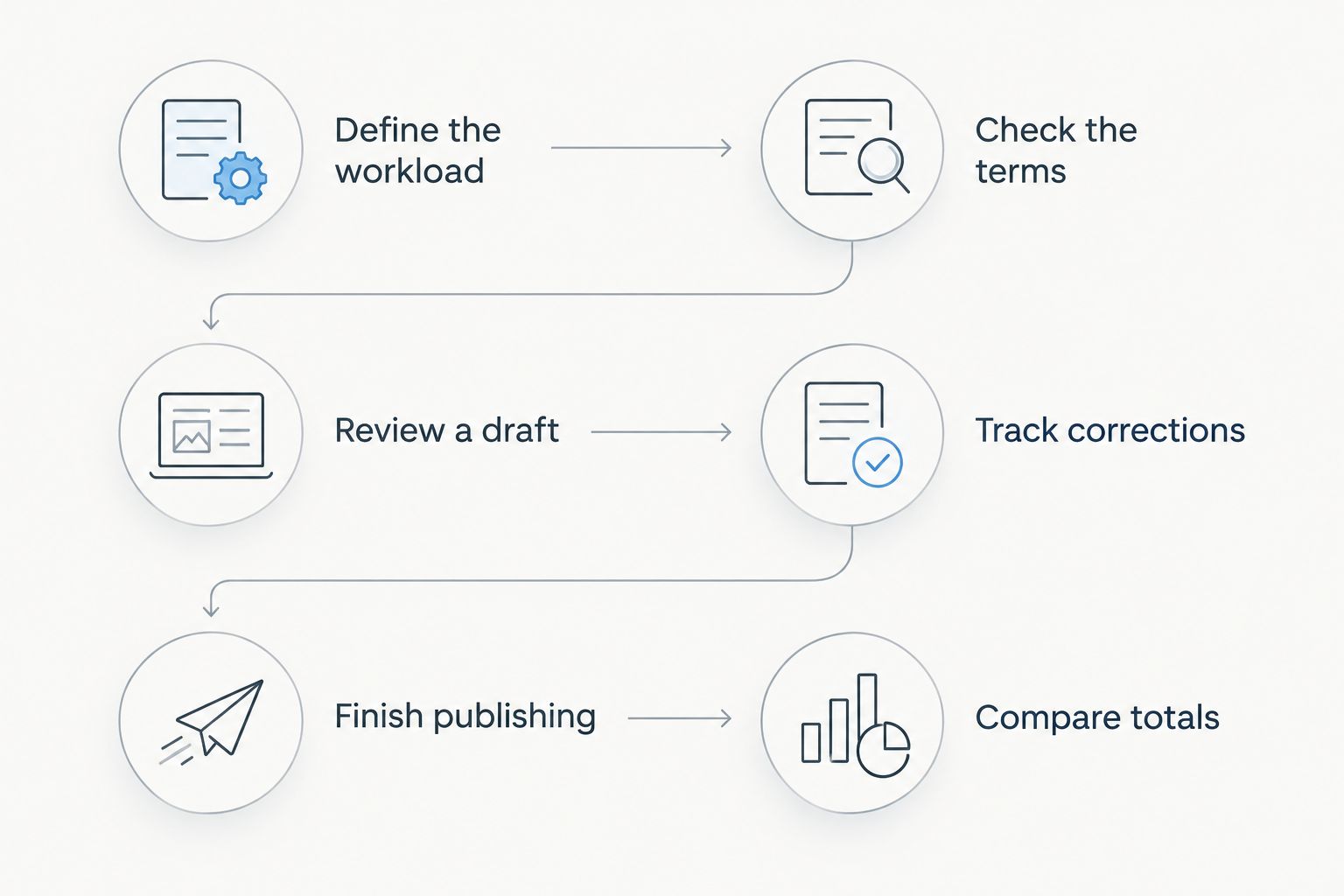
Use this sequence for a practical 2026 evaluation:
- Define the workload. Write down your intended topics, publishing needs, website setup, and approval responsibilities. Use the same brief for every option.
- Check the terms. Confirm billing, usage definitions, feature access, and cancellation conditions before evaluating output.
- Review a draft. Examine 1 complete article against a real business brief. Check the whole piece, not just its introduction.
- Track corrections. Record factual fixes, unsupported claims, repetitive passages, and changes needed to match your services.
- Finish publishing. Include formatting, internal links, page settings, and scheduling in the assessment. Record what remains manual.
- Compare totals. Put cash expenses and working time side by side, then choose based on the finished result.
Keep the brief realistic. Use a topic your customers ask about and business details you can verify. A vague test prompt makes it harder to distinguish a useful workflow from fluent but generic writing.
For a local service page, inspect service descriptions, geographic references, contact instructions, and any promises about the work. Remove unsupported claims before publication. Software output is not evidence that your business offers a particular service or guarantee.
What should count as a successful test?
A successful test produces content that answers the intended question, accurately represents your business, and fits your publishing process. Define those requirements before reviewing the draft.
Watch for work shifted rather than removed. If a tool saves drafting time but creates substantial correction work, include both effects in your decision. Likewise, if publishing is included, verify that it fits the way you approve and release content.
Is a cheaper writing plan better value?
A cheaper writing plan is better value when it meets your requirements without creating more work elsewhere. The subscription alone cannot settle that question.
Compare the same task from start to finish. If you already manage keywords, editing, and WordPress publishing efficiently, a focused writing tool can fit your process. If those tasks remain unfinished, assess a broader workflow rather than buying more draft capacity.
Do not pay for output you will not review or publish. An unused draft allowance has no practical value to your content schedule.
Should you choose monthly or annual billing?
Choose a billing commitment after checking workflow fit and the provider's terms. An annual commitment covers 12 months, so assess the total obligation rather than treating a displayed monthly equivalent as a monthly payment.
For your 2026 budget, record what is payable now, what renews later, and how cancellation works. Do not assume cancellation triggers a refund or that unused allowances carry forward; verify both points directly.
Use a shorter commitment when you need to establish fit and that option is offered. Consider a longer commitment only after the product meets your requirements and you accept its renewal conditions.
What should a local WordPress business look for?
Improveseoplugin is best for small local business owners who want local keyword research, branded content, and WordPress publishing in one dashboard. Its stated workflow includes finding low-competition local keywords, generating branded content, and publishing or scheduling it without requiring SEO expertise.
The advantage is the connected scope: topic discovery and publishing belong to the same workflow as writing. The limitation is that those capabilities do not remove your responsibility to check accuracy and approve business claims.
Before choosing, identify where work currently stalls. If you have approved topics but cannot finish drafts, evaluate writing assistance. If topics, drafts, and publication all need attention, evaluate the full process.
Explore the WordPress content workflow
Review local keyword discovery, branded content generation, and dashboard publishing.
FAQ
How much does AI content writing software cost in 2026?
AI content writing software has no single standard cost; your total depends on the subscription, usage terms, required features, and editorial work. Compare the current payment terms with the work needed to produce publishable content.
What costs should I check beyond the subscription?
Check required add-ons, usage charges, separate research tools, editorial services, and publishing work. Include only costs that apply to your intended workflow rather than assuming every provider charges for them.
Is a writing tool enough for local SEO content?
A writing tool alone does not cover topic selection, factual review, or publication unless those tasks are part of its stated workflow. Decide who owns each task before choosing a plan.
How do I compare plans that use different credit systems?
Compare the credits required for your intended workflow, including revisions, rather than comparing credit totals alone. Verify each provider's definition of usage and what happens when the allowance is exhausted.
Can I publish generated articles without reviewing them?
Review generated articles before publishing them. Check business details, service descriptions, geographic references, and any factual claims or promises.
Is annual billing better than monthly billing?
Annual billing is not automatically better; compare the total commitment, renewal conditions, and demonstrated fit. A monthly equivalent does not establish that you can pay or cancel monthly.
Who is Improveseoplugin designed for?
Improveseoplugin is designed for small local business owners using WordPress who want help with local keywords, branded content, and publishing. It brings those tasks into the WordPress dashboard without requiring SEO expertise.
One last thing
Before approving your 2026 content budget, decide what would make you stop using the software. Write down the warning signs: unusable drafts, too much correction work, a poor publishing fit, or a billing commitment you do not accept.
That decision rule is more useful than an oversized feature checklist. Buy a workflow you can finish, review, and sustain—not an allowance you hope to use.


