

A keyword is low competition when the pages ranking for it leave a clear opening that your website can realistically fill. Check the search results for matching intent, relevant competitors, page quality, and authority—not just a difficulty score. A low score does not guarantee rankings, and a keyword is only useful when it attracts people your business can serve.
- How do I know if a keyword is low competition? Inspect ranking pages, intent, relevance, and authority together.
- A low keyword difficulty score is a screening signal, not proof that your page will rank.
- For local SEO, match the searcher's service and location before judging competition.
- Improveseoplugin suits local business owners who want keyword research and publishing inside WordPress.
Why this matters
An easy keyword that attracts the wrong visitor is not a useful target. A promising opportunity connects something you actually offer with a search result your website can improve.
Improveseoplugin supports local keyword research and content publishing from WordPress. That workflow helps organize the work, but choosing a target still requires a clear view of what the searcher needs and what already ranks.
For your 2026 keyword plan, separate two questions: can you compete for this search, and would winning it matter to your business? Keep a keyword only when both answers support creating a page.
How do I know if a keyword is low competition?
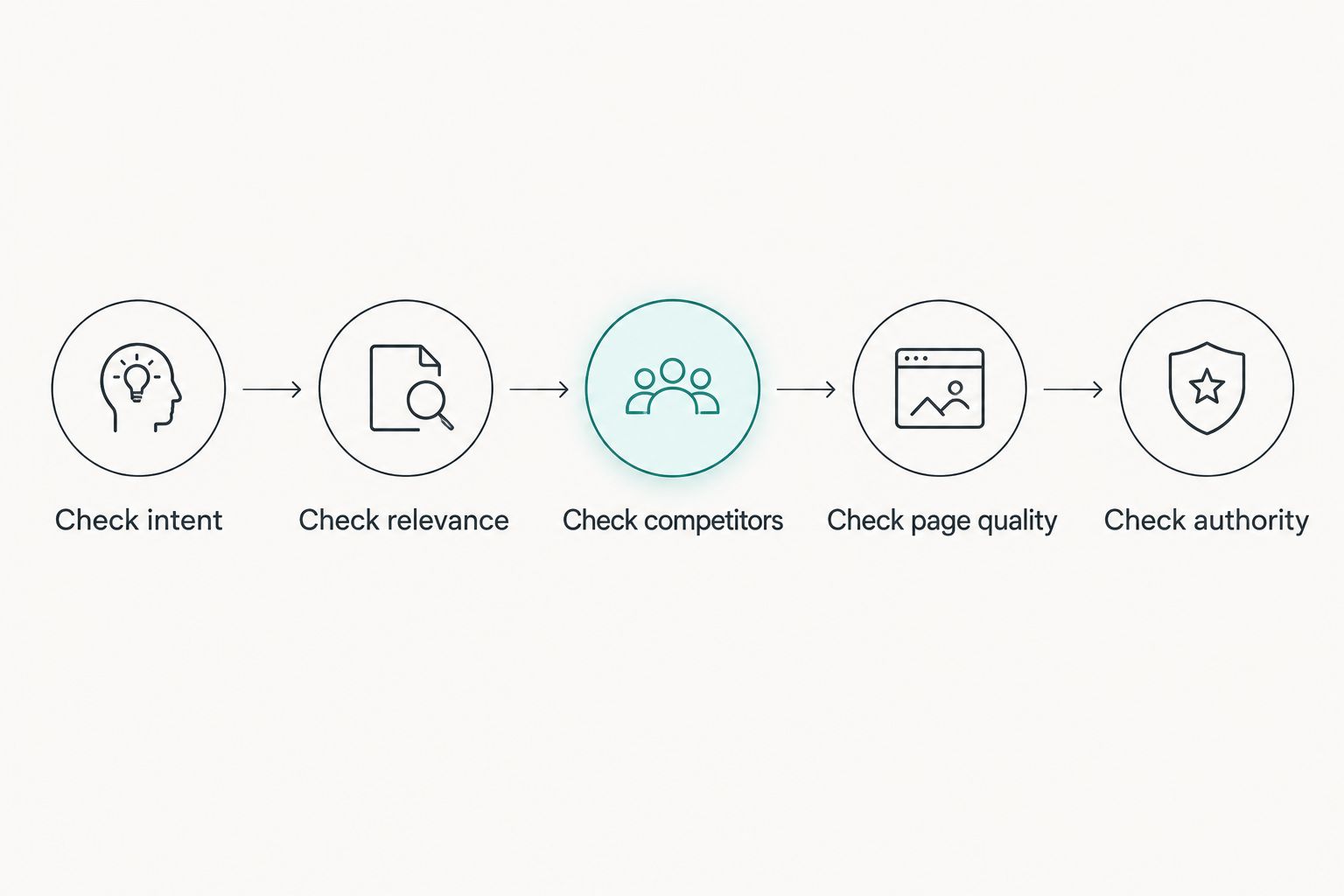
Use 5 checks before treating a keyword as a realistic opportunity. Together, these checks give you a stronger decision than a difficulty label alone.
- Check intent. Identify whether the searcher wants information, a service provider, a product, or a particular website. Your planned page must serve that purpose.
- Check relevance. Inspect whether the ranking pages answer the exact service, location, or problem in the query. Broad coverage can leave room for a more relevant answer.
- Check competitors. Look at the websites competing in the organic results. Direct local competitors are a different challenge from established national publishers or specialist directories.
- Check page quality. Read the pages rather than judging their titles. Look for unanswered questions, unclear explanations, and information that no longer fits the query.
- Check authority. Compare the ranking pages' links and the competing websites' strength with your own. Use those measurements as context, not as a universal pass mark.
Record evidence for each check. “The ranking guide does not explain the specific repair” is useful; “this page looks weak” is not.
| Check | More promising evidence | More demanding evidence | Your next move |
|---|---|---|---|
| Intent | Your planned page matches the dominant result type | Your planned page serves a different purpose | Change the page format or reconsider the keyword |
| Relevance | Results discuss the broader topic but miss the precise need | Results answer the exact query directly | Identify a genuine unanswered question |
| Competitors | Relevant local businesses appear in organic results | Established specialists dominate with closely matched pages | Compare their actual pages with yours |
| Page quality | Important explanations or decision details are absent | Results already provide clear, useful answers | Define what your page adds before writing |
| Authority | Competing pages have an attainable link profile | Competing pages have substantially stronger relevant links | Consider a narrower query or supporting work |
Call a keyword low competition only when you can explain why your page belongs among the results. The explanation should name a specific advantage: closer relevance, clearer instructions, better evidence, or a more useful answer.
What does a low keyword difficulty score actually tell you?
A keyword difficulty score summarizes competition according to the scoring provider's method. It does not replace reading the results, and scores from different providers are not interchangeable.
Some methods emphasize backlink measurements. Search intent, local relevance, and the usefulness of your proposed page still need separate inspection.
Use difficulty to sort a list, then verify the shortlist manually. If a supposedly easy query returns pages that closely answer the question and have stronger supporting signals than yours, the score is not a reason to ignore that evidence.
For a 2026 research sheet, keep the provider and inspection date beside the score. Otherwise, a later comparison can mix different methods or different versions of the results.
Is a low score enough to choose a keyword?
A low score is not enough to choose a keyword. You also need matching intent, business relevance, and a credible reason your page would improve the existing results.
Treat a low score as permission to investigate, not permission to publish. That distinction prevents a content calendar from filling with easy-looking searches that do not fit your services.
How do I inspect local keyword competition?
Start with the service and area you genuinely cover. A location modifier makes the query more specific, but specificity alone does not prove that competition is weak.
Consider a hypothetical plumbing business evaluating a general service query and a location-specific repair query. The narrower search has clearer context, but the ranking pages still determine whether it presents an opening.
Inspect 3 search variations: the service alone, the service with the real location, and a specific customer problem. This is a research routine, not a claim that every business needs separate pages for all three.
For each variation, note whether the results emphasize service pages, explanatory articles, directories, or local map listings. A guide and a service page solve different needs; choose the format that matches the search.
Also record the location you used when inspecting results. A local search checked outside the intended service area does not provide the same context as a search checked within it.
Separate organic competition from map visibility. A promising website keyword does not establish that your business will appear in the local map results.
Are longer keywords always easier to rank for?
Longer keywords are not always easier to rank for. A precise phrase can still have strong competitors that answer it directly.
Use extra words to clarify the customer's need, not to manufacture an easy-looking target. The best wording describes a real service, problem, or location that your page can address accurately.
Why keyword competition varies
Competition depends on the query and the pages currently serving it. These factors explain why similar-looking keywords can require different decisions:
- Search intent: A request for instructions calls for a different page from a request to hire someone. The wrong format weakens your fit before writing quality enters the comparison.
- Geographic scope: A neighborhood, city, and wider region can produce different competitors. Assess the area you actually serve.
- Topic specificity: A detailed problem can expose gaps in broad pages. It also demands a sufficiently specific answer from you.
- Page-level strength: Inspect the ranking page itself, including relevant links and useful content, rather than relying exclusively on a domain-level score.
- Result format: Map listings, directories, and other search features affect what the searcher sees. Organic difficulty alone does not describe the whole results page.
- Freshness needs: Some questions require current rules, procedures, or product information. An older page is only a weakness when its age affects the accuracy of the answer.
Review these factors when refreshing your 2026 shortlist. Do not assume a keyword remains attractive because a previous spreadsheet marked it easy.
How do I turn the evidence into a decision?
Write a short decision note before commissioning or drafting content. Keep it specific enough that someone else could inspect the same results and understand your reasoning.
A useful note identifies the customer, the need, the dominant page format, the gap, and your evidence for filling it. Avoid predictions about rankings or traffic that the research cannot establish.
For example, a hypothetical service business might identify that ranking pages explain a problem but omit the information a customer needs before requesting help. That is a potential content gap only if the search intent supports that information and the business can supply it accurately.
Use these decisions:
- Prioritize: Your page matches intent, serves a relevant customer, and offers a specific improvement over existing results.
- Investigate: The opportunity depends on an unresolved question about location, competing pages, or your ability to provide the answer.
- Reject: The query does not fit your business, requires an unsuitable page format, or has no identifiable opening you can address.
For your 2026 content calendar, prioritize the strongest evidence rather than the lowest score. A defensible decision is more useful than an attractive label.
Where does a WordPress keyword workflow help?
Improveseoplugin is best for small local business owners who want local keyword research and content publishing inside WordPress. It helps find low-competition local keywords, generate branded content, and publish or schedule that content from the dashboard.
The practical advantage is having those tasks in the same working environment. The limitation is that a generated draft still needs your review for service accuracy, location coverage, and whether it answers the chosen query.
Use Improveseoplugin after defining what a suitable keyword looks like for your business. Before publishing, check that every statement about your services is true and that the page adds something useful beyond repeating the query.
Do not create separate location pages simply because a keyword changes its place name. Each page needs a genuine service-area basis and useful information for the person searching there.
What should I measure after publishing?
Use Google Search Console to inspect whether the page receives impressions and which queries trigger those appearances. Compare those queries with the intent you planned to serve.
Impressions show that the page appeared in search results; they do not establish that the keyword was easy. Clicks show visits from search results; they do not establish that those visitors became customers.
Connect search performance with relevant inquiries or other business outcomes you actually track. If the page attracts the wrong audience, revisit the keyword and intent before expanding the topic.
Keep your 2026 assessment tied to evidence from the page, not just its original difficulty label. Publication is the start of validation, not proof that the keyword decision was correct.
FAQ
How do I know if a keyword is low competition without a paid tool?
Inspect the search results for intent, relevance, competing websites, and specific gaps your page can fill. Manual inspection supports a practical decision, but it does not produce a verified difficulty score.
What's a good keyword difficulty score for a small business?
There is no universal keyword difficulty score that makes a keyword suitable for every small business. Compare scores within the same provider, then inspect the actual ranking pages and your website's ability to compete.
Does low search volume mean low competition?
Low search volume does not mean low competition. A narrowly searched phrase can still have strong, highly relevant ranking pages.
Can a new website target low-competition local keywords?
A new website can target relevant local keywords, but a low-competition label does not guarantee rankings. Start with services and locations you genuinely cover, and publish pages that answer the searcher's need accurately.
Should I choose the easiest keyword or the most relevant one?
Choose a relevant keyword with a credible ranking opportunity rather than an easy-looking keyword unrelated to your business. Business fit comes before a difficulty label.
Can Improveseoplugin help me find local keywords?
Improveseoplugin helps small local business owners find low-competition local keywords and publish or schedule content inside WordPress. Review the search results and the draft before treating a keyword as a publishing priority.
One last thing
Before writing a new page, check whether an existing page already serves the same intent. A wording variation is not automatically a different customer need.
Improve the right page before creating another page for the same answer. Your final test is simple: describe what the searcher needs, what the current results miss, and what your page will do better. If you cannot make that case, keep researching.


