
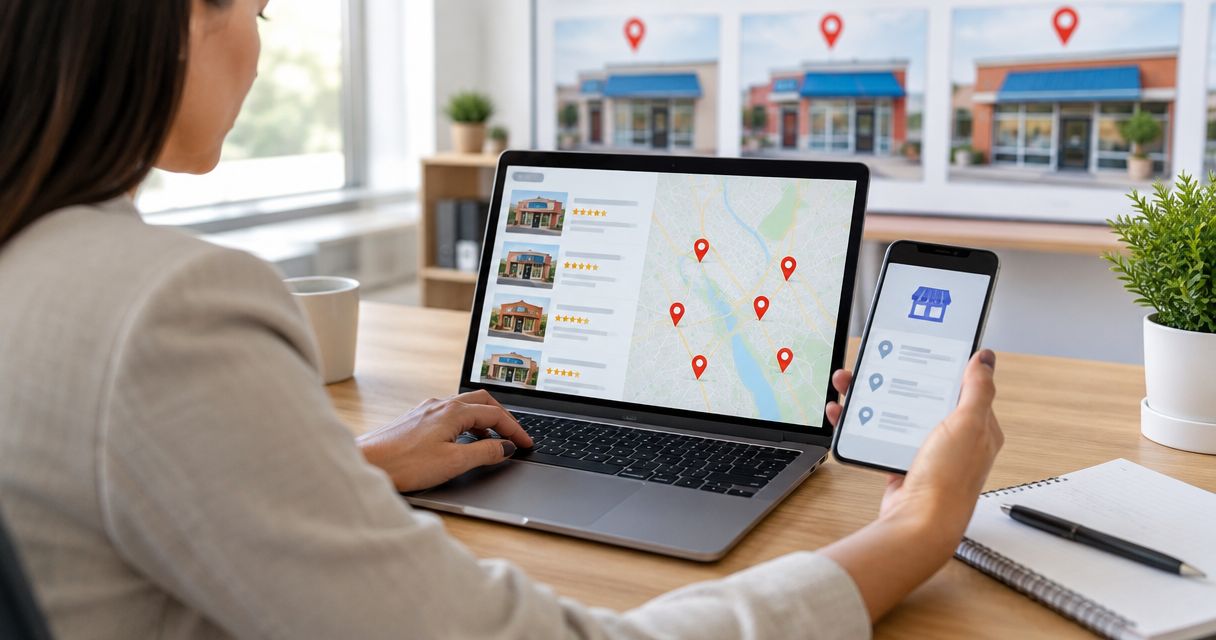
Franchise owners’ Google Business Profile optimization is the management of individual location listings with the aim of earning relevant local visibility and customer inquiries. This 2026 guide explains how to keep franchise-wide standards consistent without erasing the services, hours, and customer experience that distinguish each branch.
- Google Business Profile for franchise owners starts with accurate, eligible location listings, not extra keywords in business names.
- Google Business Profile needs franchise-wide ownership standards and location-specific categories, hours, services, and reviews.
- Improveseoplugin fits WordPress local content work; keep profile administration and listing corrections in Google Business Profile.
- Measure each franchise location separately, then prioritize inaccurate listings and broken customer journeys before adding content.
Why Google Business Profile matters for franchise owners
A franchise operates under a shared brand, but customers need answers about a particular location. They want to know whether that branch provides the service they need, whether it is open, and how to reach it. A recognizable brand name does not resolve incorrect hours or a website link that sends everyone to the national homepage.
Google describes local ranking through relevance, distance, and prominence in its published Business Profile guidance. You can improve the accuracy and relevance of your listing; you cannot edit the distance between a searcher and your premises. Treat profile optimization as location accuracy and customer decision support, not a promise of first-place rankings.
Franchise ownership adds another complication: responsibility is split. Corporate teams set standards, franchisees know local operations, and employees often discover changes first. Without an assigned owner, an outdated holiday schedule can survive because everyone assumes someone else handles it.
Your website has a separate job: explain the local services behind the listing. Improveseoplugin is a WordPress plugin for local keyword research and branded content publishing; it does not replace the profile-management work described below.
How to optimize franchise profiles in 2026
1. Confirm eligibility before creating a listing
Start with Google's eligibility rules, not your franchise location spreadsheet. A customer-facing branch and a service-area business have different address requirements. An administrative office is not automatically eligible merely because the franchise rents space there.
Use 1 profile per eligible location as your default. Google's rules allow specific exceptions, including some separately eligible departments or practitioners, but an extra listing needs a valid basis. Creating another profile to target a neighboring city is not a substitute for operating an eligible business there.
For a service-area franchise, check whether customers actually visit the address. If they do not, follow Google's requirements for hiding the address and representing the service area. A virtual office does not become eligible just because it receives mail.
- Confirm eligibility against Google's current business representation guidelines.
- Identify whether the branch serves customers on-site or travels to them.
- Search for an existing listing before creating a new profile.
- Flag duplicate profiles for investigation rather than editing both.
- Record the real-world business name and operating address.
2. Assign access and operational responsibility
Use Google's profile ownership and manager permissions instead of passing a shared password between franchisees, agencies, and staff. Start by recording who currently owns each listing. Then identify who can approve changes and who can make routine updates.
Separate access from accountability. A marketing manager can hold editing access while the branch manager remains responsible for confirming opening hours. Verification also belongs in this workflow: follow the methods Google offers for the particular business rather than assuming every franchise can use the same process.
Build an offboarding procedure before staff leave or a franchise changes hands. Removing an employee from your payroll does not remove their profile access. Likewise, a new operator should not create a duplicate listing merely because the previous operator controlled the account.
- Record the owner and managers for every location.
- Assign a named person to approve business-detail changes.
- Define who supplies hours, photos, and service updates.
- Review account access when employees or agencies leave.
- Document the handover process for franchise ownership changes.
3. Match each profile to its local website page
Check the website destination manually first. Follow the profile link as a customer would and confirm that the destination identifies the correct branch, its services, and its contact details. A working link is not enough if it opens an unrelated location.
Local pages should distinguish genuine operating differences. Explain which services that branch provides and which areas it actually serves. Do not manufacture neighborhood expertise or substitute city names into otherwise identical pages without adding useful local information.
For franchise owners managing WordPress content, Improveseoplugin provides a faster path to finding low-competition local keywords, drafting branded content, and publishing or scheduling it from the dashboard. Improveseoplugin is best for franchise owners who need WordPress local content support, not a replacement for profile management. Review every draft against branch facts before publishing; content generation does not verify local operations.
- Open every profile's website link and check the destination.
- Match branch names, addresses, and phone details across the listing and page.
- Describe services the location actually provides.
- Choose local keywords that match the branch's work.
- Review generated content for unsupported offers, locations, and claims.
4. Standardize names and select accurate categories
Begin with the business name customers encounter in the real world. Google's naming guidelines do not permit adding service keywords or location phrases solely for search visibility. Apply the franchise's legitimate naming conventions consistently, while preserving real differences supported by signage and branding.
Choose 1 primary category per profile that describes the business's main activity. Additional categories should reflect other genuine activities, not every keyword you want to rank for. A franchise-wide category template is a useful starting point, but a branch with a different service mix needs an individual review.
Write the business description for customers, not as a list of search terms. Explain what the branch does and any relevant distinctions you can substantiate. The same discipline applies to service entries: publishing an unavailable service creates the wrong expectation even if it attracts a search impression.
- Match the profile name to the real-world business name.
- Select the primary category based on the branch's core activity.
- Add only categories that accurately describe the business.
- Remove services the location does not provide.
- Keep descriptions factual and specific to the branch.
5. Maintain hours, photos, and customer feedback
Ask the branch team to verify hours before updating them. Corporate schedules are not proof that every franchise opens at the same time. Check regular hours, special hours, and any applicable service-specific hours separately.
Use current photos that help customers recognize the premises and understand the experience. Exterior and entrance images are particularly useful when a franchise sits inside a shopping center or shares a building. Avoid presenting another branch's facilities as the local location's own.
Google's review policies prohibit incentives and selective solicitation of positive reviews. Ask customers for honest feedback without filtering invitations by satisfaction. Replies should address the experience without exposing private information; serious complaints need an operational response beyond a polished public answer.
- Confirm regular and special hours with the location manager.
- Add truthful exterior, entrance, and service-area photos where relevant.
- Request honest reviews without rewards or positive-review screening.
- Respond to feedback with branch-specific information.
- Route recurring complaints to the person who can fix the cause.
6. Build a repeatable franchise maintenance workflow
Start with a shared spreadsheet if you do not have a profile-management system. Record each location, its responsible manager, the last accuracy check, and unresolved issues. The spreadsheet's purpose is accountability, not a second database that quietly disagrees with the live profile.
For your 2026 maintenance plan, schedule a 30-day accuracy review as an internal operating rule, not a Google requirement. Update urgent changes immediately rather than waiting for the next review. Temporary closures, phone changes, and altered hours affect the customer journey as soon as they occur.
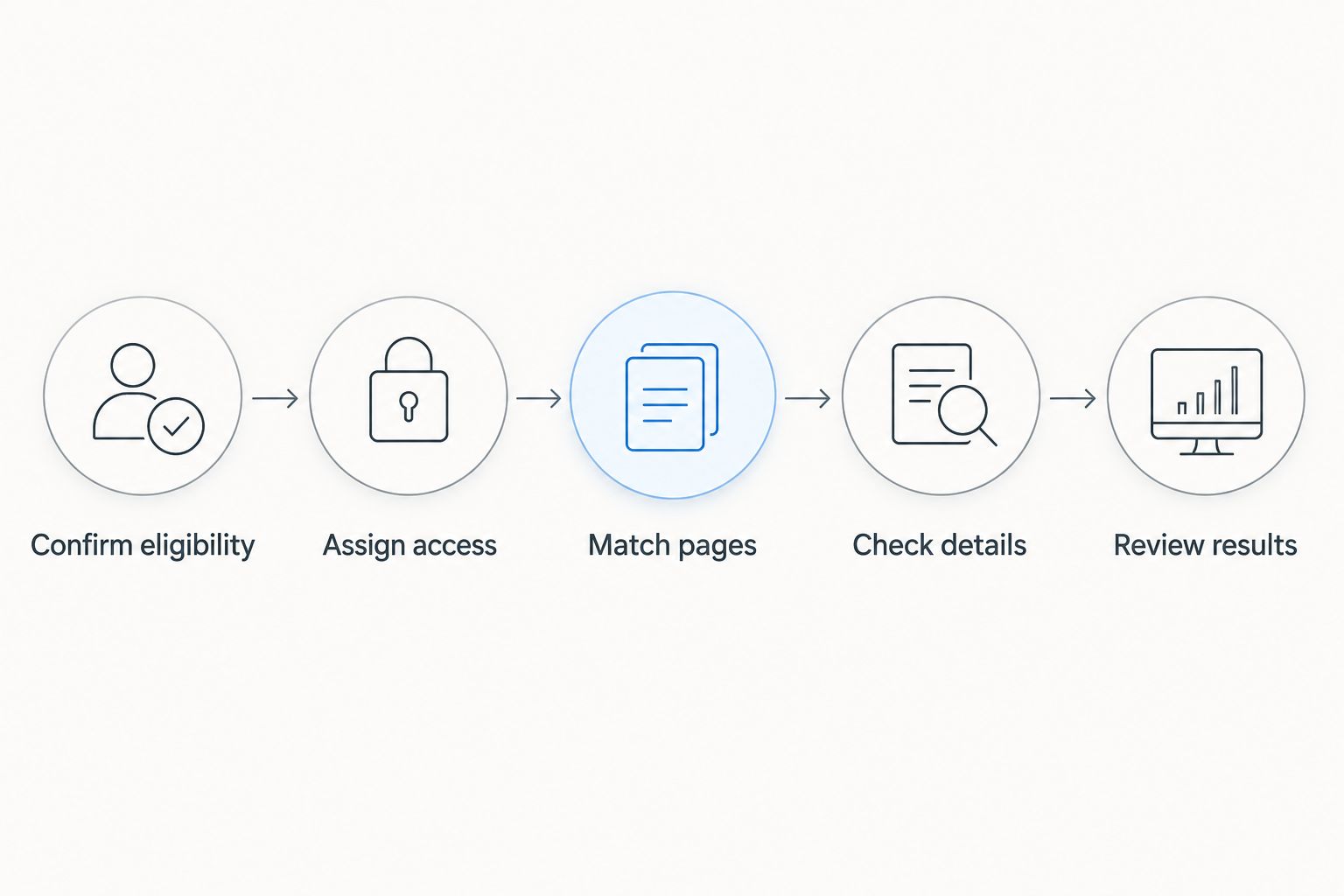
Use a simple sequence for routine work: Confirm eligibility, Assign access, Match pages, Check details, and Review results. Website publishing can support the sequence, but publishing another article does not fix a wrong address.
Keep an exception log for branches that differ from the franchise template. This lets central teams preserve legitimate local differences instead of overwriting them during routine updates.
- Record the date and owner of each accuracy check.
- Update urgent operational changes immediately.
- Keep evidence for disputed business details.
- Log branch-specific exceptions to corporate standards.
- Escalate verification and duplicate-listing issues separately from content work.
7. Measure each location's customer journey
Open Google Business Profile performance reporting and review the metrics available for each branch. Then compare them with website analytics and inquiry records where those systems are available. Profile interactions and completed sales are different measurements; do not label every interaction a lead.
Compare equivalent periods and account for closures, seasonal schedules, and changes in service availability. Franchise totals can conceal a branch whose listing has stopped sending customers to the correct page. Location-level reporting makes that problem visible.
Set a 2026 baseline before making a batch of changes. Record what changed and when, then inspect the same measures afterward. A change followed by higher activity is useful evidence for further investigation, not automatic proof that the edit caused the increase.
- Review available profile performance metrics by location.
- Check website visits and inquiries separately.
- Compare equivalent reporting periods.
- Annotate closures and material listing changes.
- Prioritize inaccurate listings before chasing more impressions.
Compare your franchise optimization options
The right option depends on the task. Profile edits, franchise oversight, and WordPress content publishing are related jobs, but they are not interchangeable. Choose a workflow that covers all three without pretending one tool performs every role.
| Option | Best for | Main advantage | Key limitation |
|---|---|---|---|
| Direct Google Business Profile management | Owners handling listing details and customer feedback | Lets you manage profile information directly | Requires assigned staff to maintain each branch |
| Shared spreadsheet and branch checklists | Franchises coordinating responsibilities across locations | Makes ownership, checks, and exceptions explicit | Does not update profiles or enforce completion automatically |
| Improveseoplugin WordPress plugin | Owners producing branded local website content | Combines local keyword research with drafting, publishing, and scheduling | Supports website content rather than replacing profile administration |
For a franchise with different local operators, begin with direct profile management and a clear responsibility register. Add WordPress content support when the local pages need better service explanations or a manageable publishing workflow. More published pages do not compensate for unresolved listing errors.
Common mistakes franchise owners make
Copying the national template without checking the branch
Shared standards help, but identical hours, services, and descriptions can misrepresent individual locations. Require local approval for operational details. Preserve verified differences instead of treating every deviation as a branding error.
Sending every listing to the national homepage
A national homepage forces customers to find the branch again. Use the relevant location page when it exists and accurately represents the business. Test the route from the listing to contact or inquiry, not just whether the page loads.
Leaving profile ownership with a former operator
A franchise transfer changes who runs the business, but access needs its own handover. Review ownership and manager permissions during the transition. Do not solve an access problem by creating another listing for the same eligible location.
Filtering review requests by customer satisfaction
Inviting only happy customers to leave public reviews conflicts with Google's review policies. Use a neutral request process. Handle complaints directly without making private resolution a condition for posting feedback.
Comparing branches only by total activity
Locations operate in different settings and serve different customers. A busy branch is not automatically the best-managed profile. Compare each branch with its own baseline and investigate accuracy, service availability, and customer actions before copying its approach.
FAQ
What's the best way to manage Google Business Profile for franchise owners?
Manage each eligible location with accurate local details and clearly assigned ownership. Use franchise-wide standards for consistency, but require branch teams to verify hours, services, and customer-facing information.
Does every franchise location need its own Google Business Profile?
Each independently eligible franchise location should have its own profile. Eligibility depends on Google's business representation rules, so an administrative address or virtual office is not automatically a valid listing location.
Should franchise owners add city names to their business names?
Use a city name only when it is part of the business's legitimate real-world name. Adding location or service keywords solely to influence search visibility violates Google's naming guidelines.
Can franchise owners use the same website link for every profile?
Use a relevant branch page when one is available and accurately represents that location. A shared national homepage creates an extra step for customers who need local hours, services, and contact information.
Can Improveseoplugin manage franchise Google Business Profiles?
Improveseoplugin supports local keyword research and branded content publishing in WordPress. Manage profile ownership, business details, and customer feedback separately through Google Business Profile.
How often should franchise owners check their profiles in 2026?
Use a 30-day accuracy review as an internal maintenance schedule and update urgent changes immediately. This schedule is an operating recommendation, not a review interval required by Google.
Can a franchise offer discounts in exchange for Google reviews?
No. Google's review policies prohibit incentives for reviews, so request honest feedback without rewards or screening customers for positive sentiment.
One last thing
Make your next 2026 check a customer-path test, not another content task. Open a branch listing, follow its website link, find the local service, and attempt the intended contact action.
Fix the first incorrect detail or broken step before publishing more content. A franchise profile can describe the business accurately and still send customers into the wrong branch's inquiry process. The listing and the destination need to agree.


