

No—you do not need separate pages for every city you serve. Create a city page only when you can give that city's customers useful information that a broader service page does not already provide. Changing the city name across otherwise identical pages creates duplication without giving visitors a better reason to choose you.
- Do I need separate pages for each city I serve? No—publish them only when local information justifies separate pages.
- Improve SEO suits local WordPress owners who need keyword discovery and publishing help, not a substitute for local evidence.
- Use one service-area page when your services, coverage details, and customer questions are substantially the same.
- Create city pages around real service differences, relevant work, and questions you can answer accurately.
Do I need separate pages for each city I serve?
You need separate city pages when the location changes the answer your customer needs. You do not need them simply because several cities fall inside your service boundary. In 2026, the useful distinction remains customer value, not the number of place names you can target.
Choose your structure by comparing the information you can actually publish:
| Page approach | Best for | Main advantage | Main limitation |
|---|---|---|---|
| One service-area page | Businesses with substantially similar service across nearby cities | Keeps coverage and service information together | Offers less room for genuinely different local details |
| Separate city pages | Businesses with meaningful city-specific information | Answers local service questions directly | Requires original details and ongoing maintenance |
| Separate service-and-city pages | Businesses with distinct services and location-specific needs | Matches a narrow service request | Becomes repetitive when neither the service nor location changes the answer |
These are editorial choices, not guaranteed ranking outcomes. A separate URL gives you somewhere to answer a local query; it does not establish that your business is more relevant than competing results.
Why this matters
City pages create a maintenance commitment. Every location statement, service description, project example, and contact instruction needs to remain accurate as your coverage changes.
For your 2026 content plan, start with the smallest structure that answers customers properly. Improve SEO supports local keyword discovery and publishing inside WordPress, but you still need to supply accurate business details before publishing location-specific content.
The risk is not mentioning multiple cities. The risk is making visitors open several pages that all say the same thing. That adds work for your business without solving a different customer problem.
When one service-area page is enough
Keep one service-area page when the city does not materially change your service explanation. This is a sensible starting point when customers across your coverage area need the same information about what you do, who you serve, and how to request help.
Your shared page should make coverage explicit. Name the places you genuinely serve, explain any relevant boundaries, describe the services offered, and tell visitors what information to provide when contacting you.
Do not turn the page into a dense list of place names. Organize coverage so someone can quickly establish whether their address is relevant. Where boundaries are uncertain, explain how customers should confirm coverage rather than implying universal service.
A single page also keeps updates concentrated. If your process changes, you can correct the main explanation without finding the same paragraph across a collection of location pages.
The limitation is space and focus. If one city's customers need a substantial explanation that distracts everyone else, that material is a candidate for a dedicated page. Split because the information deserves its own destination—not because the city appears on a map.
When separate city pages make sense
Create a city page when you have a distinct local answer and enough evidence to support it. Useful differences include actual service scope, relevant completed work, local access considerations, or recurring questions from customers in that city.
A city page can explain a service limitation that does not apply elsewhere. It can also describe a real project, with permission where necessary, and connect the work to the problem that customer needed solved.
Keep the distinction between evidence and decoration clear. A paragraph about a city's history does not explain your service. A recognizable landmark does not prove that you operate nearby. Local information earns its place when it helps someone decide whether your business fits their request.
For a 2026 city-page plan, prepare an evidence note before drafting. Record what is different, where the information comes from, and who can confirm it. If that note contains nothing beyond the city name, keep the location on your shared coverage page instead.
The drawback is maintenance: local examples, coverage statements, and service details need checking. Do not publish a dedicated page unless someone owns those updates.
When service-and-city pages make sense
Service-and-city pages target a narrower need than general city pages. They are appropriate when both parts of the topic matter: the customer needs a particular service, and the location changes the useful explanation.
For example, a business offering several genuinely different services should not assume every service needs a page for every city. First establish whether the service has a distinct customer intent. Then establish whether the city adds another meaningful difference.
Do not multiply services by cities and treat the resulting list as a publishing plan. That creates page ideas mechanically, without establishing that each page deserves to exist.
The advantage of a justified service-and-city page is focus. A visitor can land directly on the explanation that matches their request. The disadvantage is overlap: general service pages, city pages, and combined pages can compete for the same editorial purpose.
Write a clear purpose sentence for each proposed URL. If several purpose sentences are interchangeable, consolidate the plan before writing the pages.
Why the right number of city pages varies
There is no universal page count that fits every local business. Your coverage map is only part of the decision; the information available to customers matters more.
Use these factors to decide where a separate page earns its place:
- Service differences: Publish separately when the work offered genuinely differs by location.
- Customer questions: Separate pages help when customers in a city need different answers before contacting you.
- Local evidence: Relevant projects and accurate firsthand details give a page substance beyond its heading.
- Search intent: Distinguish a broad coverage question from a request for a specific service in a particular city.
- Maintenance capacity: Keep the structure small enough that you can correct coverage and service claims reliably.
- Page overlap: Consolidate proposed pages that answer the same question with the same evidence.
Use these factors together. A location keyword alone does not establish a need for a page, and a useful project example does not automatically justify an entirely separate section of your website.
How do I decide which city pages to publish first?
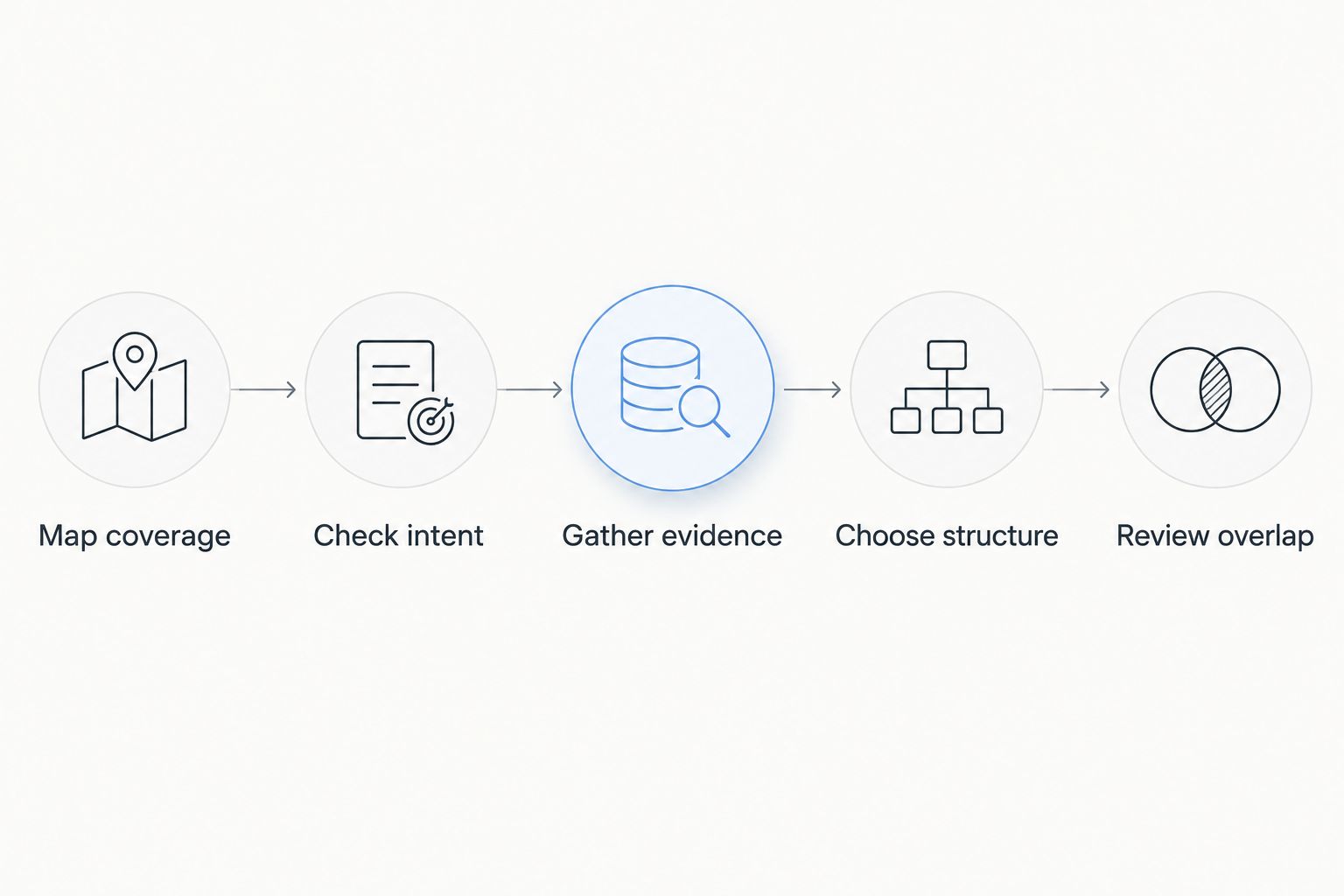
Use this 5-step review to turn a city list into a defensible publishing plan. The goal is to identify different customer needs before committing to separate pages.
- Map coverage. List the cities you genuinely serve and any service boundaries. Remove places you cannot accurately claim to cover.
- Check intent. Identify what someone searching for your service in each city needs to learn. Compare that need with your existing service and coverage information.
- Gather evidence. Collect relevant project details, customer questions, and verified operating information. Keep unsupported claims out of the draft.
- Choose structure. Decide whether the answer belongs on a shared page, a city page, or a service-and-city page. Give every proposed page a distinct purpose.
- Review overlap. Compare the drafts before publishing. Merge pages whose useful information remains substantially the same after removing place names.
This sequence keeps keyword discovery connected to real business information. Improve SEO can help you find low-competition local keywords and prepare branded content, while the evidence review determines which topics deserve publication.
What should a useful city page include?
A useful city page answers practical questions about receiving your service in that location. In your 2026 editorial brief, separate facts you can verify from statements that merely sound local.
Start with a direct explanation of the service and coverage. A visitor should understand what you do in that city without searching through a long introduction about the area.
Then add the information that justifies the page:
- Relevant work: Describe actual work connected to the location, without inventing customer names, outcomes, or project details.
- Service specifics: Explain any genuine differences in scope, process, or suitability.
- Practical constraints: State verified coverage boundaries or access requirements when they affect the customer's request.
- Local questions: Answer questions customers actually ask about receiving the service there.
- Next action: Explain what the customer should provide to get a useful response.
You do not need every element on every page. You do need enough useful information to justify a visitor choosing this page over your broader service explanation.
Avoid a word-count target as the reason to add content. A concise page with accurate local answers serves a clearer purpose than a long page padded with unrelated neighborhood descriptions.
Can I reuse the same template for every city?
Reuse the layout, not the entire answer. Consistent headings, navigation, and contact instructions help readers understand your pages. Those shared elements do not require you to invent differences where none exist.
The main content should reflect the page's actual purpose. If you cannot change the substance without replacing only city names, reconsider whether separate pages are necessary.
A useful 2-sentence test is to write why the page exists and what a customer learns there that they would not learn from your main service page. If you cannot write those sentences clearly, merge the topic into your shared coverage information.
Changing wording alone does not solve an information problem. Rephrasing identical claims still leaves customers with identical answers.
Will separate city pages improve my rankings?
Separate city pages do not guarantee better rankings. They give you distinct destinations for distinct local needs, but publication alone does not establish usefulness, relevance, or trust.
Google Search Central's spam policies identify doorway abuse as pages created to rank for similar queries while funneling users toward an intermediate destination. The same policies address scaled content abuse: producing many pages primarily to manipulate rankings rather than help users.
For 2026 planning, focus on the distinction those policies describe: a city page should be a useful destination, not a search-result entry point with nothing local to offer. Shared branding or a common contact route is not the issue by itself; the substance and purpose of the pages matter.
Do not promise yourself that an expanded page count will create an expanded customer base. Track whether published pages attract relevant searches and help visitors take an appropriate next step.
FAQ
Do I need a separate page for every city my business serves?
No, you do not need a separate page for every city you serve. Create one only when you can answer a distinct local customer need with accurate, useful information.
Can I list several cities on one service-area page?
Yes, you can list several cities on one service-area page. Explain genuine coverage clearly and keep the page focused on helping customers establish whether you serve them.
Is changing the city name enough to make a new page?
No, changing the city name is not enough to justify a new page. The page needs useful substance beyond the same service description with a different location inserted.
Do I need an office in a city to write a page about serving it?
You do not need to claim an office to explain that you serve a city. Describe your actual service coverage and never present a service area as a physical business location.
Should every service have a page for every city?
No, every service does not need a page for every city. Use a combined service-and-city page only when the service intent and local information justify that separate destination.
Can Improve SEO help me create city pages in WordPress?
Improve SEO helps local business owners find low-competition local keywords, generate branded content, and publish or schedule it from WordPress. You still need to verify local claims and decide whether each page adds useful information.
What should I do with city pages that all say the same thing?
Review repetitive city pages for consolidation into a useful shared page. Preserve genuinely distinct local information and handle replaced URLs deliberately rather than deleting pages without a transition plan.
One last thing
Run a 1-page comparison before approving your next city draft: place it beside your main service page and temporarily hide the location names. Ask what information remains that is genuinely different.
If the answer is nothing, the draft needs local evidence—or it belongs on the existing page. Your strongest city-page strategy starts with deciding which pages not to publish.


