
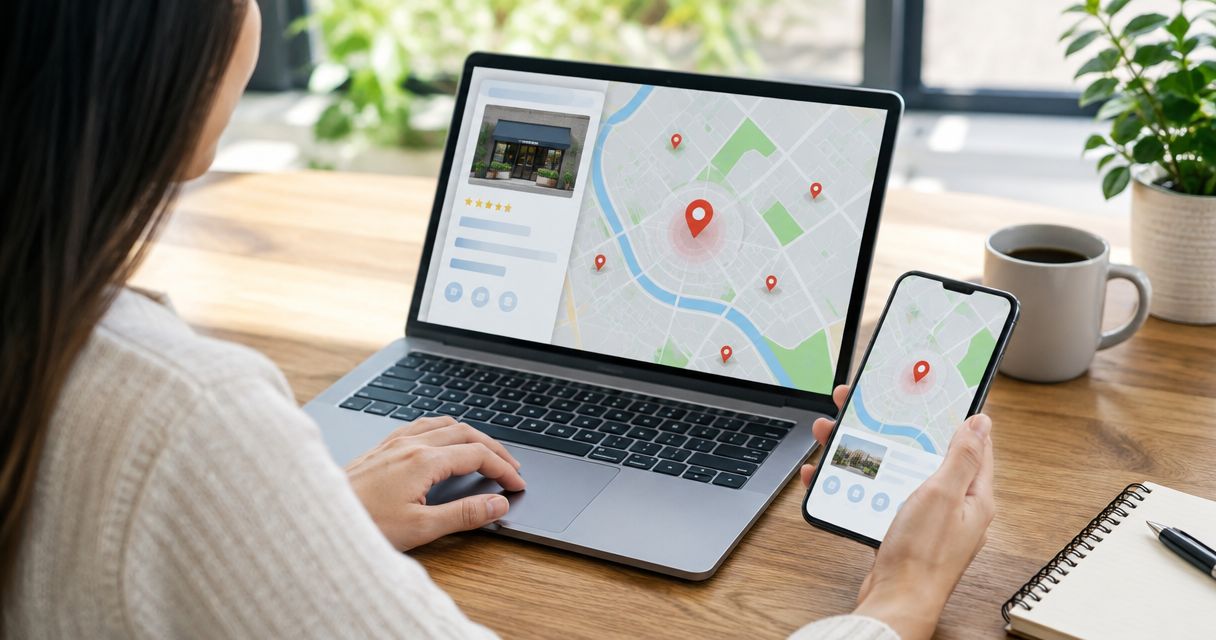
Yes, you can rank on Google Maps without a website if your business qualifies for a Google Business Profile and you verify and maintain that profile. Google’s local results depend mainly on relevance, distance, and prominence—not on having a website alone. In 2026, a website remains useful for explaining your services and supporting your online presence, but it is not a prerequisite for appearing on Maps.
- Can I rank on Google Maps without a website? Yes—an eligible Google Business Profile can appear without one.
- Google Maps rankings depend mainly on relevance, distance, and prominence; a website does not guarantee placement.
- Complete your business information, choose accurate categories, and request genuine customer reviews before adding more publishing work.
- A website adds room for service details and organic search visibility, but it does not replace profile management.
Can I rank on Google Maps without a website?
A website is not required to rank on Google Maps. Google’s Business Profile eligibility and representation guidelines determine whether your business qualifies; owning a domain does not establish eligibility.
Here is what changes when you add a website:
| Setup | Best for | Main advantage | Main limitation |
|---|---|---|---|
| Google Business Profile without a website | Eligible local businesses establishing a Maps presence | Customers can find business details, directions, and contact information | Less space to explain services and answer detailed questions |
| Google Business Profile with a website | Local businesses that need detailed service information and website search visibility | Adds pages that explain what you do and whom you serve | Requires maintenance and does not guarantee better Maps rankings |
For the website side, Improveseoplugin is best for small local business owners who want to find local keywords and publish content through WordPress. Improveseoplugin supports that publishing work; it does not replace an eligible Google Business Profile.
Why this matters
You do not need to postpone your Maps presence until you build a website. You need accurate business information, an eligible business, and a profile that represents the operation customers actually encounter.
There are 2 distinct search surfaces to understand: Google Maps results and organic website results. A Business Profile provides a route into local results, while a website gives Google pages to consider for organic search. Success in one does not automatically establish success in the other.
For your 2026 priorities, separate eligibility from improvement. First establish that your business can appear; then improve the information and evidence that help customers understand and trust it.
What determines Google Maps rankings?
Google’s published local-ranking guidance identifies 3 main factors: relevance, distance, and prominence. A profile without a website still competes within that framework.
Relevance: how closely your business matches the search
Relevance concerns the match between a search and what your business offers. Accurate categories, services, and business information help Google understand that match.
Choose categories because they describe your business, not because they sound popular. A detailed description cannot compensate for a category that misrepresents your main activity.
Distance: how far the business is from the searcher
Distance concerns how far a business is from the location used in a search. When someone does not specify a location, Google uses what it knows about their location.
You cannot change your actual operating location by listing more service areas. Adding a city to your service area does not establish a business location there.
Prominence: how well known the business is
Prominence reflects how well known a business is, including information Google finds across the web. Google also states that review count and positive ratings can help local ranking.
A website can contribute to your broader online presence, but it is not the only source of information about your business. Genuine reviews and accurate references elsewhere still matter when you do not own a site.
How do I improve my Maps presence without a website?
Use this sequence before worrying about publishing articles. Each step addresses something you can control without buying a domain.
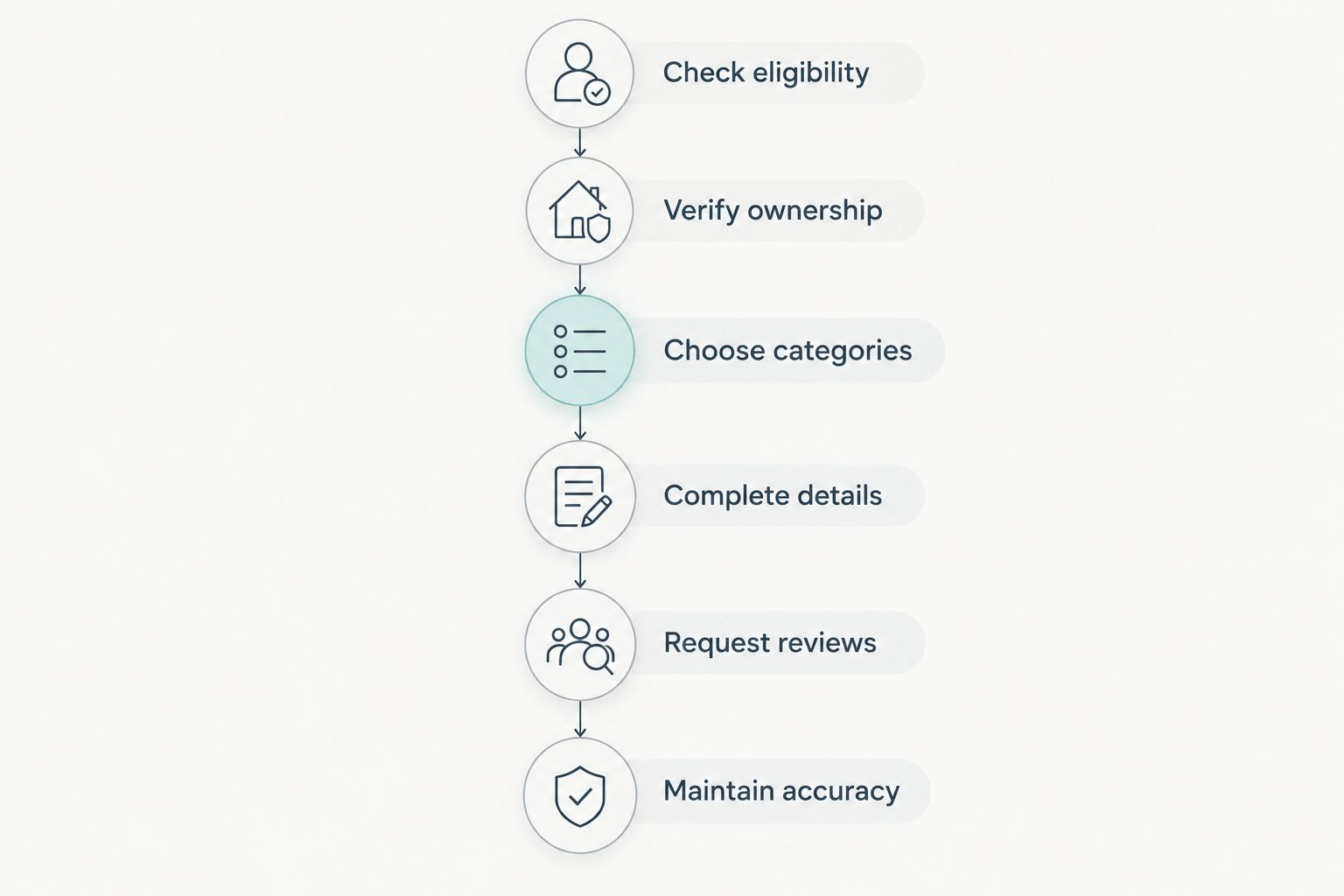
- Check eligibility. Confirm that your business meets Google Business Profile requirements. Online-only businesses without qualifying in-person customer contact are not eligible simply because they serve a particular city.
- Verify ownership. Claim or add the correct profile and complete the verification process Google provides. Follow the instructions shown for your business rather than assuming a particular verification method will be offered.
- Choose categories. Select the primary category that most accurately describes your main business. Add secondary categories only when they describe services or activities you actually provide.
- Complete details. Enter accurate contact information, hours, services, and applicable business attributes. Use special hours when your operating schedule changes for holidays or other exceptions.
- Request reviews. Ask customers for honest feedback without incentives or screening out unhappy customers. Respond professionally, especially when a review identifies a problem you can address.
- Maintain accuracy. Update changed hours and contact details, add representative photos, and check the profile for incorrect edits. Treat the profile as an ongoing customer information source.
Keep the business name consistent with how customers know the business in the real world. Do not add services, city names, or promotional phrases to the name unless they genuinely belong in that name under Google’s guidelines.
For a single-location business, the general rule is 1 profile for that business at that location, subject to Google’s specific exceptions. Creating duplicates to target nearby towns is not a legitimate expansion strategy.
Running a Google Business Profile without a website
Best for: an eligible local business that needs a clear, manageable starting point. A profile can give customers the essentials: what you do, where you operate, when you are open, and how to contact you.
The benefit is focus. You can correct confusing hours or an inaccurate category without also managing a content calendar, website updates, and separate service pages.
The drawback is limited space and control. Customers with detailed questions about your process, service boundaries, or suitability have less information to review before contacting you.
In 2026, judge this setup by whether customers can complete their next step. Check the profile from a customer’s perspective: is the phone number correct, is the location appropriate, and does the listed service match what you actually offer?
Adding a website alongside your Google Business Profile
Best for: a local business whose customers need more explanation before making contact. A website gives you room for service pages, project information, qualifications you can substantiate, and answers to recurring questions.
That additional detail helps customers assess fit. It also creates pages that can appear in organic search separately from your Maps listing.
The limitation is upkeep. Outdated service pages and contradictory contact information create confusion, while publishing repetitive location pages does not establish real operations in those places.
If you choose WordPress, Improveseoplugin supports finding low-competition local keywords, generating branded content, and publishing or scheduling it from the dashboard. Review generated material for accuracy before publication; a publishing workflow does not establish that a business claim is true.
Add a website when it solves a customer information problem, not because you expect an automatic Maps ranking increase. Keep its business details aligned with your profile.
Why Google Maps visibility varies
Two eligible businesses can have different visibility even when neither owns a website. These factors explain why the same checklist does not produce identical results:
- Search wording: A broad category search and a specific service search ask for different matches. Make sure your profile describes the work you actually perform.
- Searcher location: Distance changes with the location used in the search. Your position is not a single fixed rank across an entire city.
- Category fit: A category that accurately describes your main operation gives Google a clearer relevance signal than an unrelated category.
- Review evidence: Genuine reviews provide information about customer experiences. Review count and positive ratings are among the signals Google identifies in its local-ranking guidance.
- Business prominence: Information about the business elsewhere on the web contributes to how well known it is. A website is part of that picture, not the whole picture.
- Profile accuracy: Incorrect hours, contact information, or business details make the listing less useful to customers. Correct these before pursuing additional content.
A useful 2026 visibility check uses the same search phrase from the same location over time. Comparing unrelated searches from different places does not tell you whether your profile improved.
Can a service-area business rank without showing an address?
Yes, an eligible service-area business can appear on Maps without displaying its address publicly. If customers do not visit your business location, follow Google’s instructions for hiding the address and setting appropriate service areas.
A hidden address is not permission to invent a location. Use accurate business information during setup and verification, and do not create profiles at locations where your business does not actually operate.
Will adding a website automatically improve my Maps ranking?
No, adding a website does not automatically improve your Maps ranking. Google evaluates local results using relevance, distance, and prominence rather than treating website ownership as a ranking switch.
Build the site around genuine customer needs. Clear service explanations and consistent business details are useful; a collection of nearly identical city pages is not a substitute for real locations or relevant services.
Can reviews make up for not having a website?
Reviews help your business present customer experience evidence, and Google says review count and positive ratings can help local ranking. They do not guarantee placement or remove the effect of distance and relevance.
Ask consistently for honest feedback rather than asking only customers you expect to praise you. Never offer an incentive for a review or for changing a negative review.
FAQ
Can I rank on Google Maps without a website in 2026?
Yes, an eligible business can rank on Google Maps without a website in 2026. Verify and maintain an accurate Google Business Profile, then focus on relevance, distance, and prominence rather than treating a website as an entry requirement.
Do I need a physical storefront to appear on Google Maps?
No, a storefront is not required for every eligible business. A qualifying service-area business can have a profile, but online-only operations without qualifying in-person customer contact do not become eligible by selecting a service area.
Should I show my home address on my Google Business Profile?
Hide your address if customers do not visit your business location, following Google’s service-area business guidance. Do not publish a home address simply to make the profile look like a storefront.
Can I use a social media page instead of building a website?
You can operate without a website and use social media to provide additional customer information. A social profile does not replace Google Business Profile eligibility, accurate business details, or the ability to publish pages on your own website.
How long does it take to rank on Google Maps without a website?
There is no fixed ranking timeline for a Google Business Profile without a website. Completing verification does not guarantee a particular position, because results also depend on relevance, distance, prominence, and the specific search.
Do I need a WordPress plugin to rank on Google Maps?
No, you do not need a WordPress plugin to rank on Google Maps. Improveseoplugin supports local keyword research and content publishing on WordPress; those tasks are separate from establishing and maintaining your Business Profile.
Can I put city keywords in my Google Business Profile name?
Use the business name customers encounter in the real world, not a name expanded with ranking keywords. Include a city or service term only when it genuinely belongs in the business name under Google’s guidelines.
One last thing
More visibility is not useful if the customer finds the wrong information. Before your next 2026 ranking check, inspect your profile’s phone number, regular hours, special hours, category, and address visibility.
Then ask whether your business needs a website to answer questions the profile cannot handle. That decision is about customer needs and an additional search channel—not permission to appear on Google Maps.


