

Yes, a WordPress plugin can find local keywords automatically when it includes keyword discovery, rather than only tools for optimizing keywords you enter yourself. In 2026, that automation can help you choose topics and prepare content, but you still need to check whether each suggestion matches your services, service area, and customers’ needs.
- Can a WordPress plugin find local keywords automatically? Yes, when keyword discovery is part of its functionality.
- Improveseoplugin suits small local business owners who want keyword discovery and content publishing inside WordPress.
- Local keyword research and on-page optimization solve different problems; check which task a plugin actually performs.
- Review service relevance, location accuracy, and search intent before turning suggested keywords into published pages.
Why this matters
A plugin that checks a keyword is not necessarily a plugin that finds one. That distinction determines whether you receive new topic ideas or simply get feedback on a phrase you already selected.
Improveseoplugin is a WordPress plugin for small local business owners that helps find low-competition local keywords, generate branded content, and publish or schedule it from the WordPress dashboard. That puts keyword selection and content production in the same working environment. It does not remove your responsibility to confirm business facts before publication.
For your 2026 content plan, start by identifying the task you need help with: finding relevant searches, improving an existing page, or managing publication. Treat those as separate requirements when assessing a plugin.
Can a WordPress plugin find local keywords automatically?
Yes. A WordPress plugin with keyword discovery can help identify local search phrases without requiring you to assemble every phrase manually. The useful output is not merely a list of city names attached to services; it is a set of relevant topics you can evaluate for your business.
Use this sequence to turn automatic discovery into a publishing decision:
- Define the service. Identify what you actually sell, including any specialties that deserve separate explanations. A broad category alone does not describe every customer need.
- Define the location. Specify the area you genuinely serve. A suggested location is not a reason to claim coverage there.
- Review suggested searches. Keep phrases that match both your offer and the likely purpose of the search. Remove irrelevant services and locations.
- Choose the destination. Decide whether an existing page already answers the query or whether a new page has a distinct purpose.
- Check the draft. Confirm business details, usefulness, and the next action before publishing or scheduling.
These are review steps, not a claim that every plugin provides the same controls. Check the actual workflow before adopting it.
Automatic discovery saves you from starting with a blank keyword list; it does not make every suggestion a publishing instruction. A relevant phrase still needs the right page and an accurate answer.
Keyword discovery versus keyword optimization
Keyword discovery helps you decide what to target. Keyword optimization helps you assess how an existing page addresses a chosen phrase. You can need both, but neither task substitutes for the other.
| Capability | Best for | Main benefit | Main limitation |
|---|---|---|---|
| Keyword discovery | Finding topics before writing | Supplies search phrases to evaluate | Suggestions still require business and location checks |
| On-page optimization | Improving an existing draft or page | Helps review how a selected topic is presented | Does not, by itself, establish that the topic is worth targeting |
| Publishing and scheduling | Managing approved content | Moves finished work into a publication workflow | Publication does not guarantee indexing or rankings |
When assessing a WordPress plugin in 2026, ask it to demonstrate the task you need. A keyword field beside an editor is not proof of discovery. Likewise, a generated article is not proof that its target phrase fits your business.
If your main problem is choosing topics, prioritize discovery. If you already have useful pages, start by checking whether those pages answer the relevant searches before creating replacements. More content is not automatically the right next move.
What does automatic local keyword discovery actually replace?
Automatic discovery can replace part of the manual brainstorming involved in combining services, locations, and customer questions. It gives you candidate phrases to assess instead of requiring you to invent the entire starting list.
It does not replace knowledge of your business. You know whether a service is offered, whether a location is covered, and whether a proposed article accurately describes the work customers can request.
Keep these boundaries clear:
- Discovery produces candidates. A suggested phrase deserves review, not automatic approval.
- Content generation produces drafts. A draft still needs factual checks and a useful answer.
- Scheduling controls timing. A scheduled page still needs a reason to exist.
- Optimization supports presentation. A well-organized page cannot make an irrelevant service relevant.
This separation is especially useful when one workflow handles several tasks. Approve the topic before reviewing the wording. Otherwise, you risk polishing an article that should never have been written.
Why local keyword usefulness varies
Local relevance depends on the relationship between a search and your actual business. The same suggested phrase can be useful to one owner and irrelevant to another.
Use these factors to decide what belongs in your 2026 publishing plan:
- Service fit. The phrase must describe something customers can obtain from your business. Similar wording is not enough when the underlying service differs.
- Geographic fit. The location must fall within your real operating area. Do not create an impression of local presence that your business cannot support.
- Search intent. A person researching a problem needs a different answer from someone ready to request a service. Match the page to that need.
- Existing coverage. Check whether a current page already answers the query. An update can be more appropriate than a separate article.
- Answer quality. Publish when you can provide a clear, accurate response. A keyword alone does not supply the substance of a useful page.
Low competition is a selection consideration, not proof of customer value. Reject an irrelevant phrase even when it appears easy to target. Your objective is a useful connection between the searcher’s need and the service you provide.
How do you check a suggested keyword before publishing?
Use a short approval process rather than treating the generated list as a content calendar. You need enough structure to catch mistakes without turning every article into a research project.
For each candidate, record 3 fields: the service, the location, and the search intent. These are your review fields, not a performance score. If any field is unclear, resolve it before writing.
Service fit
Read the proposed phrase as a customer request. Would your business accept that request, and does your website explain the relevant service accurately?
Reject topics that introduce unsupported specialties, qualifications, or promises. A phrase can sound close to your offer while implying work you do not perform.
Location fit
Check the location against your real service area. Distinguish between having premises in a place and traveling there to serve customers.
Your content should preserve that distinction. Do not describe a local office, team, or address unless those facts are true.
Intent fit
Decide what the searcher needs next: an explanation, help assessing a problem, or a way to request service. Write for that need rather than repeating the keyword throughout the page.
An informational article should answer the question. A service page should explain the service and make the appropriate next action clear.
Page fit
Compare the candidate with your existing content before creating another URL. Similar wording does not always require a separate page.
If 2 pages would give substantially the same answer, review whether one existing page can cover the topic properly. Separate pages need distinct purposes, not merely different place names.
Fact check
Read the finished draft for claims about your business. Verify service descriptions, coverage areas, qualifications, policies, and any promises about results.
Keep this check separate from spelling and style. A readable article can still contain a false business claim, and publication makes that claim visible to customers.
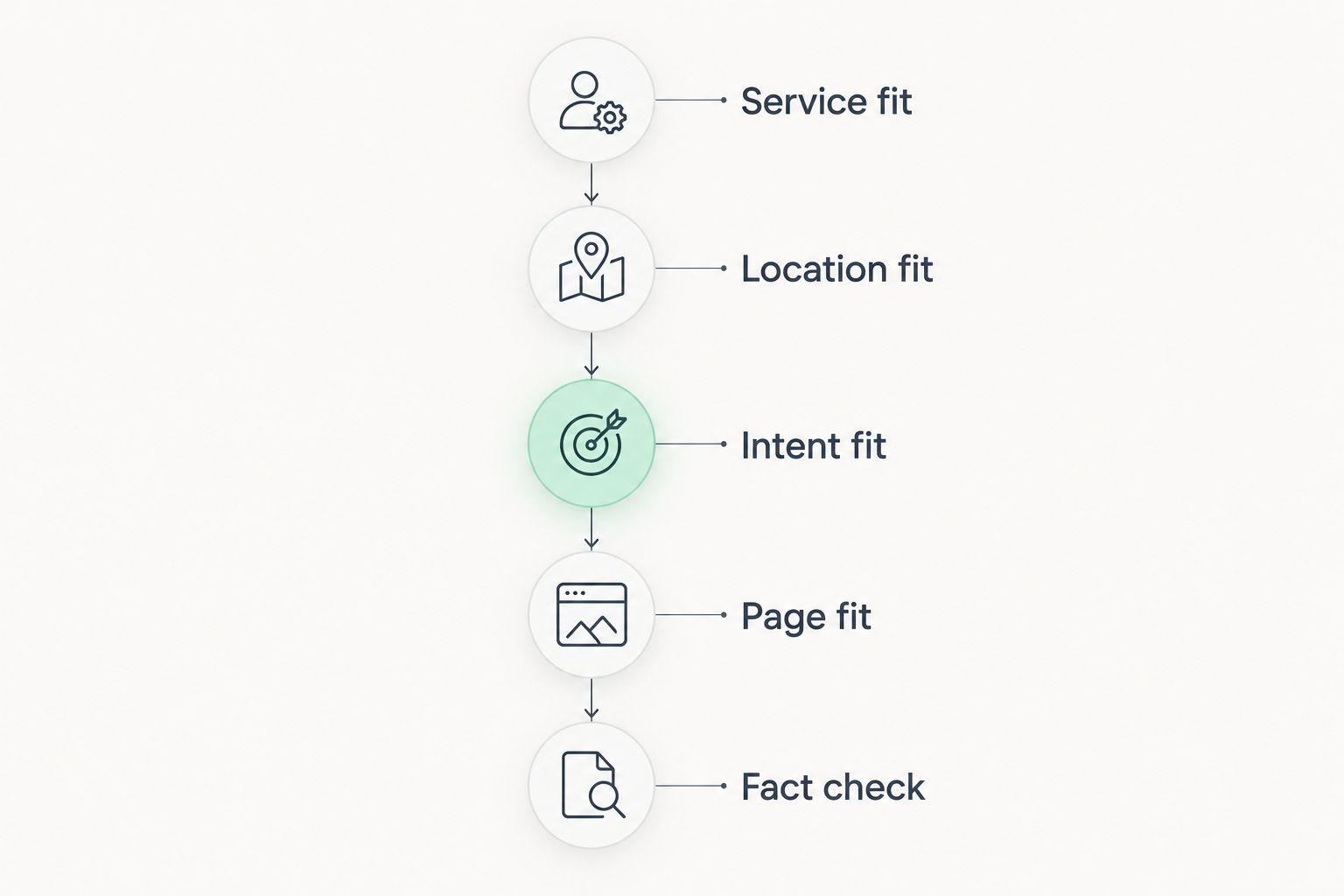
Together, these checks give you a practical approval gate. Keep a candidate only when you can explain who needs the answer, why your business should provide it, and where that answer belongs on your website.
Does low competition mean a keyword will rank?
No. Low competition does not guarantee a ranking, and an automatically suggested keyword does not guarantee that a published page will appear in search results. Treat competition as one input to topic selection, not an outcome promise.
For a 2026 local content plan, prioritize relevance before perceived ease. A narrowly relevant phrase can support a useful page, but the page still needs accurate information and a clear purpose. Avoid publishing simply because a phrase carries a favorable label.
Do you need a separate page for every local keyword?
No. A separate page for every local keyword can create unnecessary overlap when several phrases describe the same customer need. Map related phrases to the page that answers them most clearly.
For example, a service name with a city and a close wording variation can belong to the same page when the intended answer is the same. Create another page only when you have a distinct service, location-specific substance, or question to address—not just a different phrase to insert.
Can you schedule generated content without reviewing it?
You can use scheduling to manage publication, but review business facts before content enters the queue. The ability to schedule a draft does not establish that the draft is accurate or useful.
For your 2026 workflow, place approval before scheduling. Confirm the target topic, check the actual text, and then choose when to publish. This keeps content production convenient without treating automation as editorial judgment.
What should you check before choosing a plugin?
Choose a WordPress plugin by the work it performs, not by a broad SEO label. Ask to see how a topic moves from discovery to draft and then to publication.
Your evaluation should answer these questions:
- Does the workflow find candidate phrases, or only analyze phrases you supply?
- Can you assess whether a suggested topic matches your service and location?
- Can you review the text before it becomes public?
- Does the publishing process fit how you manage your website?
- Can you distinguish recommendations from claims of guaranteed results?
Improveseoplugin is best for small local business owners who want local keyword discovery and content publishing inside WordPress. Its stated scope fits owners who do not want to manage those tasks across separate working environments. That convenience does not establish how any individual page will perform, so judge the workflow separately from ranking expectations.
FAQ
Can a WordPress plugin find local keywords automatically?
Yes, a WordPress plugin can find local keywords automatically when it includes keyword discovery. A plugin that only checks a phrase you enter performs a different task.
What's the difference between local keyword research and on-page SEO?
Local keyword research helps you choose relevant search topics, while on-page SEO helps you organize and improve a page about a selected topic. Check which task you need before choosing a plugin.
Is a low-competition local keyword guaranteed to rank?
No, a low-competition local keyword is not guaranteed to rank. Check its relevance to your business and create a useful page rather than treating a competition label as a promise.
Do I need a new page for every city keyword?
No, you do not need a new page for every city keyword. Separate pages need a distinct purpose and accurate local substance, not just a changed place name.
Can Improveseoplugin help me publish local content from WordPress?
Yes, Improveseoplugin helps small local business owners find low-competition local keywords, generate branded content, and publish or schedule it from the WordPress dashboard. Review business facts before publication.
What should I check in an automatically generated local article?
Check the service, location, search intent, existing page coverage, and business facts. Remove unsupported claims before publishing or scheduling the article.
Should I update an existing page or publish a new article?
Update an existing page when it already serves the same search intent and can answer the topic properly. Publish a new article when the reader needs a genuinely different answer.
One last thing
The most useful result of automatic keyword discovery is not always a new article. Sometimes it is a clearer brief for a page you already have.
Before accepting the next suggestion, write one sentence describing what the reader should understand or do after reading the page. If that sentence matches an existing page’s purpose, check the existing page first. Use automation to choose better work, not simply to create more work.


