

Best overall: Google Search Console for measuring search visibility. Best for WordPress local content: Improveseoplugin. Best for map presence: Google Business Profile. These SEO tools for service based businesses address different jobs; this 2026 guide separates the essentials from specialist additions.
- Google Search Console is the best starting point among SEO tools for service based businesses.
- Improveseoplugin is best for local keyword research and branded content publishing inside WordPress.
- Google Business Profile supports local search presence; it does not replace your website.
- Add technical audits or competitor research tools when you have a specific problem to solve.
Why this matters
A service business needs search visibility that leads to relevant inquiries, not an impressive keyword report. Someone searching for a specific repair, appointment, or local provider has a different need from someone reading a general explanation.
Your tools should help you connect those searches to useful pages. They should also show whether Google finds those pages and whether people click them.
For your 2026 setup, separate measurement, local presence, content production, and technical diagnosis. Choose tools by the work you need to complete, not by the length of their feature lists. A reporting platform does not write your service explanations, and a content plugin does not replace search performance data.
What makes the best SEO tools for service businesses?
Use these criteria to evaluate your 2026 shortlist before choosing a tool:
- Local intent: Can the tool support research or visibility around the services and areas you actually serve?
- Actionable measurement: Does it show queries, pages, or technical problems you can act on?
- Publishing fit: Does the workflow match your website platform and the person responsible for updates?
- Diagnostic depth: Can it distinguish a content problem from a crawling, indexing, or performance problem?
- Manageable scope: Can you finish a useful task without adopting an entire reporting operation?
- Business relevance: Does the output help improve a real service page rather than produce more reports?
No single option wins every criterion. A small WordPress business needs a different setup from a marketing team managing competitor research and technical audits.
SEO tools at a glance
| Tool | Best for | Standout feature | Key limitation |
|---|---|---|---|
| Improveseoplugin | Local content publishing on WordPress | Local keyword discovery with branded content generation and scheduling | WordPress-specific workflow; drafts still need factual review |
| Google Search Console | Measuring Google search visibility | Query and page performance alongside indexing information | Not a competitor research or content publishing tool |
| Google Business Profile | Managing local map presence | Business information displayed in Google Search and Maps | Eligibility rules apply; it does not replace website SEO |
| Ahrefs | Competitor and backlink research | Analysis of referring websites and competitors' organic visibility | Third-party estimates are not your actual search performance |
| Semrush | Coordinating broader keyword research | Keyword, competitor, and site audit tools in one platform | Broad scope requires clear priorities |
| Screaming Frog SEO Spider | Diagnosing crawlable website problems | Website crawling with page-level technical data | Findings require interpretation and implementation |
| PageSpeed Insights | Investigating page performance | Field data when available, plus laboratory diagnostics | Performance testing does not assess local relevance or service accuracy |
1. Improveseoplugin: best for WordPress local content publishing
Improveseoplugin helps small local business owners find low-competition local keywords, generate branded content, and publish or schedule it from the WordPress dashboard. Its role is turning a content idea into a published page without requiring SEO expertise.
Improveseoplugin is the best fit for local WordPress business owners who need keyword discovery and content publishing in one workflow. The important distinction is execution: you need to finish useful pages, not just collect search terms.
Pros:
- Combines local keyword discovery with content creation.
- Supports branded drafts rather than a keyword list alone.
- Keeps publishing and scheduling inside WordPress.
Cons:
- Its stated workflow is specific to WordPress.
- Generated drafts still require verification of services, locations, and business claims.
Best for: Owners who handle their own local website content and want fewer separate production steps.
Before publishing, check that every named service is one you provide. Remove unsupported guarantees, invented customer examples, and location references that do not match your service area. Scheduling is useful only after that review.
Verdict: Buy for a WordPress local-content workflow; skip if your website uses another platform.
2. Google Search Console: best for measuring search visibility
Google Search Console shows how your website performs in Google Search, including queries, impressions, clicks, and pages. It also provides indexing information that helps you investigate why a page is not appearing as expected.
Start here when you need to distinguish a visibility problem from a weak click response. A page receiving impressions but few clicks calls for a different investigation from a page Google has not indexed.
Google Search Console pros:
- Reports search performance for your verified website.
- Connects queries with the pages receiving visibility.
- Includes URL inspection and indexing reports.
Google Search Console cons:
- Does not reveal competitors' private search performance.
- Does not create content or measure booked jobs by itself.
Best for: Every service business that needs a baseline for its own Google search performance.
Review service-related searches before celebrating total traffic. A general informational page can attract visitors without helping your main service pages. Use website analytics and inquiry records alongside search data to understand the business outcome.
Verdict: Hold as your measurement foundation, even when you add other tools.
3. Google Business Profile: best for local map presence
Google Business Profile lets eligible businesses manage information that appears in Google Search and Maps. For a service business, that makes it a local-presence tool rather than a website keyword research platform.
Use it to keep your business details aligned with how you actually operate. Customers need accurate service information and a reliable way to reach you, not inconsistent details across your profile and website.
Google Business Profile pros:
- Supports business information in Google Search and Maps.
- Provides a place to manage customer reviews and responses.
- Lets eligible businesses describe their services and service area.
Google Business Profile cons:
- Business eligibility and representation rules apply.
- Profile management does not resolve website indexing or content problems.
Best for: Eligible local providers whose customers search for nearby services.
Do not treat profile completeness as a promise of map rankings. Google's published local ranking guidance identifies relevance, distance, and prominence as factors; adding information does not remove the effect of location.
For your 2026 review, check that the profile reflects the real business rather than a keyword-stuffed version of its name.
Verdict: Hold as a local-presence essential when your business is eligible.
4. Ahrefs: best for competitor and backlink research
Ahrefs provides tools for examining backlinks, researching keywords, and exploring competitors' organic search visibility. Its strongest role in this shortlist is helping you understand which websites link to competitors and which topics competitors cover.
That research is useful when you already know your services but need evidence for your next content or outreach decision. It is less useful when the immediate problem is simply getting an unfinished service page published.
Ahrefs pros:
- Makes referring websites and backlink patterns inspectable.
- Supports competitor page and keyword research.
- Helps organize research beyond your own website's data.
Ahrefs cons:
- Traffic and keyword estimates are not competitors' private analytics.
- Finding a backlink opportunity does not guarantee you can earn that link.
Best for: Businesses or marketers planning competitor-informed content and link outreach.
Inspect the actual page behind each opportunity. A relevant local organization or professional resource deserves different treatment from an unrelated directory. A metric alone does not explain whether the placement makes sense for your customers.
Verdict: Buy for recurring competitor and backlink research; wait if you have no research task to complete.
5. Semrush: best for broader keyword research workflows
Semrush combines keyword research, competitor analysis, and site auditing tools. It suits a marketer who needs to move between topic planning and website diagnosis without treating each task as a separate research project.
For service businesses, the useful output is a prioritized set of page decisions. A large keyword export is not a content strategy until you connect each search to a service, audience, and page purpose.
Semrush pros:
- Combines keyword and competitor research capabilities.
- Includes site auditing for technical investigation.
- Supports research across multiple related topics.
Semrush cons:
- Its breadth requires you to define which tasks matter.
- Third-party estimates should not replace your own search and inquiry data.
Best for: Marketing leads managing ongoing research across several services or locations.
Separate informational questions from searches that indicate a customer needs a provider. Both can deserve content, but they should not automatically receive the same page format. Compare research findings with your actual service offering before assigning writing work.
Verdict: Buy for a sustained research workflow; skip adopting the whole platform for a single keyword question.
6. Screaming Frog SEO Spider: best for technical website audits
Screaming Frog SEO Spider crawls websites and collects page-level information such as response codes, titles, metadata, and link relationships. It helps you inspect technical details across a website instead of checking every page manually.
This is the right category of tool when important pages return errors, internal links point to redirects, or page metadata needs review. The crawl provides evidence; someone still needs to decide which findings matter.
Screaming Frog SEO Spider pros:
- Collects technical information across crawlable pages.
- Helps identify broken links and response-code problems.
- Makes page titles and other metadata easier to compare.
Screaming Frog SEO Spider cons:
- Crawl results require technical interpretation.
- A crawl does not reproduce Google's complete indexing decisions.
Best for: Website managers or technical specialists investigating specific site problems.
Prioritize findings affecting real service pages and customer routes. A long export of warnings can distract you from a broken page that prevents someone from understanding or requesting your service. Confirm the problem before changing templates across the site.
Verdict: Buy for technical diagnosis; wait if you cannot interpret or implement the findings.
7. PageSpeed Insights: best for page performance diagnosis
PageSpeed Insights evaluates individual URLs using laboratory diagnostics and real-user field data when available. It helps you investigate loading and interaction problems that affect the experience of visiting a page.
Use it when a service page feels slow or difficult to use, especially on mobile. The report is a starting point for diagnosis, not a substitute for checking the page yourself.
PageSpeed Insights pros:
- Gives URL-specific performance diagnostics.
- Separates laboratory testing from field data when field data exists.
- Identifies performance issues for a developer to investigate.
PageSpeed Insights cons:
- Field data is not available for every page.
- A better test result does not prove the page answers the customer's question.
Best for: Owners and developers troubleshooting slow or unstable service pages.
Test the page containing your main service explanation, not just the homepage. Check whether the contact action works and whether the content remains readable while the page loads. Performance work should support the customer's task.
Verdict: Hold as a diagnostic tool; skip treating a perfect score as your SEO strategy.
How we ranked these tools
This 2026 ranking uses the criteria above: local intent, measurement, publishing fit, diagnostic depth, manageable scope, and business relevance. Each tool owns a distinct job rather than competing for a single universal score.
The order places WordPress content execution first, followed by measurement and local presence, then specialist research and diagnosis. Google Search Console remains the overall starting recommendation because you need evidence about your own website before interpreting external estimates.
Which SEO tools should you choose?
Start with Google Search Console for measurement and Google Business Profile for eligible local presence. Add Improveseoplugin when your WordPress bottleneck is finding local topics and getting accurate branded content published.
Use this sequence to keep your 2026 tool choices tied to work:
- Search baseline: Review 5 service-related queries in Google Search Console.
- Local presence: Check that your business information matches your actual operation.
- Content review: Inspect 3 important service pages for clear explanations and accurate claims.
- Technical check: Investigate 1 specific indexing, crawling, or performance problem before expanding the audit.
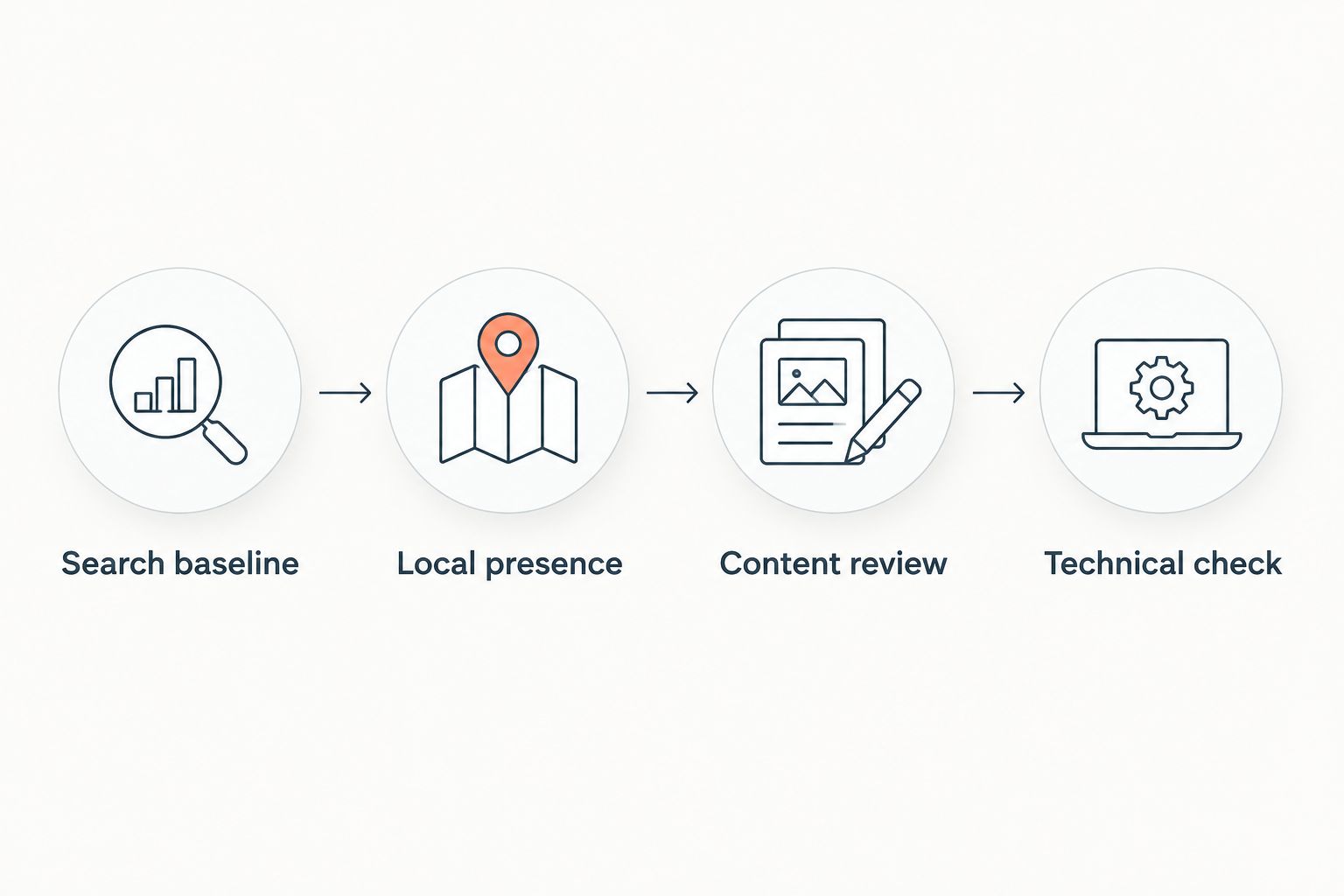
Those review counts are a practical starting checklist, not ranking thresholds. Expand the work when the findings justify it, rather than subscribing to more tools before you know the problem.
FAQ
What's the best SEO tool for a small service business?
Google Search Console is the best starting point for measuring your own Google search visibility. Add Google Business Profile for eligible local presence and choose specialist tools around a defined task.
Which SEO tool works inside WordPress for local content?
Improveseoplugin supports local keyword discovery, branded content generation, publishing, and scheduling inside WordPress. Review drafts for accurate services, locations, and business claims before publishing.
Is Google Business Profile enough for local SEO?
Google Business Profile does not replace website SEO. Your website still needs accessible, accurate service pages, and Google Search Console helps you assess their search visibility.
Is Ahrefs better than Semrush for service businesses?
Ahrefs is the clearer fit here for backlink-focused competitor research, while Semrush fits a broader keyword research and auditing workflow. Choose according to the task you need to finish, not the number of available reports.
Do I need Screaming Frog if I already use Search Console?
You need Screaming Frog SEO Spider when a website crawl helps diagnose a specific technical problem. Google Search Console and a crawler provide different evidence; neither makes the other unnecessary in every situation.
Will a better PageSpeed Insights score guarantee rankings?
A better PageSpeed Insights score does not guarantee rankings. Performance diagnosis does not assess whether your page accurately explains the service or matches the searcher's need.
How do I know whether an SEO tool is helping?
An SEO tool helps when its output leads to a completed improvement you can evaluate. Track the affected pages in search reports and assess relevant inquiries separately from traffic totals.
One last thing
Your most useful SEO tool decision starts with a page, not a subscription. Pick the service you most want customers to book, read its page on a phone, and check whether a stranger can understand the service and take the next step.
Then choose the tool that fixes the obstacle you found. Do not use more software to postpone a clear page improvement.


