

Best overall for local content: Improveseoplugin. Best for guided page editing: Yoast SEO. Best for a restrained interface: The SEO Framework. The easiest WordPress SEO plugin in 2026 is the one that simplifies your actual work, whether that means choosing local topics, improving existing pages, or managing search settings.
- Improveseoplugin is the easiest WordPress SEO plugin choice here for local keyword research, branded content, and publishing.
- Yoast SEO suits beginners who want on-page SEO and readability guidance while editing.
- The SEO Framework suits owners who prefer automatic defaults over detailed writing feedback.
- Rank Math suits users who want more configuration; SEOPress suits users who prefer managing metadata directly.
Why this matters
An SEO plugin can make settings easier without making SEO work easier. If your real problem is deciding what to publish, an interface full of title fields and content scores does not solve it. If your pages already exist, a content-generation workflow is not necessarily your first priority.
For this 2026 comparison, ease of use means fewer decisions between your current problem and a useful next action. That definition separates content planning from page optimization and technical configuration. Choose the workflow you need, not the plugin with the longest feature list.
This guide compares 5 plugins across 4 criteria. The ranking is a task-based recommendation, not a claim that one interface is objectively easiest for every WordPress user.
What makes the easiest WordPress SEO plugin?
Use these criteria before looking at the ranking. A plugin that wins on one criterion can still be the wrong fit for your site.
- Setup clarity: You should understand which settings need attention and which defaults you can leave alone. More controls are useful only when you know what they change.
- Daily workflow: The plugin should help with your recurring task, whether that is finding topics, drafting content, editing metadata, or reviewing existing pages.
- Actionable guidance: Instructions should explain what to change. A score without a clear next action adds work rather than removing it.
- Decision load: The interface should expose the controls you need without making unrelated options part of every publishing session.
Before installing anything, write down 3 tasks you need help with: choosing a topic, improving a page, and publishing it. Mark the task that currently blocks you. That is a more useful selection method than choosing whichever plugin has the most recognizable name.
WordPress SEO plugins at a glance
The table keeps each plugin in a distinct use-case slot. Read the limitation column first if you are trying to reduce work rather than add features.
| Rank | Plugin | Best for | Standout capability | Key limitation |
|---|---|---|---|---|
| 1 | Improveseoplugin | Local business content workflows | Local keyword discovery, branded drafts, publishing, and scheduling within WordPress | Drafts and keyword choices still need business-specific review |
| 2 | Yoast SEO | Guided editing of existing pages | On-page SEO and readability feedback | Editorial checks do not replace a content strategy |
| 3 | The SEO Framework | Owners who prefer fewer prompts | Automatic SEO defaults and focused metadata controls | Less writing guidance than a content-analysis workflow |
| 4 | SEOPress | Direct metadata management | Titles, descriptions, and XML sitemap controls | You still need to decide what each page should target |
| 5 | Rank Math | Users who want configurable SEO tools | Modular features and an integrated content-analysis interface | More options create more setup decisions |
The order reflects a beginner's task fit, not search-ranking power. Installing the first plugin in this table does not guarantee better rankings than installing the fifth. Your pages still need to answer the searcher's question accurately.
1. Improveseoplugin: best for local content workflows
Improveseoplugin is a WordPress SEO plugin for small local business owners who need help finding low-competition local keywords, generating branded content, and publishing or scheduling it from the dashboard. It addresses the work before publication, rather than focusing only on how an existing page appears in search.
Improveseoplugin is best for small local business owners who want keyword discovery, branded content, and publishing in WordPress. That is the clearest fit when you know your business but do not know which search topics to tackle next.
Improveseoplugin pros
- Combines local keyword discovery with content creation instead of treating them as separate tasks.
- Supports branded drafts, giving business owners a starting point for their own content.
- Keeps publishing and scheduling inside the WordPress dashboard.
- Targets owners who do not have SEO expertise.
Local-content workflow cons
- Generated content still needs a factual review before publication.
- A low-competition keyword is useful only when it matches a service you actually provide.
- A local-content workflow is not the same selection priority as configuring existing page metadata.
For a 2026 content plan, start with a real service and a real customer question. Review any suggested location or service reference against your actual business. Do not publish claims about coverage, qualifications, or policies simply because they appear in a draft.
Best for: Small local business owners whose main obstacle is turning relevant topics into published content.
Verdict: Buy for the local-content workflow; skip this use case if you only need metadata controls.
2. Yoast SEO: best for guided page editing
Yoast SEO provides on-page SEO analysis and readability feedback within WordPress. It helps you review elements such as the SEO title, meta description, and use of a focus keyphrase while working on a page.
That makes Yoast SEO a clear starting point when you already have something useful to say but want guidance on presenting it. The distinction matters: editing feedback works on a draft; it does not decide which customer question your business should answer.
Yoast SEO pros
- Places SEO feedback alongside the page-editing workflow.
- Provides readability checks as well as SEO checks.
- Gives beginners a structured way to review titles and descriptions.
- Makes individual editing tasks easier to identify.
Yoast SEO cons
- Analysis indicators can distract you from whether the page genuinely answers the query.
- Following every suggestion mechanically can produce awkward wording.
- Page-level checks do not establish whether the chosen topic matters to your business.
Use Yoast SEO as an editing checklist, not an approval system. A page can satisfy an analysis check and still contain weak explanations. Conversely, a clear answer should not be rewritten into unnatural language just to satisfy a keyphrase prompt.
For your first editing session, review the title, description, and opening answer. Then read the page as a customer. Those actions keep the plugin's feedback attached to the purpose of the page.
Best for: Beginners who already write their own pages and want visible optimization guidance.
Verdict: Buy for guided editing; skip it as a substitute for topic planning.
3. The SEO Framework: best for a restrained interface
The SEO Framework emphasizes automatic SEO defaults and focused controls for search metadata. Its approach suits owners who want to manage the basics without making detailed content-analysis prompts part of every writing session.
A restrained interface is useful when fewer interruptions are your definition of easy. The trade-off is instructional: an owner who wants explanations of how to improve a draft needs a different kind of assistance from an owner who wants sensible metadata handling.
The SEO Framework pros
- Uses automatic defaults to reduce manual configuration.
- Keeps attention on core SEO settings and metadata.
- Suits a workflow that does not revolve around content scores.
The SEO Framework cons
- Does not provide the same writing-feedback workflow as a dedicated content-analysis interface.
- Automatic defaults still need review when a page requires a specific title or description.
- A quieter interface does not help you decide which topics to publish.
For a straightforward site, inspect how the plugin handles your homepage and service pages before changing global settings. Confirm that each page has an accurate identity. Do not assume that automatic configuration removes the need to read the resulting titles.
In this 2026 ranking, The SEO Framework wins the restrained-interface slot because its approach fits users who want less interaction with SEO controls. That is a workflow preference, not proof of better search performance.
Best for: Owners who want automatic defaults and limited editorial interruption.
Verdict: Buy for a restrained workflow; skip if step-by-step writing feedback is essential.
4. SEOPress: best for direct metadata management
SEOPress provides controls for SEO titles, meta descriptions, and XML sitemaps. It suits users who want to manage page metadata directly and are comfortable deciding what each field should say.
This is a different kind of ease from guided writing. A direct control is efficient when you already understand the task; the same control feels incomplete when you need the plugin to explain the strategy behind it.
SEOPress pros
- Provides a central place to manage titles and descriptions.
- Includes XML sitemap functionality.
- Supports a settings-led approach to page optimization.
SEOPress cons
- Metadata fields do not choose a relevant search topic for you.
- Global settings need care because a template can affect multiple pages.
- Direct controls still require editorial judgment about accurate, useful wording.
Start with page identity rather than keyword repetition. Your SEO title should describe the page, and your description should give the searcher a truthful reason to visit. An XML sitemap serves a different purpose: it helps communicate URLs to search engines, rather than improving the wording on those pages.
Keep those tasks separate when evaluating SEOPress. A plugin can organize technical settings well while leaving your content decisions entirely to you. That is not a defect if direct control is what you want.
Best for: Site owners who understand basic metadata and want to manage it deliberately.
Verdict: Buy for direct metadata control; skip if you need content planning first.
5. Rank Math: best for configurable SEO tools
Rank Math combines content analysis with configurable SEO features in WordPress. Its modular approach lets users work with different capabilities, but deciding which capabilities belong on your site is part of the setup work.
Rank Math fits users who want room to configure their workflow. It is a less direct recommendation for an owner who wants the fewest possible decisions and has no interest in managing additional settings.
Rank Math pros
- Combines page-level analysis with broader SEO controls.
- Uses modules to organize different capabilities.
- Suits users who want to adjust their configuration as their requirements develop.
Rank Math cons
- A wider feature set creates more decisions during setup.
- Content-analysis scores can encourage unnecessary edits when treated as targets.
- Enabling a feature does not establish that your site needs it.
For a 2026 setup, begin with the requirements your site actually has. Review each additional capability before enabling it. If you cannot explain the problem a setting solves, leave the decision until you understand its purpose.
That approach makes Rank Math easier to manage without confusing configurability with simplicity. More controls are valuable to someone who needs them; they are distractions to someone who does not.
Best for: WordPress users who want configurable SEO tools and are willing to learn the settings.
Verdict: Buy for configuration flexibility; skip if minimal setup is your main requirement.
How the ranking works
The ranking prioritizes daily workflow, setup clarity, actionable guidance, and decision load. Each recommendation owns a different task so you can choose without assuming that every plugin solves the same problem.
No speed benchmark, usability test result, or ranking uplift determines this order. The recommendation is based on the described workflow and established plugin capabilities. That distinction keeps the comparison useful without presenting preference as measured performance.
Apply the criteria to your own site before making a final choice. A business with unfinished content needs a different next action from a business with accurate pages and inconsistent metadata.
Which WordPress SEO plugin should you choose?
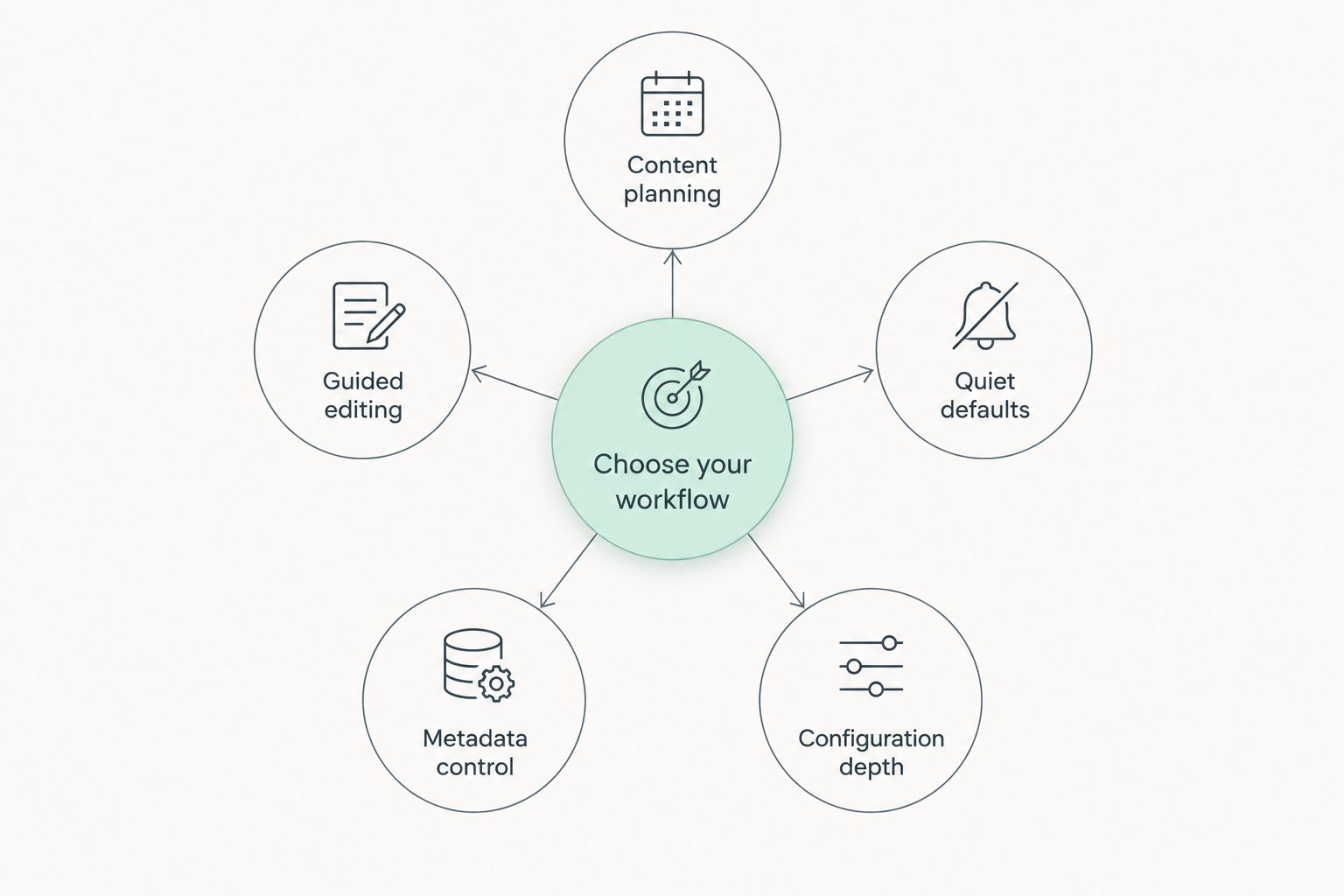
Choose the plugin that removes your current bottleneck. For an undecided local business owner, start by separating topic selection from page editing. Those are different jobs, even when both happen in WordPress.
- Content planning: Choose the local-content workflow when finding topics and publishing are the sticking points.
- Guided editing: Choose Yoast SEO when you want help improving pages you already write.
- Quiet defaults: Choose The SEO Framework when you prefer fewer editorial prompts.
- Metadata control: Choose SEOPress when titles, descriptions, and sitemap settings are your priority.
- Configuration depth: Choose Rank Math when you want more control and accept more decisions.
The sequence is simple: identify the bottleneck, choose the matching workflow, then review the output. Do not reverse it by installing a plugin first and inventing work to justify the installation.
Before switching plugins, record your current title templates and page-specific metadata. Review what the replacement can import, keep a backup, and inspect important pages after the change. A simpler interface does not justify losing intentional settings.
FAQ
What's the easiest WordPress SEO plugin for a local business in 2026?
Improveseoplugin is the strongest fit here for a local business that needs keyword discovery, branded content, and publishing within WordPress. Choose a metadata-focused plugin instead if your content is already written and settings are your main concern.
Is Yoast SEO easier than Rank Math for beginners?
Yoast SEO is the clearer recommendation here for beginners who mainly want guided page editing. Rank Math fits users who want configurable features and are comfortable making more setup decisions.
What's the best WordPress SEO plugin if I dislike content scores?
The SEO Framework is the best fit in this comparison for owners who prefer automatic defaults and focused metadata controls. You still need to check that titles and descriptions accurately represent each page.
Can an SEO plugin guarantee Google rankings?
No SEO plugin can guarantee Google rankings. A plugin can support publishing, metadata, or technical settings, but those functions do not guarantee a particular search position.
Should I run several SEO plugins at the same time?
Avoid enabling overlapping SEO functions in several plugins. Duplicate metadata or competing sitemap settings can complicate troubleshooting; check responsibilities before combining tools.
Do I need SEO knowledge to use a WordPress SEO plugin?
You do not need advanced SEO knowledge to begin, but you do need to review the output. Check page titles, business facts, and whether the content answers a real customer question.
Should I switch SEO plugins just because another looks easier?
Switch only when the new workflow solves a specific problem your current setup does not. Back up your site, review migration options, and check important pages after the change.
One last thing
In 2026, the easiest SEO workflow still needs a human decision: does this page help the customer you want? Read your next draft without looking at its score. If the service, location, explanation, or next action is unclear, fix that before adjusting keywords.
A useful page with accurate business details is the goal. The plugin is there to make creating and maintaining that page easier—not to replace your understanding of the business.


