

Best overall: BrightLocal. Best for neighborhood map visibility: Local Falcon. Best first-party option: Google Search Console. This 2026 guide compares rank tracking tools for local businesses by the search results they measure, the decisions they support, and their limitations.
- BrightLocal is the default among rank tracking tools for local businesses that need broader local SEO reporting.
- Local Falcon fits businesses that need to compare Google Maps visibility across nearby locations.
- Whitespark suits focused local ranking reports; SE Ranking suits broader website keyword monitoring.
- Google Search Console measures website search performance, not neighborhood-level Google Maps positions.
- Improveseoplugin supports local keyword discovery and WordPress publishing; use a dedicated tracker to measure rankings.
Why this matters
A local ranking is not a single position. Your website can appear in Google's organic results while your business listing appears differently in Maps and the local pack. The searcher's location also changes which businesses appear.
Choose your tracker around the result you need to improve. If you use Improveseoplugin for local keyword discovery and WordPress publishing, a tracker adds the measurement layer: which searches show your business, where visibility changes, and which pages need attention.
For your 2026 reporting, separate website visibility from business-listing visibility. Combining them into one score hides the next move.
What makes the best local rank tracking tool
Use these criteria to choose a tool before comparing its dashboard:
- Result coverage: Identify whether you need organic website rankings, local-pack positions, Google Maps visibility, or a combination.
- Location precision: A city-level setting and a neighborhood grid answer different questions. Choose the view that matches your service area.
- Repeatable measurement: Keep keywords, search locations, and reporting intervals consistent so changes remain interpretable.
- Useful reporting: Reports should distinguish the result type and search location, not just display an unexplained position.
- Clear next actions: A ranking change should lead to a page review, business-profile review, or closer investigation—not automatic content production.
- Workflow fit: Buy the measurement you will use. Broader software adds little value when you only need a focused local ranking report.
The strongest choice in 2026 is the tool that answers your actual visibility question. More charts do not compensate for measuring the wrong search result.
Local rank tracking tools at a glance
| Tool | Best for | Standout feature | Key limitation |
|---|---|---|---|
| BrightLocal | Broader local SEO reporting | Local rank tracking alongside other local SEO functions | A broader platform than a simple keyword-position check |
| Local Falcon | Neighborhood Google Maps visibility | Geographic ranking grids | Map visibility is not a substitute for website performance data |
| Whitespark | Focused local ranking reports | Dedicated local rank tracking | Ranking reports do not cover your entire website SEO workflow |
| SE Ranking | Website keyword monitoring | Location-configured organic rank tracking | Organic positions do not describe visibility across a map grid |
| Google Search Console | First-party website search evidence | Queries, clicks, impressions, and average position | Average position is not a fixed local ranking |
Start with BrightLocal if you need broader local reporting. Choose Local Falcon instead when the main question is where your business appears on Maps. The remaining options address narrower measurement needs rather than competing for the same job.
1. BrightLocal: best local rank tracking for broader reporting
BrightLocal combines local rank tracking with other local SEO functions, including citation and reputation tools. Its ranking reports cover local search visibility rather than treating every query as a generic national keyword.
That makes BrightLocal a practical default when you manage both your website and your business listing. You can use the platform for local SEO work beyond checking whether a keyword moved.
BrightLocal pros:
- Local search is a central part of the platform's purpose.
- Ranking reports sit alongside other local SEO functions.
- It suits businesses that need a broader reporting workflow.
BrightLocal cons:
- The wider platform adds functions you might not need.
- You still need to distinguish organic, local-pack, and Maps results when interpreting visibility.
- Ranking movement alone does not establish that an SEO change caused more inquiries.
Best for: A local business owner or marketing lead who wants local ranking reports within a broader local SEO platform.
Before choosing BrightLocal, write down what you expect to review regularly. If that list includes rankings, citations, and reviews, the broader scope fits. If it contains only neighborhood Maps positions, compare the grid-focused option below.
Verdict: Buy for broader local reporting; skip the extra scope if you only need map visibility.
2. Local Falcon: best local rank tracking for neighborhood visibility
Local Falcon visualizes Google Maps rankings across geographic search points. Instead of giving you only one position for a city, a grid shows how visibility differs around your business.
This answers a concrete local question: does your listing appear near your premises but lose visibility elsewhere in the area you serve? Use the geographic pattern to investigate weak areas rather than treating the center point as your entire market.
Local Falcon pros:
- Makes differences between nearby search locations visible.
- Fits businesses whose main measurement need is Google Maps visibility.
- Helps separate a strong central result from wider geographic coverage.
Local Falcon cons:
- A map grid does not replace website keyword tracking.
- Changing grid locations makes reports harder to compare.
- A scan shows visibility at its sampled points, not every potential customer's search.
Best for: Businesses that depend on local discovery and need to understand Google Maps visibility across their service area.
Keep the same search phrase and geographic layout when comparing scans. Otherwise, a different map setup can look like a ranking change even though you changed the measurement itself.
Verdict: Buy for neighborhood Maps analysis; skip it as your only website reporting tool.
3. Whitespark: best local rank tracking for focused reports
Whitespark's Local Rank Tracker focuses on tracking local search positions, including local-pack and organic visibility. It fits readers who want a dedicated local ranking workflow rather than a general-purpose website SEO suite.
Choose Whitespark when the main task is following a defined set of local searches over time. Keep each service and location combination distinct so your reports remain useful for actual business decisions.
Whitespark pros:
- Dedicated local rank tracking keeps the task focused.
- Local-pack and organic results address different visibility needs.
- Suits a defined keyword-monitoring workflow.
Whitespark cons:
- Ranking reports alone do not diagnose every website problem.
- You still need website analytics or inquiry records to assess business outcomes.
- A reported position does not explain why a competitor ranks ahead.
Best for: Owners and marketers who want focused local ranking reports without making a broader SEO platform their main workspace.
Build the keyword list around services you actually provide. A large list of loosely related phrases makes the report longer without making your next action clearer.
Verdict: Buy for focused local reporting; hold if you first need to define your services and target locations.
4. SE Ranking: best local rank tracking for website keywords
SE Ranking provides keyword rank tracking with location settings within a broader SEO platform. It fits businesses that need to monitor organic website visibility alongside other website SEO work.
This is a different job from mapping business-listing visibility across neighborhoods. Use SE Ranking when service pages and informational content are central to your measurement plan, not when a single organic position needs to stand in for Maps coverage.
SE Ranking pros:
- Tracks website keyword positions with location settings.
- Fits organic visibility reporting across service and content pages.
- Offers a broader SEO workspace beyond rank tracking.
SE Ranking cons:
- Location-configured organic tracking is not a geographic Maps grid.
- Broader functions add scope to a simple local monitoring task.
- Keyword positions need click and inquiry context before you judge business value.
Best for: Local businesses with a website-focused SEO program and a defined list of service-page keywords.
Separate branded searches from nonbranded service searches in your review. People searching your business name already know whom they want; a service search reveals a different discovery opportunity.
Verdict: Buy for website keyword monitoring; skip it as a substitute for neighborhood Maps analysis.
5. Google Search Console: best for first-party website evidence
Google Search Console reports how your website performs in Google Search, including queries, clicks, impressions, and average position. It is not a dedicated local rank tracker, but it belongs in your measurement setup because it shows actual website search performance.
Its average position aggregates appearances across searches. Treat that metric as context, not as a promise that your page occupies the same numbered result for every nearby customer.
Google Search Console pros:
- Provides first-party Google Search data for your website.
- Connects queries and pages with clicks and impressions.
- Helps reveal searches already bringing visibility to your site.
Google Search Console cons:
- Does not provide neighborhood-level Google Maps ranking grids.
- Average position is not one fixed location-specific rank.
- Website search reporting does not replace business-listing measurement.
Best for: Every local business measuring website search performance, especially owners building a baseline before choosing a dedicated tracker.
Use Google Search Console to check whether tracked keywords reflect searches your site actually receives. Also look for relevant queries you did not include in the original tracking list.
Verdict: Use as your website evidence layer; skip it as your only local Maps tracker.
How we ranked these tools
The 2026 ranking prioritizes task fit: broader local reporting first, geographic Maps analysis second, focused local reports third, and website keyword monitoring fourth. Google Search Console is included separately as first-party website evidence rather than presented as a direct Maps-tracking replacement.
The criteria are result coverage, location precision, repeatable measurement, reporting usefulness, and workflow fit. This is a buying framework, not a claim that every platform was tested under identical conditions.
Turn ranking reports into a repeatable review
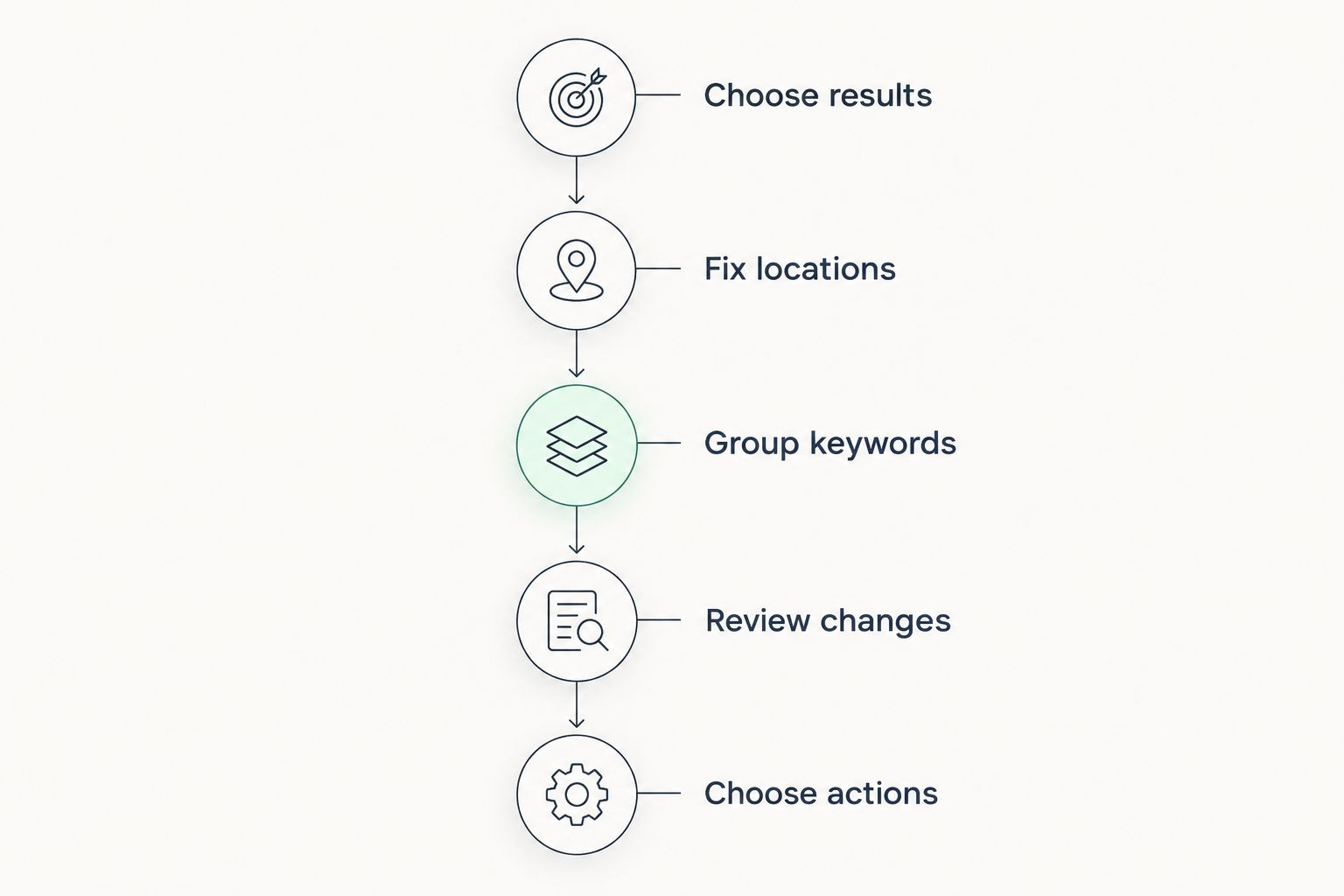
A useful report needs a stable setup and a next action. Follow this sequence before expanding your tracked keyword list:
- Choose results: Decide whether the question concerns your website, local pack, or Maps listing.
- Fix locations: Keep search locations consistent between reports.
- Group keywords: Separate business-name searches from service and location searches.
- Review changes: Compare ranking movement with website clicks and recorded inquiries.
- Choose actions: Investigate the relevant page or listing before changing it.
Start with a review every 7 days, use a 28-day comparison window for website search performance, and schedule a broader 90-day review of your keyword coverage. These are suggested operating intervals, not performance benchmarks or promises of ranking improvement.
Avoid rewriting a page after one disappointing report. First confirm that the keyword, location, and result type match the previous measurement. Then check whether the change also appears in website search performance.
Where Improveseoplugin fits
Improveseoplugin fits small local business owners who want local keyword discovery and WordPress content publishing in one workflow. Its stated role is finding low-competition local keywords, generating branded content, and publishing or scheduling that content from the WordPress dashboard.
That role complements rank tracking. Use Improveseoplugin for the local SEO content workflow and a dedicated tracker for the ranking question you need answered.
Improveseoplugin pros:
- Supports low-competition local keyword discovery.
- Connects content creation with publishing and scheduling.
- Keeps that workflow inside WordPress.
Improveseoplugin limitations:
- Its stated workflow depends on WordPress.
- Content creation is not evidence that a page has gained visibility.
- Publishing decisions still need accurate business information and editorial review.
Best for: Small local business owners who need help moving from a relevant keyword to published content.
Verdict: Choose for the stated keyword-to-content workflow; use dedicated reporting to assess search performance.
Which local rank tracking tool should you choose?
For 2026, BrightLocal is the default for broader local SEO reporting. Choose Local Falcon when neighborhood Maps visibility is the main question, Whitespark when you want focused local ranking reports, or SE Ranking when your priority is website keyword monitoring.
Use Google Search Console alongside your chosen tracker. It answers whether your website receives search visibility and clicks; a dedicated local tracker answers a different question about positions under defined search conditions.
FAQ
What's the best rank tracking tool for a small local business?
BrightLocal is the default for a small local business that needs broader local SEO reporting. Choose Local Falcon instead when your main question is Google Maps visibility across nearby locations.
Is Local Falcon better than BrightLocal?
Local Falcon is the more focused choice for geographic Google Maps ranking analysis. BrightLocal fits a broader local SEO reporting workflow, so the better choice depends on the result you need to measure.
Can Google Search Console track my local rankings?
Google Search Console reports website search performance, including average position, but it is not a neighborhood-level Maps tracker. Use it for website queries and clicks, then add dedicated local reporting when you need location-specific visibility.
Should I track my website or my Google business listing?
Track each separately when both matter to your business. Website rankings, local-pack results, and Google Maps visibility describe different search surfaces and should not be combined into one unexplained position.
How often should I review local rankings?
Start with a weekly review using consistent keywords and locations. Use a longer comparison window for website performance, and investigate a change before responding to one isolated report.
Does a higher local ranking mean more customers?
A higher local ranking does not establish that you gained more customers. Compare visibility with website clicks and recorded inquiries before treating ranking movement as a business result.
Can Improveseoplugin replace a rank tracking tool?
Use Improveseoplugin for its stated local keyword discovery and WordPress content workflow, not as evidence of ranking performance. Pair that workflow with dedicated ranking reports and Google Search Console website data.
One last thing
A ranking report is only comparable when the search conditions are comparable. Before celebrating a gain or reacting to a loss, check the keyword, search location, and result type. A changed measurement setup deserves investigation before it triggers a changed SEO plan.


