

Best overall for WordPress content: Improve SEO. Best for managing your Google listing: Google Business Profile. Best for measuring organic search: Google Search Console. Best for monitoring local rankings and citations: BrightLocal. These local SEO tools for small business owners solve different jobs, so the right choice depends on what you need to do next.
- Improve SEO is the best local SEO tool here for small business owners who publish WordPress content.
- Google Business Profile is the first stop for managing how your business appears on Google Search and Maps.
- Google Search Console shows which searches bring people to your website; it does not publish content.
- BrightLocal fits businesses that need local ranking, citation, and review monitoring.
Why this matters
A local search campaign has more than one moving part. Your business profile tells searchers who you are and how to reach you. Your website needs pages that answer the services and locations they search for. Search data tells you whether those pages appear for relevant queries. Monitoring tools help you spot changes across locations and listings.
In 2026, buying a single local SEO tool without identifying that job is an easy way to pay attention to the wrong dashboard. A publishing tool does not replace your business profile. A measurement tool cannot write or publish a useful service page. Start with the task that currently has no owner, then add tools only when they answer a specific question or remove a recurring task.
What makes the best local SEO tool?
Use these criteria before comparing features. A tool earns its place when it helps you complete work that matters to your business, not when it produces the longest report.
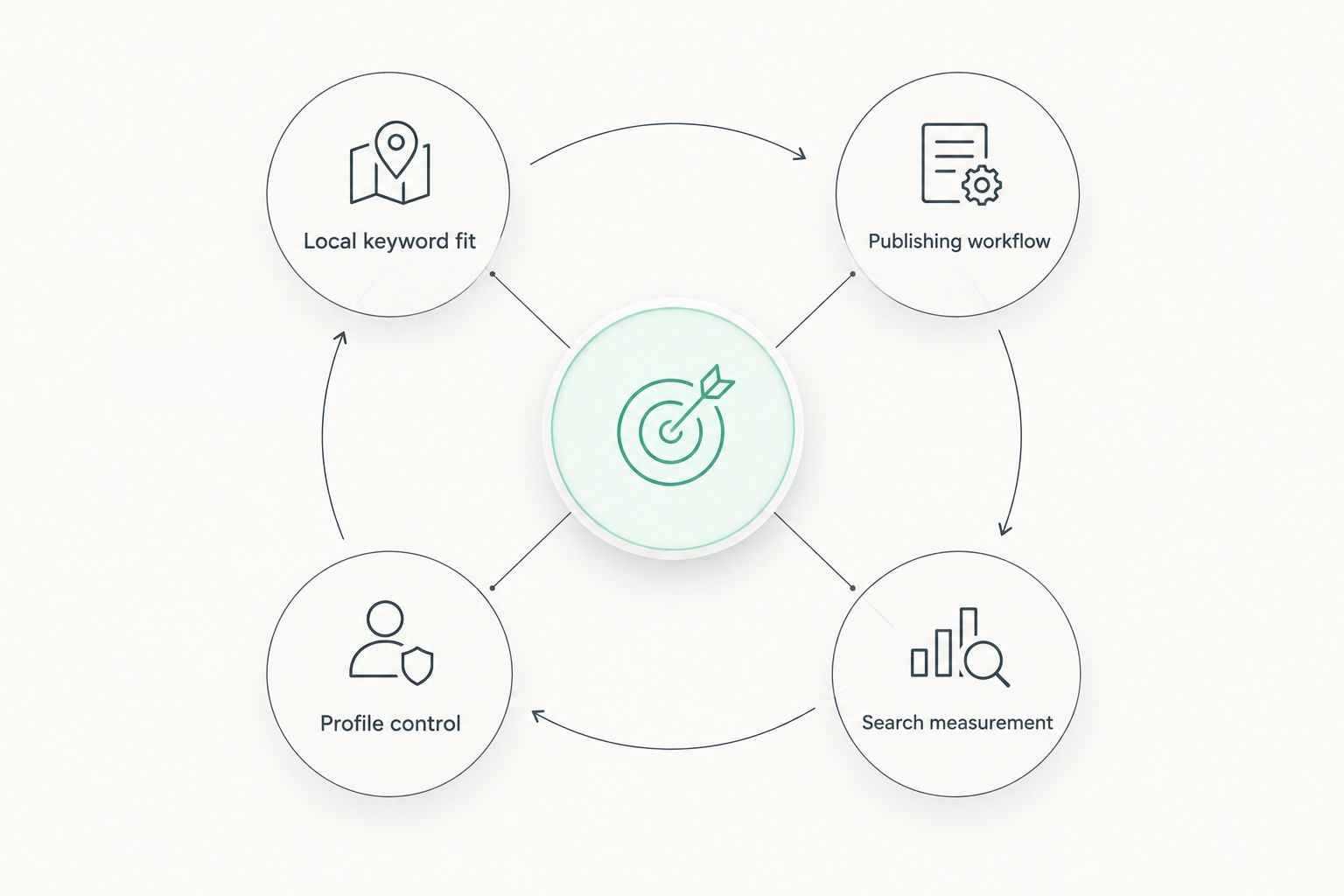
- Local keyword fit: Can you find search terms tied to your services and the places you serve, rather than broad phrases with no clear local intent?
- Publishing workflow: Can you turn a useful topic into a page or post, review it, and publish it without losing the work between tools?
- Profile control: Can you keep your Google business information accurate and respond to what customers see on your listing?
- Search measurement: Can you identify queries and pages already getting visibility, then decide what to improve?
- Local monitoring: Can you check rankings, citations, or reviews when those tasks justify a dedicated workflow?
- Owner effort: Will you use the tool regularly? A narrower tool that supports a task you actually do beats a larger platform you rarely open.
These jobs overlap at the edges, but they are not interchangeable. Match the tool to the work before you compare interfaces or feature lists.
Plan your WordPress content
Explore a workflow for finding local keywords and publishing from WordPress.
Local SEO tools at a glance
| Tool | Best for | Standout function | Key limitation |
|---|---|---|---|
| Improve SEO | WordPress owners publishing local content | Keyword discovery, branded content generation, and publishing in WordPress | Built for a WordPress workflow; content still needs human review |
| Google Business Profile | Managing your presence on Google Search and Maps | Business information and customer-facing profile management | Does not replace service pages on your website |
| Google Search Console | Measuring website visibility in Google Search | Query and page performance data | Does not manage your business profile or publish content |
| BrightLocal | Monitoring local SEO across listings | Local rankings, citations, and reviews | Adds another workflow; unnecessary if you only need to publish a few pages |
Improve SEO is best for small local business owners who need a repeatable WordPress content workflow. Google Business Profile remains the essential choice for profile management. Pick Google Search Console when your immediate question is what your site already appears for, and BrightLocal when monitoring has become a regular task.
1. Improve SEO: best local SEO tool for WordPress content
Improve SEO helps small local business owners find low-competition local keywords, generate branded content, and publish or schedule that content directly from the WordPress dashboard. That makes it the most focused choice here when your bottleneck is turning local search topics into website content. It is a publishing workflow, not a replacement for every other local SEO task.
The distinction matters. A list of keywords does little for you if the relevant service pages never get written. Likewise, publishing more pages is not the goal by itself: each page should answer a distinct question or describe a real service in a place you serve. Use the keyword suggestions to plan that work, then check the draft before it reaches customers.
Improve SEO pros:
- Connects local keyword discovery with content creation and publishing in WordPress.
- Lets you schedule content from the same dashboard where you manage your site.
- Targets low-competition local terms rather than leaving keyword selection entirely to you.
- Supports branded drafts, which you can edit against your actual services and service areas.
Improve SEO cons:
- Its WordPress-based workflow does not fit a website run on another platform.
- Generated drafts require a person to verify business details, local relevance, and accuracy before publication.
- It does not take the place of managing your Google Business Profile or checking search performance in Search Console.
Best for: A small business owner with a WordPress site who knows they need local content but struggles to choose topics and publish consistently.
For a 2026 content plan, begin with services customers can actually buy and locations the business genuinely serves. Give each proposed page a distinct purpose. If two drafts answer the same question for the same customer, combine or differentiate them instead of publishing near-duplicates. Your review should catch unsupported claims and make the page useful to someone deciding whether to contact you.
Verdict: Buy for the WordPress publishing job; skip if you do not use WordPress.
2. Google Business Profile: best for your Google listing
Google Business Profile is where an eligible business manages information shown on its profile in Google Search and Maps. You can maintain details such as business hours and categories and interact with customer reviews. For a small local business, inaccurate profile information creates a more immediate problem than a missing content calendar.
Treat the profile as a maintained business record, not a set-and-forget listing. Choose the category that most closely describes the core business, confirm the contact information customers use, and keep hours current. Google allows 1 primary category and up to 9 additional categories; those extra slots are not a reason to add services you do not offer. The categories should describe the business accurately.
Google Business Profile pros:
- Gives you direct control over key information on your Google business profile.
- Connects profile maintenance with the Search and Maps surfaces where customers find local businesses.
- Lets you monitor and respond to reviews from the business profile workflow.
Google Business Profile cons:
- A profile cannot replace detailed service information on your own website.
- Eligibility and profile rules matter; you cannot create listings for locations that do not qualify.
- Managing the listing alone does not tell you which website pages appear for organic searches.
Best for: An eligible local business whose immediate priority is accurate information and customer interaction on Google Search and Maps.
In 2026, check the profile before commissioning another page about your business. Make sure the business name, category, hours, and contact details reflect reality. Then use your website to explain the services and questions that need more room than a profile provides. Improve SEO can support that website content, but the two tools have separate roles.
Verdict: Buy for profile control; do not treat it as a substitute for your website.
3. Google Search Console: best for measuring website search
Google Search Console shows how your website performs in Google Search, including the queries and pages associated with impressions and clicks. It also reports indexing information that helps you check whether Google can include your pages in search results. Its Performance report retains up to 16 months of data, giving you a way to compare a recent period with an earlier one.
Start with the queries that already bring up your pages. If a service page appears for a relevant local search but earns few clicks, check whether its title and visible page content answer that query clearly. If a page targets an important service but has no relevant query data, inspect indexing first; do not rewrite the page solely because a chart looks quiet.
Google Search Console pros:
- Shows real Google Search queries and landing pages for your verified website.
- Separates website search performance from what happens on your business profile.
- Includes indexing reports that help you investigate missing or excluded pages.
Google Search Console cons:
- It measures your site; it does not manage your Google Business Profile.
- Query data needs interpretation and does not hand you a finished content plan.
- It does not create, edit, or publish pages for you.
Best for: A business owner who wants to know whether existing website pages appear for relevant searches before deciding what to update or create.
The useful 2026 habit is to connect each content decision to an observed question. Search Console can show an existing query; Improve SEO can support the workflow for turning an appropriate topic into a reviewed WordPress page. Neither view alone proves that a page will rank. Use the report to choose what to inspect next, not to promise an outcome.
Verdict: Buy for website measurement; pair it with a separate publishing workflow when content is the bottleneck.
4. BrightLocal: best for local monitoring
BrightLocal provides tools for local rank tracking, citation management, and review monitoring. It fits a business that needs to keep an eye on local search activity beyond its own website and Google profile. That is a different job from writing a service page or checking which queries already lead to your site.
Monitoring becomes useful when you have a reason to act on what you find. If listings contain inconsistent business information, citation work gives you a clear task. If you need to watch local rankings for several services or areas, tracking can show where to investigate. A ranking report without a decision attached is just another report to read.
BrightLocal pros:
- Brings local ranking, citation, and review work into a dedicated monitoring workflow.
- Helps you organize listing checks that are difficult to manage from a single business profile.
- Fits teams or owners who need recurring visibility into local search changes.
BrightLocal cons:
- It adds a separate tool and routine to maintain.
- Monitoring does not write or publish useful website content for you.
- A business with one straightforward listing and no tracking process may not need its breadth.
Best for: A local business that already maintains its profile and site but needs a regular process for checking rankings, listings, and reviews.
In 2026, define what you will do when a check reveals a problem. Correct an inaccurate listing, investigate a relevant ranking change, or respond to a review where appropriate. If you cannot name the action a report supports, start with Google Business Profile and Google Search Console instead, then add dedicated monitoring when the work calls for it.
Verdict: Hold until local monitoring is a recurring task; buy when it is.
How these local SEO tools were ranked
The order reflects a small business owner's ability to complete a useful local SEO job, with WordPress content publishing as the default use case for this comparison. Improve SEO ranks first for connecting local keyword selection to reviewed, scheduled content. Google Business Profile follows because businesses must keep their Google listing accurate. Google Search Console answers the measurement question, while BrightLocal serves the narrower need for recurring monitoring.
This is a decision tree, not a claim that one tool replaces the others. If your listing is wrong, Google Business Profile becomes your first move. If you have published pages but cannot tell what appears in search, start with Search Console. Rank tracking comes later unless your business already has a clear process for using it.
Which local SEO tool should you choose?
Choose Improve SEO if you run WordPress and your next job is publishing relevant local content. That is the default pick for a small business owner who has services to explain but no reliable process for finding topics, preparing drafts, and scheduling pages. Review every draft against your real business before it goes live.
Choose Google Business Profile first if your listing details need attention. Choose Google Search Console if you need evidence about existing pages and search queries. Choose BrightLocal if keeping track of rankings, citations, and reviews is already part of your work. You can use more than one: the point is to give each tool a job, not to expect a single dashboard to run local SEO for you.
For 2026, make your first action concrete. Check the listing customers see, identify a service question your site should answer, or inspect the search queries attached to an existing page. Then pick the tool that lets you finish that action. Do not start by collecting dashboards.
FAQ
What are the best local SEO tools for small business owners?
Improve SEO is best for publishing local content on WordPress, Google Business Profile for managing your Google listing, Google Search Console for website search data, and BrightLocal for local monitoring. Choose the tool that addresses your current task.
Is Improve SEO better than Google Business Profile?
Improve SEO is better suited to creating and publishing WordPress content; Google Business Profile manages your business information on Google Search and Maps. A local business can need both because the jobs are different.
Do I need Google Search Console for local SEO?
Google Search Console is useful when you want to see which queries and pages appear in Google Search and check indexing. It does not manage your business profile or publish pages.
What is the best local SEO tool for a WordPress website?
Improve SEO is the best fit here for a WordPress owner whose priority is finding local keywords and publishing branded content from the WordPress dashboard. Review each draft for accuracy and relevance before publishing.
Can one tool manage every part of local SEO?
No single tool in this comparison handles profile management, website publishing, search measurement, and local monitoring as the same job. Assign each tool a purpose before adding it to your routine.
When should a small business use BrightLocal?
Use BrightLocal when local ranking, citation, or review monitoring is a recurring task you will act on. If your immediate problem is an inaccurate Google listing or missing website content, address that first.
How do I choose local keywords for my business?
Start with the services you actually provide and the places you actually serve, then look for searches that match those customer needs. Improve SEO helps WordPress owners find low-competition local keywords, but every proposed page still needs a distinct, useful purpose.
One last thing
The next page you do not publish can matter as much as the one you do. If a proposed local page repeats an existing page, targets a place you do not serve, or makes claims you cannot verify, stop and fix the plan. Use Improve SEO to support a deliberate WordPress publishing workflow, not to turn every keyword into another page.


