

Best overall for WordPress content: Improveseoplugin. Best for Google Maps visibility: Google Business Profile. Best for measuring website search performance: Google Search Console. These local SEO tools for real estate agents cover different jobs; this 2026 guide separates publishing, local presence, search measurement, topic research, and mobile performance.
- Improveseoplugin is the best content-focused choice among these local SEO tools for real estate agents using WordPress.
- Google Business Profile supports local search visibility; it does not replace useful neighborhood pages on your website.
- Google Search Console shows website search performance; Google Trends helps compare real estate keyword interest.
- PageSpeed Insights identifies page-performance problems, not which neighborhood topics you should publish.
Why this matters
A real estate search can lead to a map result, an agent website, or a property portal. Your business profile and your website serve different roles. A tool that improves one does not automatically fix the other.
Choose your 2026 toolkit around the task you cannot complete reliably today. If you lack useful neighborhood content, start with publishing. If your website already attracts search impressions, start with measurement before adding more pages.
Improveseoplugin is best for real estate agents who want to find local keywords and publish branded content from WordPress. That recommendation concerns the content workflow, not listing management, map rankings, or guaranteed lead generation.
What makes the best local SEO tools for real estate agents
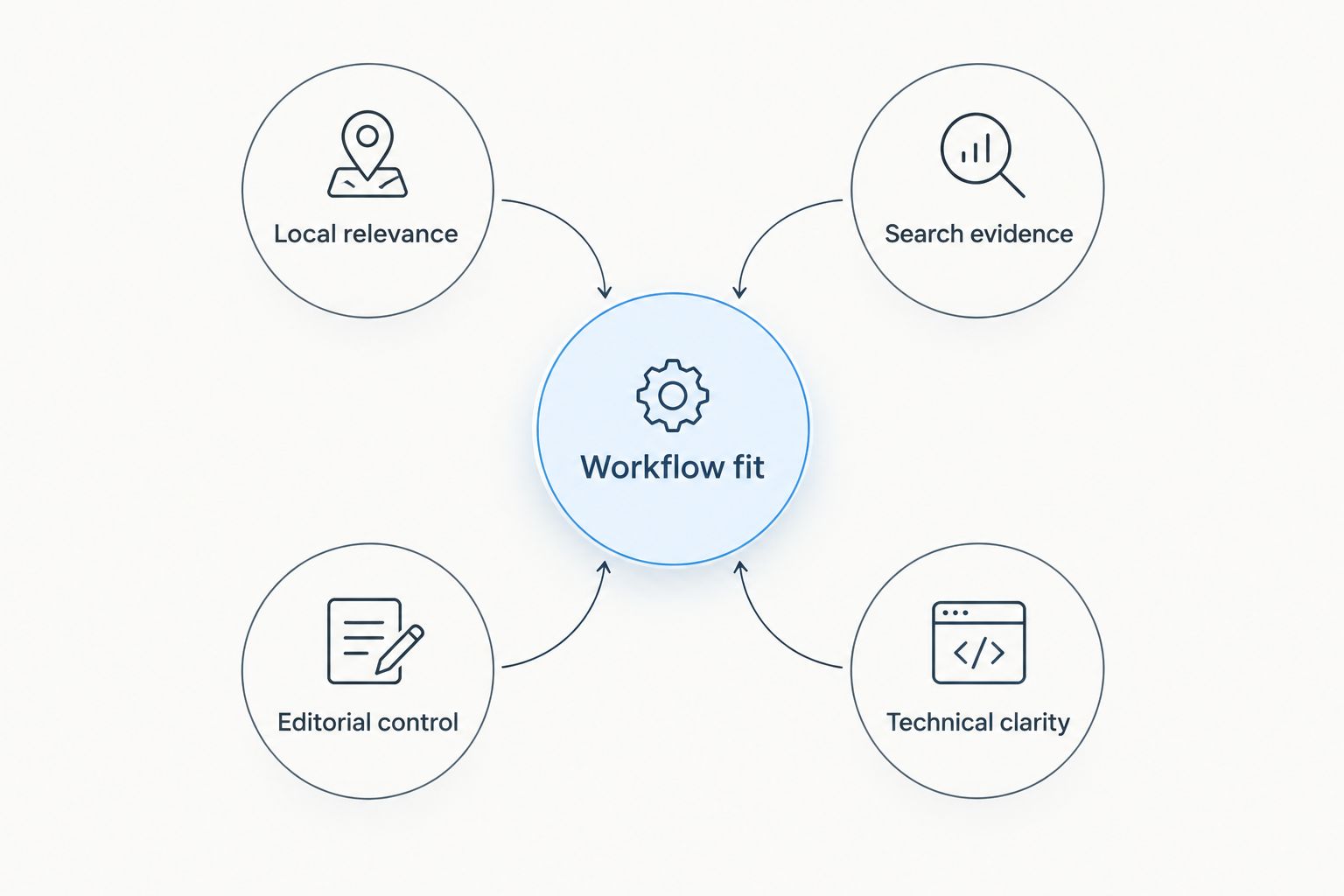
Use these criteria before choosing a tool. A strong fit addresses a specific bottleneck rather than collecting features you will not use.
- Local relevance: The tool helps you work with location-specific searches, business information, or neighborhood topics.
- Workflow fit: You can complete the task where you already work, without introducing an unnecessary publishing handoff.
- Search evidence: You can distinguish actual website search performance from topic suggestions and general market interest.
- Editorial control: You can check generated copy, remove unsupported claims, and keep neighborhood information accurate.
- Technical clarity: The tool identifies a concrete page problem rather than presenting a score without a next step.
For 2026, judge every recommendation against the job it performs. Content production, profile management, and technical diagnosis are separate responsibilities; no single score describes all three.
Local SEO tools at a glance
The order below starts with content execution, then covers the supporting tools. It is a decision tree, not a claim that a publishing plugin outperforms a Google measurement tool.
| Tool | Best for | Standout capability | Key limitation |
|---|---|---|---|
| Improveseoplugin | Publishing local content from WordPress | Local keyword discovery, branded content generation, publishing, and scheduling | Its stated workflow is WordPress-based; generated content needs factual review |
| Google Business Profile | Managing your presence in local Google results | Business information displayed across Google Search and Maps | Eligibility rules apply; it does not manage your website content |
| Google Search Console | Diagnosing website search performance | Query, page, and indexing information for your verified website | It measures your website, not competitors' complete search performance |
| Google Trends | Comparing regional topic interest | Relative search-interest comparisons by geography and time | Interest scores are not absolute search volumes |
| PageSpeed Insights | Investigating page performance | Mobile and desktop performance diagnostics | It does not select local keywords or write content |
1. Improveseoplugin: best local SEO tool for WordPress content
This WordPress plugin helps small local business owners find low-competition local keywords, generate branded content, and publish or schedule it from the WordPress dashboard. For a real estate agent, that workflow connects topic selection with the place where website content gets published. It addresses execution rather than merely producing another research report.
Use it for topics connected to your actual service area and expertise. A neighborhood overview needs original local knowledge: the housing types you encounter, the questions clients ask, and distinctions you can substantiate. A generated draft is the starting point, not a source for claims about schools, market conditions, or commute times.
Improveseoplugin pros:
- Combines local keyword discovery with content creation.
- Produces branded drafts rather than requiring you to start from a blank page.
- Supports publishing and scheduling directly in WordPress.
- Targets owners who do not have SEO expertise.
Improveseoplugin cons:
- The stated workflow depends on WordPress.
- Generated copy still needs your review for accuracy and local specificity.
- Publishing alone does not establish whether a page attracts relevant searches or inquiries.
Best for: Agents with WordPress websites who need a repeatable local-content workflow.
Before scheduling, check every location reference against the area you actually serve. Replace broad descriptions with firsthand information, and remove promises you cannot support. Verdict: Buy for the WordPress content workflow, not as a substitute for measurement or editorial judgment.
2. Google Business Profile: best local SEO tool for Google Maps presence
Google Business Profile lets eligible businesses manage information that appears in Google Search and Maps. It covers the business identity searchers encounter outside your website: name, contact details, business category, and other profile information. For an agent, this is a different task from optimizing a neighborhood article.
Start by checking eligibility and representation rules. Google distinguishes customer-facing locations, service-area businesses, and practitioner profiles; an agent should not assume every address or office arrangement qualifies. Follow the rules for your actual business setup rather than copying another agent's profile.
Google Business Profile pros:
- Gives you a place to manage business information used in local Google results.
- Supports profile photos and customer-review responses.
- Provides a direct way to correct inaccurate business details.
Google Business Profile cons:
- Eligibility and verification requirements apply.
- Profile management does not replace website publishing or technical maintenance.
- A completed profile does not guarantee a particular Maps position.
Best for: Eligible agents or real estate businesses that need to maintain their Google local presence.
Check that your name, phone number, and address or service-area information reflect the business accurately. Answer reviews with useful, professional responses; do not disclose client details. Verdict: Buy into profile maintenance if your business qualifies; skip duplicate or misleading profiles.
3. Google Search Console: best local SEO tool for search diagnosis
Google Search Console reports how your verified website performs in Google Search. Its performance reports show queries, pages, clicks, impressions, and position information; its indexing reports help you investigate whether Google can include pages in search results. It tells you what happens after publishing, not what every competitor is doing.
Use it to separate visibility from response. A page receiving impressions without clicks needs a different investigation from a page with no search exposure. Neither condition proves that the article itself is the only problem.
Google Search Console pros:
- Connects search queries with the pages receiving visibility.
- Helps you identify indexing issues affecting your website.
- Supports comparison across reporting periods and page groups.
- Lets you inspect individual URLs for indexing information.
Google Search Console cons:
- It does not generate or publish content.
- Its reports do not show every search query, including queries withheld for privacy.
- Search clicks are not the same as qualified inquiries or completed transactions.
Best for: Agents who need evidence about their own website before choosing the next optimization task.
For a practical review, compare the latest 30 days with the previous 30 days. Check seasonality before interpreting a change, and keep query groups separate from whole-site totals. Those periods are a review routine, not a performance benchmark. Verdict: Buy into regular measurement before expanding your publishing plan.
4. Google Trends: best local SEO tool for regional topic comparisons
Google Trends compares relative search interest across time and geography. It helps you examine whether a topic attracts different levels of interest across regions or periods. That makes it useful for planning editorial timing, but it is not a substitute for a keyword-volume database.
Compare related questions with the same location and date settings. For example, investigate interest in buying versus selling topics before deciding which educational guide to prioritize. Keep the interpretation narrow: a relative-interest difference does not establish how many prospective clients searched or whether they are ready to transact.
Google Trends pros:
- Supports comparisons between related search terms or topics.
- Shows how relative interest changes over time.
- Offers geographic views that help contextualize broader demand.
Google Trends cons:
- Its normalized scores are not absolute search volumes.
- Very specific neighborhood searches can lack enough data for useful comparisons.
- Interest does not prove commercial intent or lead quality.
Best for: Agents choosing between broader content themes or examining seasonal interest.
Use Google Trends to refine the question, then check your own search data and client conversations. Do not abandon a useful neighborhood guide simply because a narrowly phrased query has little visible trend data. Verdict: Buy into topic comparison; skip treating trend scores as a forecast of inquiries.
5. PageSpeed Insights: best local SEO tool for page-performance checks
PageSpeed Insights analyzes a webpage and reports performance diagnostics for mobile and desktop. It uses Lighthouse lab testing and, where available, Chrome User Experience Report field data. Those sources answer different questions: a lab run simulates conditions, while field data reflects observed user experiences.
For real estate websites, inspect the pages visitors actually use. Large images, scripts, and page components deserve investigation when the report identifies them as contributors to poor performance. Diagnose the reported issue before removing useful functionality or making broad design changes.
PageSpeed Insights pros:
- Examines individual pages rather than relying only on a site-wide impression.
- Separates mobile and desktop analysis.
- Provides diagnostics you can take to a developer or website provider.
PageSpeed Insights cons:
- Some recommendations require technical access or development work.
- Field data is not available for every page.
- A performance score does not measure neighborhood relevance or inquiry quality.
Best for: Agents investigating slow or unstable pages, especially on mobile.
Start with 3 pages: your homepage, a key service-area page, and a representative property page if your website has one. That sample is a suggested starting point, not a full audit. Verdict: Buy into page-level diagnosis; skip score-chasing changes that undermine usability.
How these tools were ranked
This 2026 ranking prioritizes distinct responsibilities: content execution, local business presence, website search evidence, topic comparison, and technical diagnosis. Each recommendation has a different best-for label because comparing them as interchangeable products would obscure the decision.
The ranking does not claim proprietary testing, measured ranking gains, or transaction results. Select the tool whose stated capabilities address your bottleneck, then judge success with the evidence appropriate to that job.
Which local SEO tools should you choose?
Choose the content plugin first if your WordPress website lacks useful local pages. Choose Google Search Console first if you already publish but cannot explain the results. Add Google Business Profile management if your business is eligible, then use Google Trends and PageSpeed Insights for specific research or diagnostic questions.
Keep your initial 2026 plan small:
- Choose the area. Start with 1 city or a clearly defined service area you genuinely cover.
- Check existing pages. Look for a useful page that needs updating before creating another page on the same topic.
- Publish with evidence. Add firsthand observations and verify any market figures against a named, dated source.
- Measure search response. Review relevant queries and landing pages rather than counting published articles alone.
- Investigate friction. Check technical performance when a page presents a clear usability problem.
A content calendar is an operational aid, not proof of progress. Use the tools to improve the path from a relevant search to an accurate page and a clear next action.
FAQ
What's the best local SEO tool for real estate agents using WordPress?
Improveseoplugin is the best content-focused choice in this list for real estate agents using WordPress. It combines local keyword discovery, branded content generation, publishing, and scheduling; review drafts for factual accuracy before publication.
Is Google Business Profile better than a website SEO tool?
Google Business Profile and website SEO tools perform different jobs. The profile manages your eligible business presence in Google Search and Maps, while website tools support publishing, measurement, or technical diagnosis.
Which tool shows whether my neighborhood pages get Google traffic?
Google Search Console shows search clicks and impressions for your verified website's pages. Review page and query reports together; a search click does not establish that the visitor became a qualified lead.
Does Google Trends show local keyword search volume?
Google Trends shows relative search interest, not absolute keyword search volume. Use consistent geography and date settings when comparing topics, and avoid interpreting its scores as inquiry forecasts.
Can local SEO tools write neighborhood guides for me?
Content-generation tools can create drafts, but you must verify neighborhood details and add original local knowledge. Do not publish unsupported school claims, market figures, commute estimates, or promises about investment returns.
What should a real estate agent check with PageSpeed Insights?
Check the pages prospective clients actually use, including key service-area pages and representative property pages. Read the mobile diagnostics and distinguish simulated lab results from field data when both are available.
Do real estate agents need every tool on this list in 2026?
No; choose tools around the tasks your current workflow does not cover. Begin with accurate local business information, useful website content, and search measurement, then add topic research or technical diagnosis when needed.
One last thing
Do not create a separate neighborhood page by changing only the place name. If you cannot explain what makes the page useful to someone considering that location, revise the content plan before generating more drafts.
For your next 2026 publishing decision, choose one real client question and answer it with information you can substantiate. A tool can help produce the page; your local knowledge gives readers a reason to use it.


