

Best overall for local business publishing: Improveseoplugin. Best for drafting inside the editor: Jetpack AI Assistant. Best for flexible drafting: ChatGPT. Best for marketing-focused writing: Jasper. The right AI content generator for WordPress in 2026 depends on whether you need help choosing topics, writing articles, or publishing them.
- Improveseoplugin is the best fit for local business owners seeking an AI content generator for WordPress with local keyword research.
- Jetpack AI Assistant fits writers who want AI drafting within the WordPress editor.
- ChatGPT fits flexible content drafting; moving finished articles into WordPress remains a separate step.
- Jasper fits marketing-focused writing; choose it for your broader content workflow, not WordPress publishing alone.
Why this matters
A writing tool and a publishing tool solve different problems. Generating a readable article does not tell you whether its topic matches your services, whether its claims are accurate, or whether it belongs on your website.
For a small local business, the useful workflow starts before the draft. You need a relevant local keyword, content that reflects the business, and a way to publish without turning every article into a technical task.
Choose the tool that removes your actual bottleneck, not the tool that produces the longest draft. This 2026 shortlist separates local publishing, editor-based writing, flexible drafting, and marketing content so you can make that choice directly.
What makes the best AI content generator for WordPress?
Use these criteria before comparing features. A tool that writes well but leaves your main problem untouched is the wrong fit.
- Topic selection: Does the workflow help you identify relevant searches, or must you bring your own keyword research?
- WordPress fit: Can you work inside WordPress, or do you need to transfer and format the finished draft?
- Business context: Can you give the tool your services, audience, terminology, and writing preferences?
- Editorial control: Can you inspect and revise the content before it reaches readers?
- Publishing workflow: Does the tool address publication and scheduling, or only text generation?
- Task fit: Is its main strength local articles, editor assistance, open-ended drafting, or broader marketing work?
Keep keyword discovery separate from factual verification. A relevant search phrase is a reason to investigate a topic, not permission to invent an answer.
Best WordPress content generators at a glance
| Rank and option | Best for | Standout feature | Key limitation |
|---|---|---|---|
| 1. Improveseoplugin | Small local business owners | Local keyword discovery, branded content, and WordPress publishing and scheduling | Generated business claims still need review |
| 2. Jetpack AI Assistant | Writers working in the WordPress editor | AI writing assistance in the editing environment | Editor assistance does not replace a local keyword strategy |
| 3. ChatGPT | Writers who want flexible drafting and revision | Conversational work on outlines, explanations, and rewrites | Drafting and WordPress publication are separate tasks |
| 4. Jasper | Marketing-focused content creation | Writing workflows centered on marketing content | A marketing draft still needs a WordPress publication process |
The table ranks workflow fit, not measured writing quality. There is no universal winner across these tasks: a local owner choosing article topics has a different problem from an editor revising an existing draft.
1. Improveseoplugin: best for local WordPress publishing
Improveseoplugin is a WordPress plugin for small local business owners. It helps you find low-competition local keywords, generate branded AI-written content, and publish and schedule that content directly from the WordPress dashboard.
Improveseoplugin is the best AI content generator for WordPress for local business owners who need keyword discovery and publishing in the same dashboard. Its stated purpose matches that workflow without requiring SEO expertise.
That makes it the most relevant default here when your problem is not simply writing. You need to decide what to cover, turn that topic into business-specific content, and get it onto your WordPress site.
Improveseoplugin pros:
- Addresses local keyword discovery before article generation.
- Generates branded content rather than treating writing as an isolated task.
- Includes publication and scheduling from the WordPress dashboard.
- Targets owners who do not have SEO expertise.
Improveseoplugin cons:
- Generated descriptions of services, policies, and business details still require your approval.
- Article publishing does not replace managing your business information or handling customer inquiries.
Best for: Small local business owners who want a connected keyword-to-publication workflow.
Before adopting it, choose an actual service you sell and assess the workflow against that service. A useful article should answer a customer question, reflect your business accurately, and support a clear next step.
Verdict: Buy for a local-business WordPress workflow; keep factual approval with the business owner.
2. Jetpack AI Assistant: best for WordPress editor assistance
Jetpack AI Assistant provides AI writing assistance within the WordPress editing environment. Its fit is clearest when you already know the subject and want help turning it into readable content without moving the writing task elsewhere.
For your 2026 shortlist, distinguish this editor-focused role from a keyword-to-publication workflow. The main attraction is where you write, not proof that a suggested topic will attract relevant searches.
Jetpack AI Assistant pros:
- Places writing assistance in the WordPress editing environment.
- Fits an existing process built around reviewing content in the editor.
- Reduces the need to move a draft between a separate writing workspace and WordPress.
Jetpack AI Assistant cons:
- Editor-based writing does not establish which local keyword your business should target.
- Generated wording still needs checks for factual accuracy and business relevance.
Best for: WordPress writers who already have topics and want help developing or editing the text.
Choose this category of tool when the blank page is your bottleneck. If you repeatedly sit down to write without knowing what customers search for, solve the topic-selection problem first.
Check the current setup requirements against your site before making it part of your editorial process. Keep that technical check separate from evaluating whether the draft answers the reader's question.
Verdict: Buy for editor-centered writing assistance; skip it as a substitute for local keyword planning.
3. ChatGPT: best for flexible drafting and revision
ChatGPT is a conversational writing option for developing outlines, exploring explanations, and revising text. You can supply a brief, question the draft, and request changes to its structure or wording.
Treat it as a drafting workspace in this comparison. Moving the approved article into WordPress, checking its formatting, and deciding when to publish remain separate parts of your process.
ChatGPT pros:
- Supports a conversational approach to developing and revising drafts.
- Lets you supply detailed context about the audience and purpose.
- Fits different writing tasks without requiring the entire discussion to happen in WordPress.
ChatGPT cons:
- Requires a separate WordPress publication step in the workflow described here.
- Needs a clear brief; a vague request leaves essential business context unstated.
- Generated facts and citations require verification.
Best for: Hands-on writers who want control over the conversation and can manage publication themselves.
A useful request defines the intended reader, the question to answer, and the facts the draft is allowed to use. Ask for an outline before requesting the full article if you want to inspect the direction early.
Avoid treating a confident answer as evidence. When a draft mentions your service coverage, a technical requirement, or a customer result, verify the claim against a source you trust.
Verdict: Buy for flexible drafting; skip it as your complete WordPress publishing workflow.
4. Jasper: best for marketing-focused content work
Jasper is an AI writing platform focused on marketing content. It belongs on this shortlist when your writing needs extend beyond an individual WordPress article into a broader marketing process.
For this comparison, its role is content creation rather than a claimed end-to-end WordPress workflow. Decide how the approved output will reach your website before adding another writing workspace.
Jasper pros:
- Focuses on marketing writing rather than WordPress editing alone.
- Fits teams that organize content around a defined audience and message.
- Gives marketing-focused buyers an alternative to an open-ended conversational drafting approach.
Jasper cons:
- Choosing a marketing writing platform does not resolve your WordPress publication process.
- It does not remove the need to research local topics or verify business claims.
Best for: Marketing-focused writers who need a content creation workspace beyond their website editor.
If your immediate problem is getting useful local articles onto WordPress, start with that requirement. A broader marketing platform should earn its place through the other writing work you actually need, not through features you will leave unused.
Bring a real brief when evaluating the fit. Check whether you can direct the draft toward your intended reader without repeatedly correcting its assumptions about your business.
Verdict: Buy for a broader marketing writing process; hold if WordPress publication is your only bottleneck.
How this ranking works
The order follows the criteria above: topic selection, WordPress fit, business context, editorial control, publishing workflow, and task fit. The first position prioritizes the stated needs of a small local business owner using WordPress.
This is a workflow recommendation, not a benchmark of generated prose. It does not claim identical testing conditions, measured accuracy, or ranking improvements.
For a 2026 decision, evaluate the current product against your own site and brief. Feature lists matter less than whether you can complete the task you came to solve.
Check the workflow before you commit
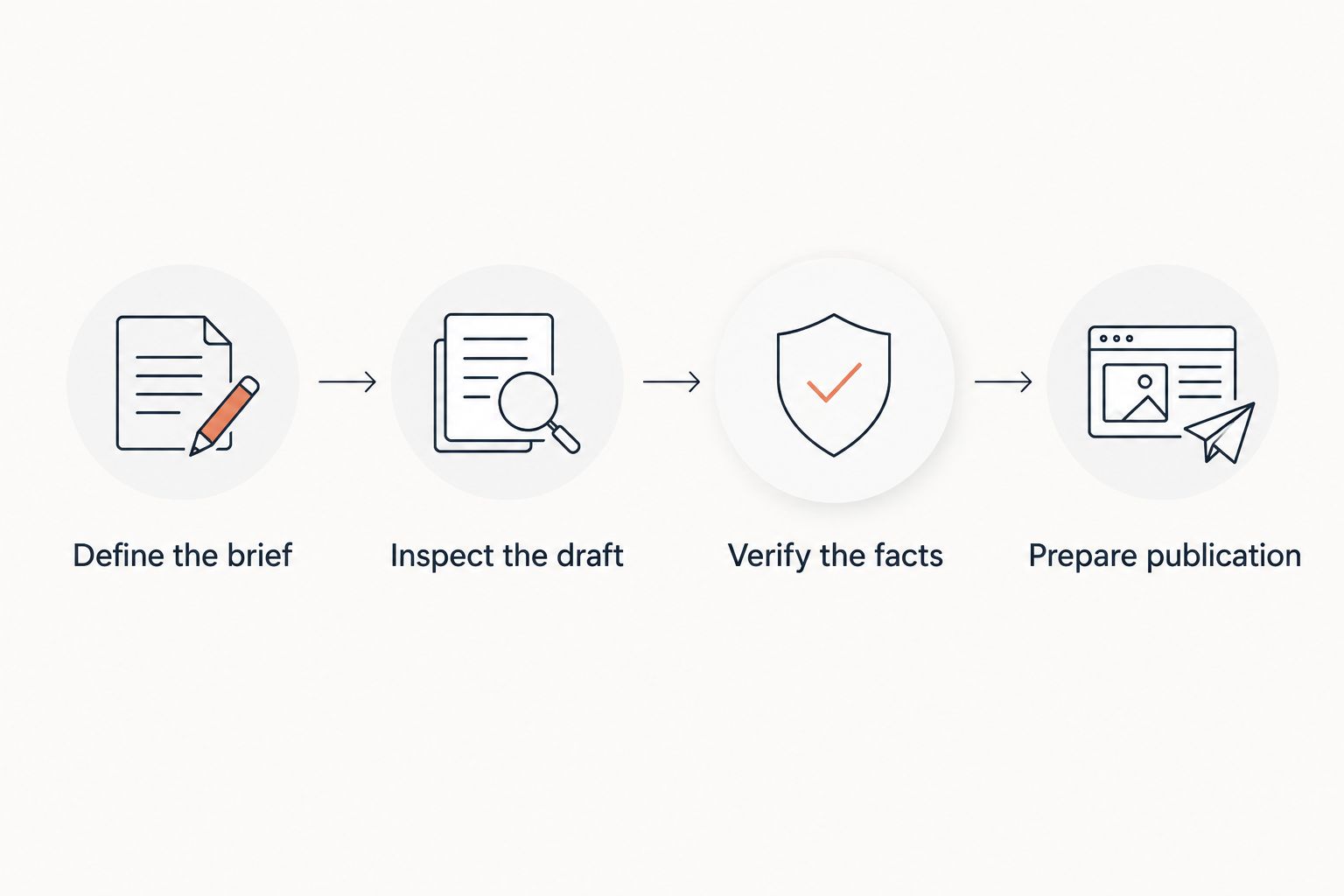
Use 1 article brief and 2 review passes to evaluate your preferred option. These are suggested evaluation steps, not performance benchmarks.
Define the brief
Pick a service or subject you genuinely know. State the intended reader, the question the article must answer, and the verified business facts it can include.
Inspect the draft
Check whether the opening answers the question directly. Remove unsupported claims, repetitive sections, and passages that discuss services you do not provide.
Verify the facts
Make your first review pass factual. Check names, service details, technical statements, and any claim attributed to another source.
Prepare publication
Make your second review pass editorial. Inspect headings, paragraph order, links, and the reader's next step before publishing or scheduling.
This sequence keeps writing convenience separate from publication quality. A draft that sounds polished still fails if it misrepresents your business.
Which WordPress content generator should you choose?
Choose the local publishing option when topic selection and publication are both slowing you down. Choose Jetpack AI Assistant when you already work comfortably in WordPress and mainly need writing help inside the editor.
Choose ChatGPT when you want a flexible drafting conversation and accept a separate publishing step. Choose Jasper when your decision concerns a broader marketing writing process, not just your next website article.
In 2026, use the same decision rule for every shortlist: identify the unfinished task, then select the tool designed for that task. Do not add a separate writing platform if moving drafts between systems is already the problem.
FAQ
What's the best AI content generator for WordPress for a local business?
The best fit is a tool that connects local topic selection with content creation and WordPress publication. Prioritize a workflow built for local business owners if you need help deciding what to write, not just producing text.
Is Jetpack AI Assistant better than ChatGPT for WordPress?
Jetpack AI Assistant is the more direct fit for writing inside the WordPress editor. ChatGPT fits a separate conversational drafting process, so the better choice depends on where you want to develop the article.
Can an AI writing tool publish and schedule WordPress articles?
Some WordPress-focused tools include publication and scheduling, but those functions are not inherent to AI text generation. Check the stated publishing workflow before choosing a writing tool.
Will AI-generated WordPress articles automatically rank on Google?
No, generating an article does not guarantee a Google ranking. The content must answer the searcher's question, provide useful information, and meet the same quality expectations as other published content.
Do I need to check AI-written articles before publishing?
Yes, check AI-written articles before publishing them. Verify business facts and external claims, then review headings, links, and wording separately.
Should I choose Jasper for a single WordPress blog?
Choose Jasper when its marketing-focused writing role matches your needs. If your only problem is drafting inside WordPress or scheduling local articles, prioritize those tasks instead.
What's the simplest way to compare these tools in 2026?
Use the same real article brief for each option you are considering. Compare how you select the topic, correct the draft, and prepare the approved content for WordPress publication.
One last thing
Before reviewing an article, remove your business name from the draft and read it again. If the text would fit any business offering a vaguely similar service, add verified details that answer the customer's actual question.
A useful local article needs business-specific substance, not repeated city names. Make that your final check before publication in 2026.


